I switched from Google Maps to Waze for a month; I regretted it almost immediately
Waze reminded me why Google Maps is still untouchable
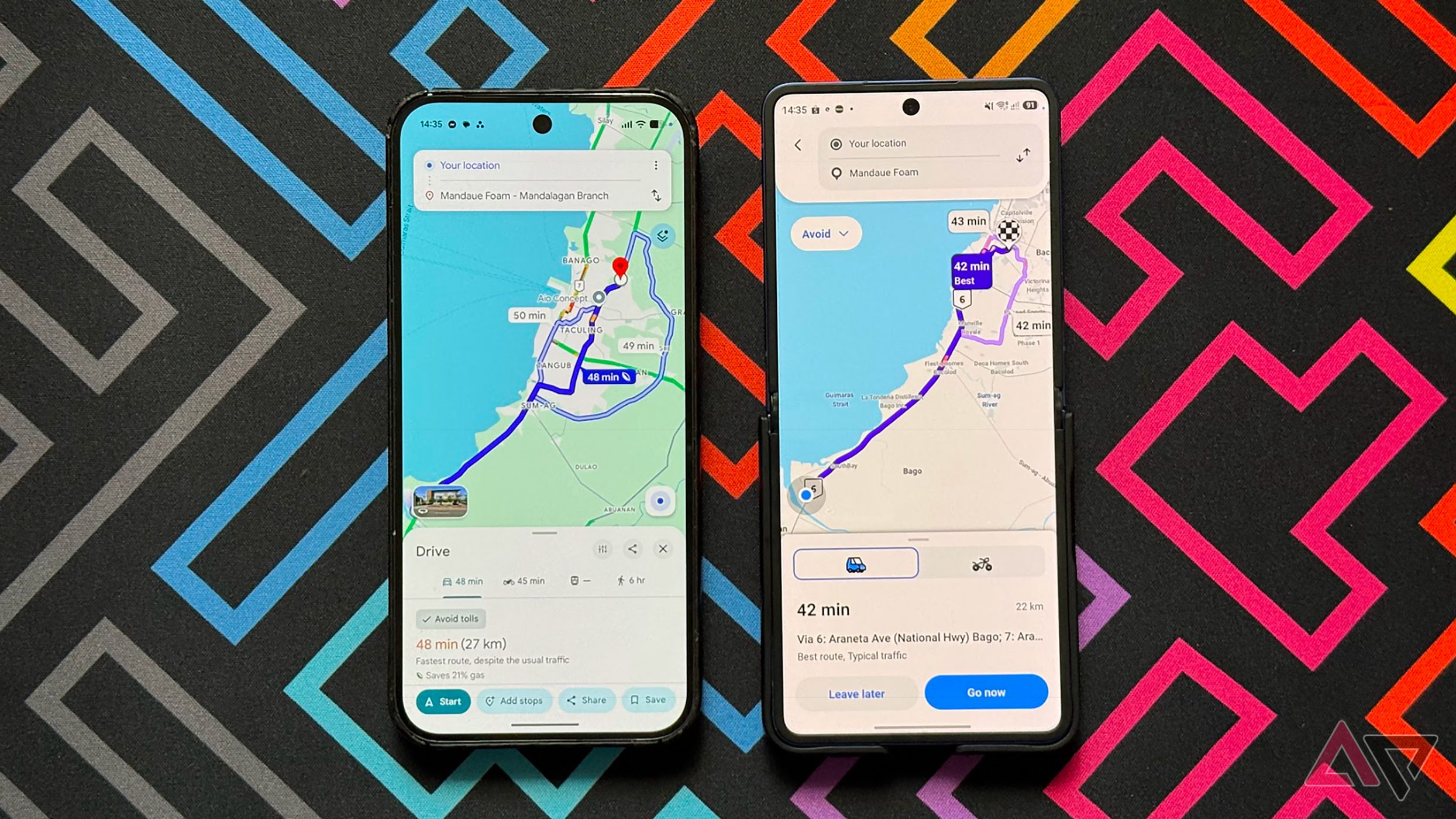
For years, I’ve used Google Maps as my primary navigation app. Its muscle memory made it a seamless part of my daily commutes and unfamiliar travels. However, after switching to Waze for a month, I realized I’d taken Google Maps for granted.
Waze boasts smarter routes, real-time alerts, and a community-driven approach that supposedly outsmarts Google’s algorithms. It excels in many areas, making it a popular choice among drivers. Yet, using Waze for a month made me appreciate how much I’d grown accustomed to Google Maps.
On paper, the switch seemed logical. Waze emphasizes real-time traffic updates, a stark contrast to Google Maps’ broader capabilities. Waze’s community-driven reporting—where users flag speed traps, accidents, and road closures—seemed particularly useful. Additionally, the alerts were more pronounced and unmissable, feeling rebellious against Google Maps’ default status.
Initially, Waze worked well. However, the honeymoon period ended quickly. The navigation history feature, which allows users to review past drives and revisit routes, paled in comparison to Google Maps’ Timeline. While Google Maps provides a long-term record of movements across different modes of transport, Waze’s history is limited and less comprehensive. For example, checking how I spent time three months ago—whether walking, driving, or using public transport—was cumbersome with Waze.
When I needed to switch between walking, public transport, or combining modes of travel, Google Maps offered a smoother transition. Checking walking, transit, or driving times became a context shift with Waze. Although Google Maps expects me to drive, its ability to compare multiple modes of transport proved invaluable.
Google Maps spoils me with offline reliability. I can download entire cities, navigate neighborhoods, and receive turn-by-turn directions without a data connection. This reliability is essential, especially in areas with spotty reception. Waze’s map, while fast in updating traffic, feels sparse compared to Google Maps, which provides more spatial context like lane markings, building outlines, and footpaths.
Despite its strengths, Waze’s limitations became apparent. Its map lacks the detailed spatial understanding Google Maps offers, making it less effective for locating specific entrances or understanding complex intersections at a glance. While Waze’s real-time traffic alerts and hazard warnings are swift, Google Maps excels in planning, switching travel modes, offline navigation, and understanding routes.
Ultimately, Google Maps remains superior for these tasks, highlighting Waze’s less comprehensive approach.
Written by urgent.news from Android Police's reporting — not their text. Machine-written — may contain errors; check the original before relying on it.