I flashed MicroPython onto a $4 board, and it's the easiest way into electronics I've found
One morning isn't a benchmark, but it was enough to change my default.
Last week, while exploring online resources, I stumbled upon MicroPython. This discovery completely changed my perspective on microcontroller coding. As someone with a software background, I had always used C++, Java, or Python for my projects. However, when I started working with microcontrollers and single-board computers (SBCs), I was forced to code in C++ using the Arduino IDE. This tedious process involved flashing the firmware and dealing with hardware components.
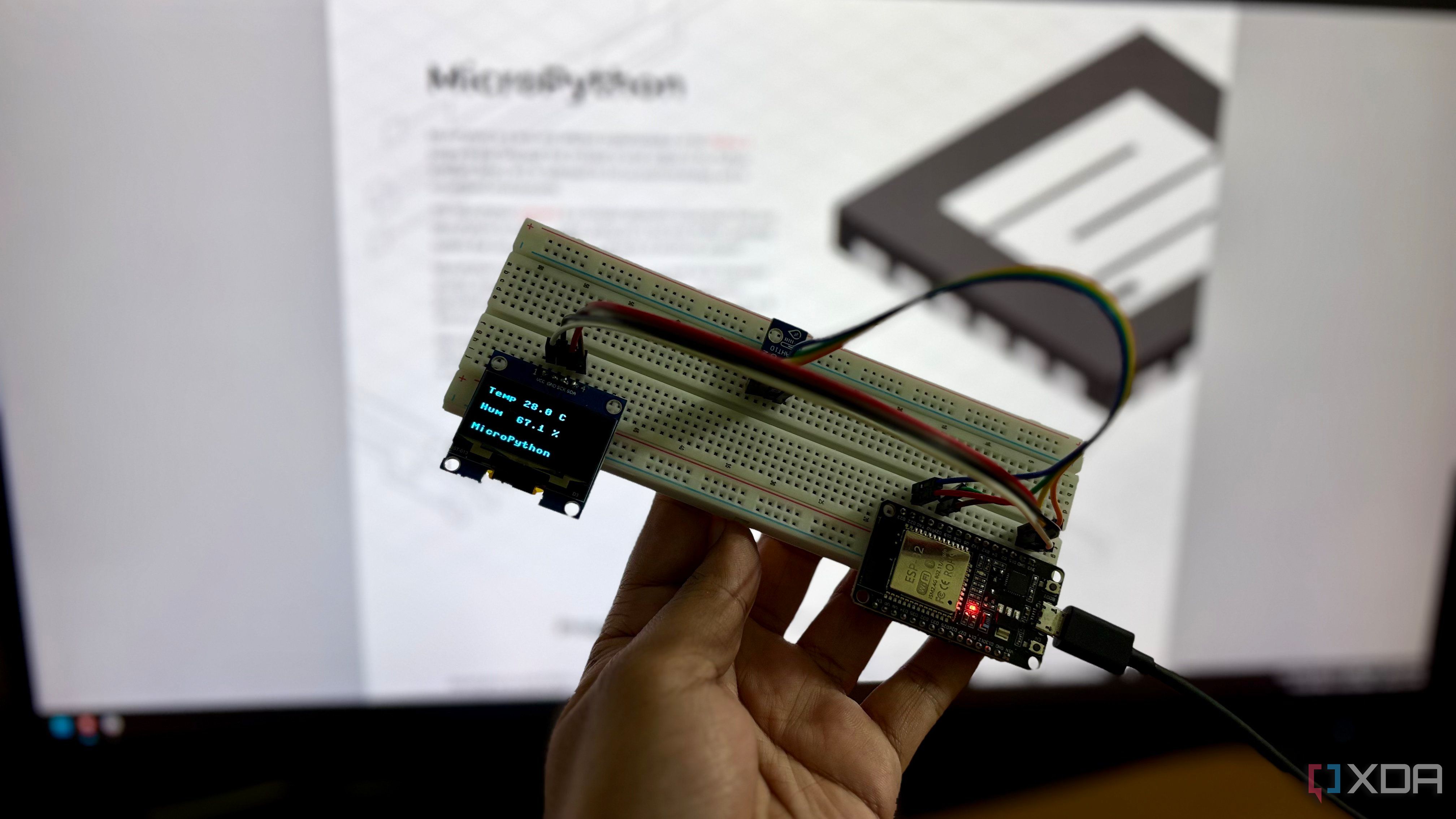
MicroPython presented a simpler alternative, one that caught my attention due to its familiarity. I decided to test both approaches on the same board, an ESP32 NodeMCU 30-pin with an AHT10 temperature and humidity sensor and a 1.3-inch OLED display. The task was straightforward: retrieve temperature and humidity data and display it on the screen.
After flashing the MicroPython firmware onto the ESP32, I immediately noticed the ease of use. The process was significantly faster than installing the Arduino IDE, board manager, and libraries. Moreover, I didn't have to press the BOOT button to access the REPL (Read-Eval-Print Loop) interface. Running a simple Python command, "print('hello')" was a relief, confirming that MicroPython was working correctly.
While setting up the project, I encountered a minor inconvenience with component drivers. Unlike the Arduino IDE's library manager, MicroPython required manually copying the AHT10 and SH1106 OLED driver files to the board. However, I soon discovered the existence of a package manager called mip, which ran through mpremote, eliminating this extra step.
The build of MicroPython proved to be seamless. An 18-line main.py file achieved the desired read-and-show task, which would have required a 26-line C++ sketch in the Arduino IDE. Although the number of lines of code may seem insignificant, larger projects would benefit from such simplicity. Additionally, the time taken to compile and upload the MicroPython code was remarkably faster, taking just a second compared to the 37 seconds required for the same task in C++ on the Arduino IDE.
I also measured the reading speed, which was limited by the sensor's capabilities rather than the language itself, requiring a 80ms wait after each measurement. Despite some limitations, such as the overhead associated with memory-heavy programs, MicroPython offers a compelling alternative to traditional microcontroller coding. With its faster execution, ease of use, and simplified workflow, MicroPython emerges as a promising choice for future small projects.
Written by urgent.news from XDA Developers's reporting — not their text. Machine-written — may contain errors; check the original before relying on it.