My C: drive kept running out of space, and I finally found how to stop it for good
I had to modify certain habits to keep my C: drive breathing
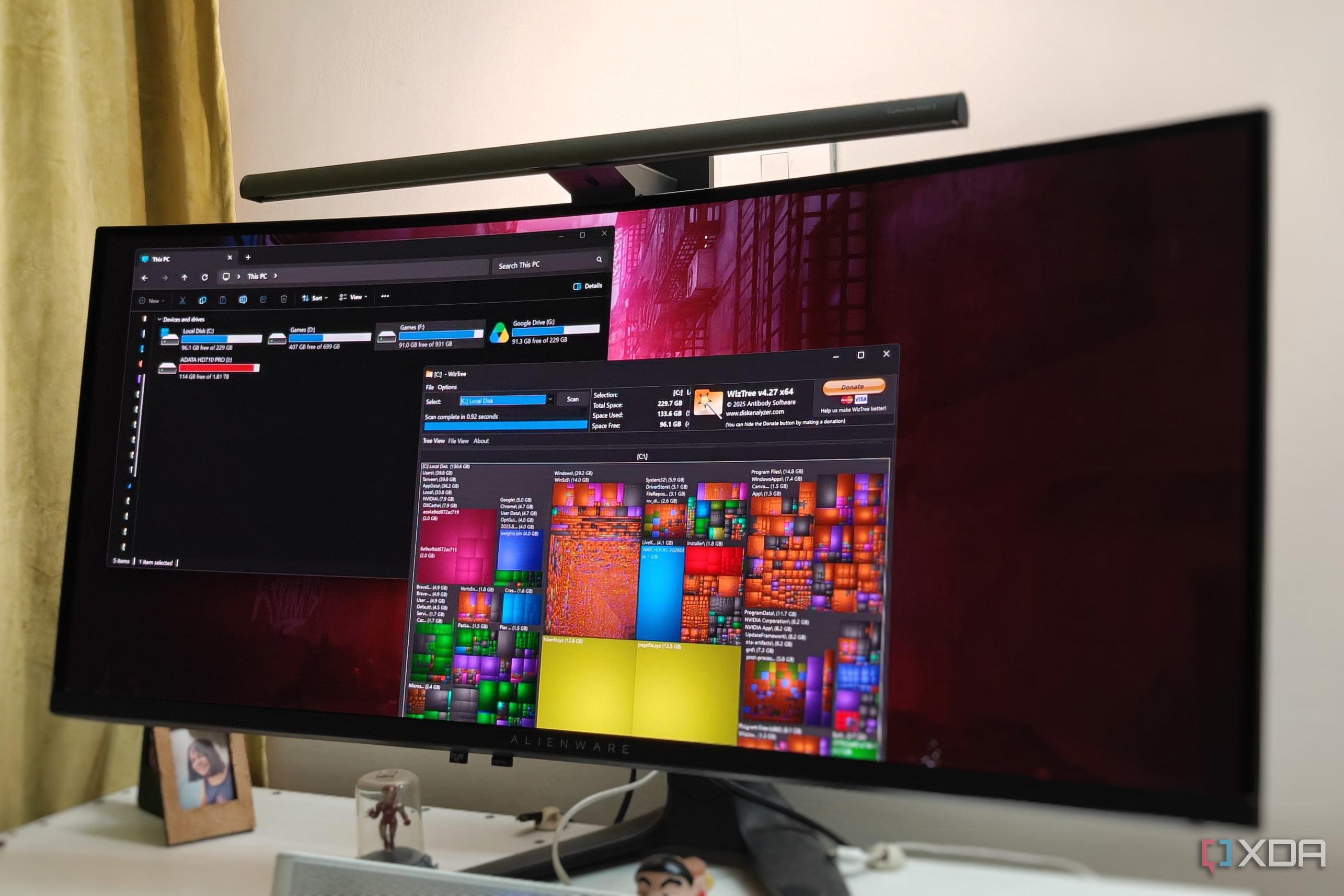
My PC's C: drive was frequently running out of free space, despite having 2TB of combined SSD storage. The primary issue was that my default storage settings were destined to fill up the C: drive sooner rather than later. Additionally, Windows reserves space for files and folders that can be safely deleted without harming the system.
By changing the default install location for new applications to an F: drive partition, and moving existing programs installed on the C: drive, I was able to free up dozens of gigabytes. I also disabled the hiberfil.sys file, which was occupying nearly 13GB of space, and deleted unnecessary shader files left behind by old Nvidia drivers, saving another 8GB.
Finally, I identified and removed several large files that were taking up unnecessary space, including a Windows kernel error log file. By adjusting storage settings, disabling unused features, and removing unnecessary files, I successfully reclaimed a significant amount of space on my C: drive and prevented future fill-ups.
Written by urgent.news from XDA Developers's reporting — not their text. Machine-written — may contain errors; check the original before relying on it.