How to clean your PlayStation 5 without damaging it
Your PS5 requires occasional maintenance to run at its best, but it only needs a light touch.
Maintaining your PlayStation 5 through regular cleaning is crucial to prevent dust buildup that restricts airflow and increases the risk of overheating. Although it might not be as thrilling as playing the latest games, proper maintenance can extend the life of your expensive console. Dust accumulation in the system forces it to work harder to cool itself, leading to potential damage.
When cleaning your PS5, it's essential to proceed cautiously to avoid causing damage. Before starting, ensure the system is powered off, unplugged, and allowed to cool down. Place it on a flat, clean surface for the cleaning process. Begin by wiping the exterior surfaces with a clean, soft cloth to remove visible dust or debris.
Avoid using bleach or chemically treated cloths, as these can cause discoloration and degrade the materials. Sony advises against using alcohol-based cleaners, as they may harm the system's components.
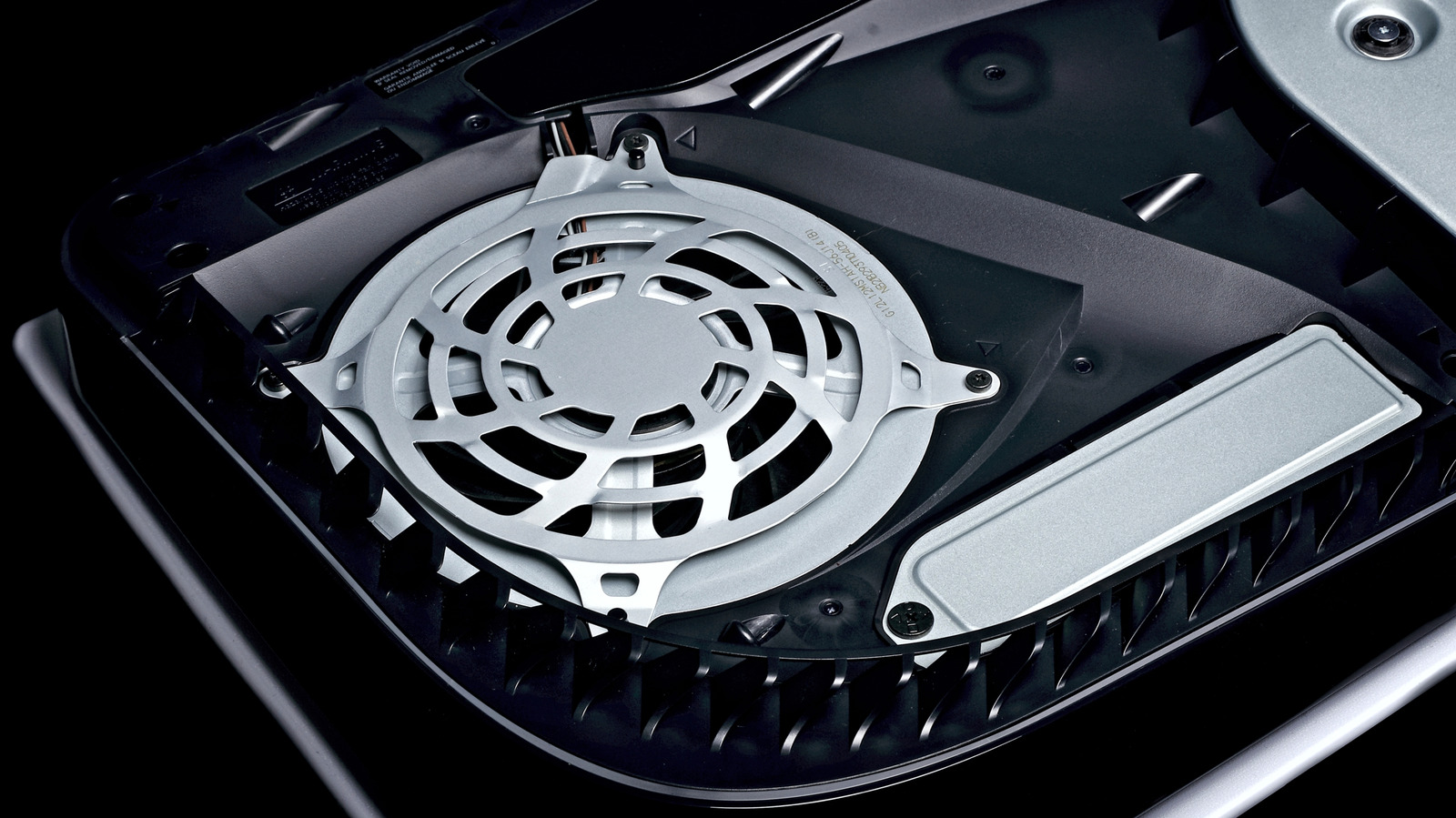
Focus on cleaning the external vents, as they are prone to collecting dust. Use a small handheld vacuum or a combination of compressed air and a vacuum to remove dust from these areas. A cotton swab or soft brush, such as an old toothbrush, can help dislodge any stubborn dirt. For the internal cleaning, it is recommended to remove the covers carefully, following the specific instructions for your PS5 model, such as the original PS5, Slim, or Pro system. Take care when handling the covers, as they are relatively delicate.
Once the exterior and accessible internal components are cleaned, avoid using heavy-duty vacuums or spinning the fan, which can generate an electric charge and potentially damage the system. Instead, gently use a cotton swab to clean the fan blades. Pay attention to specific areas, such as the triangular dust catcher spots, designed to gather debris. If you choose to go deeper, proceed with caution, as unauthorized opening or work inside the PS5 voids the warranty.
After completing the cleaning process, reassemble the console and reconnect all cables. Ensure the covers are properly aligned and connected to maintain proper airflow. Position your PlayStation 5 on a stable stand, regardless of the orientation, to prevent tipping over and to reduce the risk of dust accumulation. Provide adequate clearance between the console and nearby walls, and keep it away from cramped spaces to promote optimal air circulation.
By following these guidelines, you can effectively maintain your PlayStation 5, ensuring it continues to perform at its best while minimizing the need for frequent disassembly.
Written by urgent.news from Engadget's reporting — not their text. Machine-written — may contain errors; check the original before relying on it.