A $40 controller turned my old flagship into a retro gaming handheld
3 reasons a spare Android flagship beats a budget retro handheld.
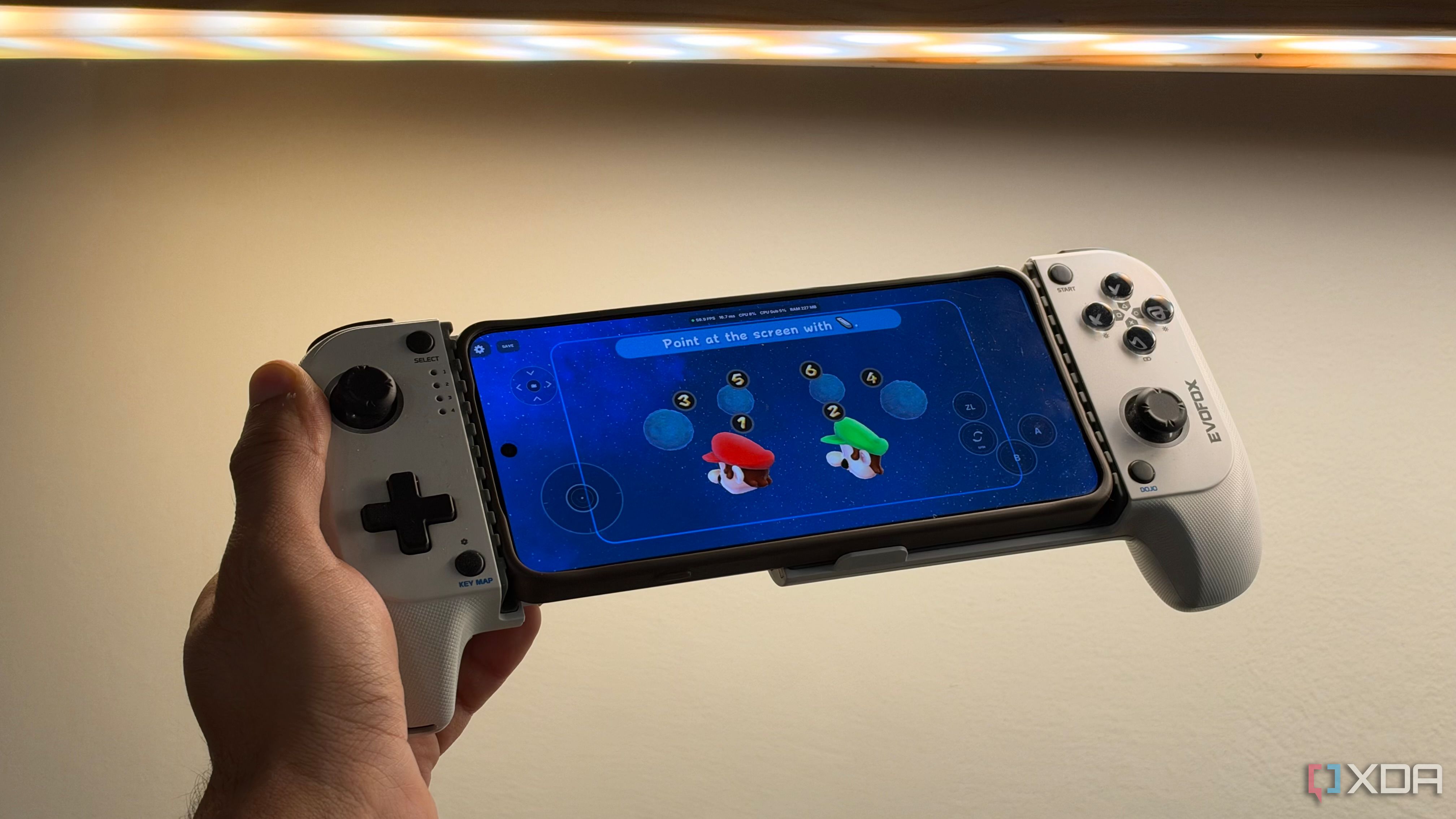
Budget-friendly retro handhelds are quite popular these days, and they could be a tempting option if you're looking to build a handheld retro gaming collection. However, there's a catch: these devices often have specs comparable to an old Android flagship. The main difference usually lies in the controls and appearance. If your goal is to save money on a cheap handheld, it might be more cost-effective to use an old Android smartphone paired with a budget controller.
Surprisingly, your phone could provide a brighter display, a capable processor, more storage, and better connectivity, potentially delivering a brighter gaming experience. When purchasing a retro handheld, you're essentially paying for the entire package, including the display, battery, processor, storage, and controls. Your old phone, sitting unused in a drawer, has all these components except the control pad.
This distinction is critical because modern Android phones are robust, and even a few-year-old model can boast an impressive display and powerful processing for emulating 3D consoles. However, the performance ceiling varies based on the phone and the games played. Older 2D titles and several PlayStation One, Nintendo 64, and Dreamcast games are typically easy to handle.
Yet, if your phone isn't too outdated, it might be possible to run PS2 and PS3 emulations too. Emulators are becoming more efficient, and individual game patches can further enhance performance. Essentially, an older flagship could be a fantastic fit for an extensive game library. Utilizing a phone also offers more flexibility in choosing a front-end.
Popular choices include RetroArch, which consolidates multiple emulator cores in a single interface. This software allows you to configure and run various gaming systems from one place. Yet, RetroArch is just the beginning. There's a plethora of visually appealing frontends to experiment with. A controller is the piece that transforms your smartphone from a casual retro gaming setup into something more purpose-built.
Numerous options exist, but telescopic models that wrap around the phone are my preference. Particularly, I favor models with analog sticks, a proper directional pad, and familiar face buttons from my console controllers. Prices range widely, but you can find a controller for under $40, which is considerably cheaper than even a basic retro gaming handheld that can cost hundreds of dollars.
Furthermore, considering your old phone already handles the processing, the cost difference becomes even more pronounced. The type of controller you choose—whether connected via USB or Bluetooth—doesn't significantly impact the experience, as most frontends can automatically configure controls and settings for external controllers.
When selecting a controller, fit is paramount. Controllers come in various shapes and sizes, some tailored for specific titles and aspect ratios. A telescopic controller strikes a balance between fit and versatility. When compact, it takes up minimal space in a pocket or bag, and when extended, it comfortably accommodates even the largest phones, offering a widescreen gaming experience suitable for 3D titles from the PlayStation era.
Most importantly, these controllers typically include all the essential controls required to play games without constantly switching between physical and digital controls. Personally, I favor Bluetooth controllers as they prevent unnecessary strain on my phone's USB port and provide more positioning flexibility. However, there are trade-offs to consider.
Combining a phone with a controller generally makes it heavier than a dedicated handheld. Additionally, dedicated handhelds often boast superior ergonomics due to their specialized design for one purpose. Battery life is another concern; emulation can drain battery faster, and if you frequently play on the go, a low battery can be problematic.
Still, these issues can be mitigated. If you're considering a gaming handheld, I recommend starting with a spare Android flagship and adding a budget gaming controller. You may be astonished by the performance and capabilities of this setup and the minimal sacrifices you're making compared to a dedicated retro gaming handheld.
Written by urgent.news from XDA Developers's reporting — not their text. Machine-written — may contain errors; check the original before relying on it.