I used Claude Code to build an Android app that my family actually uses every day
I keep forgetting what to buy, so I built an app my family can add things to.
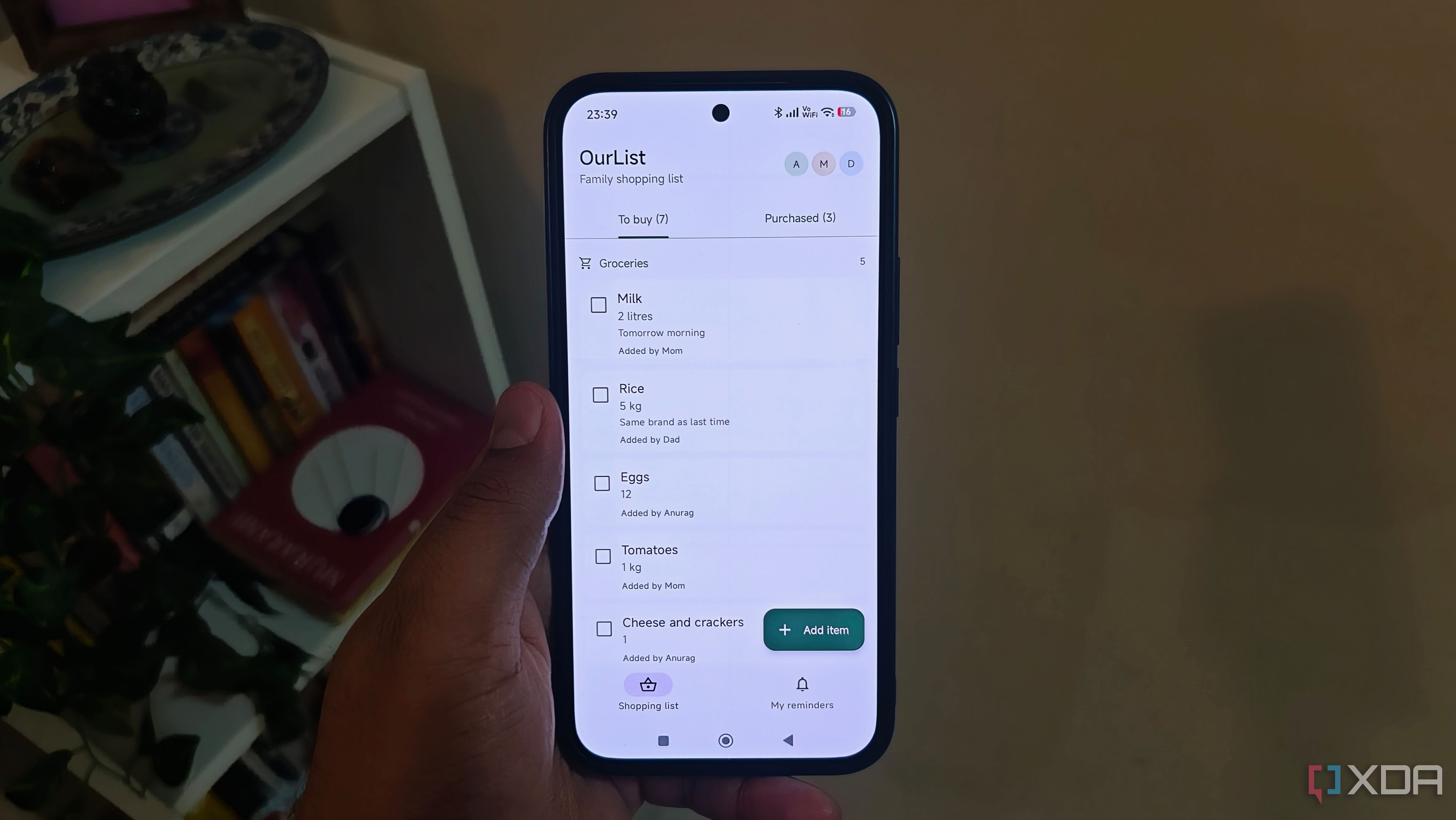
I crafted an Android application using Claude Code, an AI tool, to benefit my family. This app functions as a shared grocery list with reminders for items needing to be purchased at specific times. While there are existing apps for this purpose, I aimed to create an Android app focusing on the specific features we required. The list is accessible to everyone, containing quantities, notes, and reminders for each item.
To build the app, I employed Opus 5.5, keeping the focus on the actions of adding groceries, specifying quantities, and marking items as purchased. The interface utilized Kotlin and Jetpack Compose, while Firebase managed sign-in and shared data. Initially, I contemplated self-hosting a backend, but it wasn't necessary for this project.
The app links directly to Cloud Firestore for storing and syncing the shopping list across our phones. Offline access is also supported, allowing users to add items without a connection that syncs once online. Everyone signs in using their Google account, and access is restricted to our family. A grocery list that only exists on one phone can be easily created in a notes app, but this app allows anyone to add items when they notice we're running low, and the person shopping can check the list.
Each item includes quantities and notes, enabling the buyer to specify the pack size or brand. I also integrated Claude Code with GitHub to monitor changes. I can request Claude Code to review and commit its work with a description, and revert to an earlier version if an update causes issues. Setting reminders for items on the shared list helps ensure I remember to check the list before returning home.
The quantity and notes are already in the app, so I don't need to piece together what I'm supposed to buy from separate reminders and messages. Notifications for these reminders are scheduled on the phone, separate from the family's shared reminders, preventing notifications for every addition to the list. Firebase handles the shared data, while Android manages notifications on the device, keeping this part of the app functional without adding a service for notifications.
For now, I'm not including remotely assigned reminders in this version, as creating a reminder on someone else's phone would require push delivery and additional backend logic. Currently, I can open the family list, see what we need, and set my own reminder before going shopping. Firebase's free Spark plan, which doesn't require a payment method, is sufficient for our needs.
GitHub allows me to keep the source code in a private repository for free. The main expense has been my usage allowance, which I've exhausted twice, but the app's usefulness outweighs the cost.
Written by urgent.news from XDA Developers's reporting — not their text. Machine-written — may contain errors; check the original before relying on it.
This story
This is one outlet's version. Read the fullest account.