I play Xbox 360 games on my PC now, and Xenia has finally made it worth it
If there's a way to revisit the golden age of Xbox, this is it
I've always believed it was a shame that many classic Xbox games never made the jump to the PC platform. Although Microsoft made efforts, none of them allowed me to play Fable II on my Windows 11 desktop. However, an open-source emulator named Xenia, which began development in 2013, has given me and others the opportunity to enjoy those games once again.
Setting up Xenia is surprisingly straightforward. I simply needed to drag the disc images of the games I wanted to play onto the emulator window. To my delight, two of my favorite titles from the Xbox 360 era began running without any system file troubles, controller mapping issues, or configuration concerns, all while maintaining their original 30 FPS cap and doubled resolution.
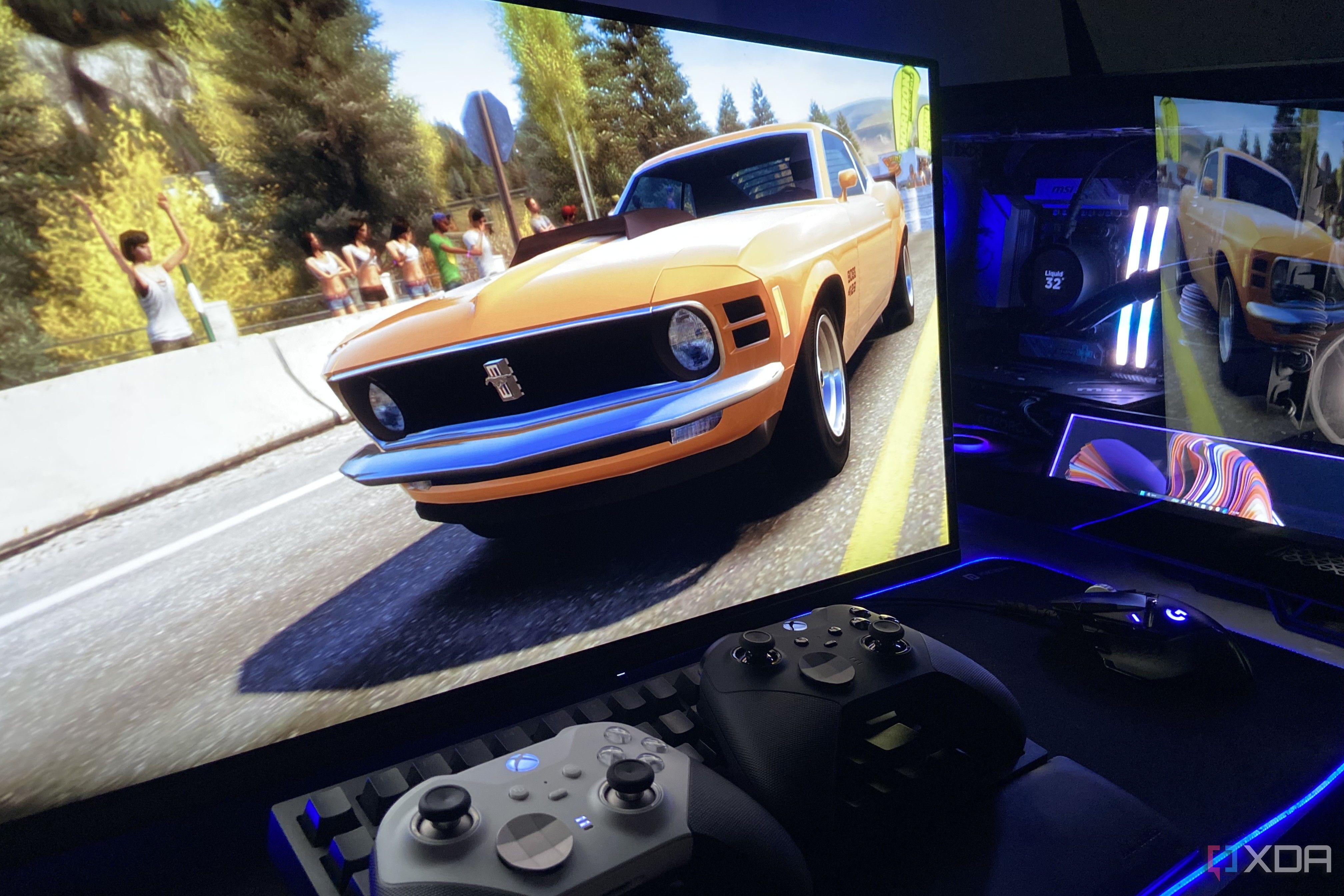
I'm convinced that it's the best way to revisit the Xbox 360 library on PC. One of the first games I attempted was Forza Horizon, and when the emulator window displayed the familiar Playground Games logo, I was initially surprised. But after a few minutes of setup and some troubleshooting, I was impressed to see the game rendered at a stunning 1440p resolution, up from its original 720p and matching the native resolution of my QD-OLED monitor.
Playing a 14-year-old title like this at such high quality was truly surreal. Forza Horizon offered a more mature experience compared to recent releases, with snarky characters and intense races. Fable II, on the other hand, was a more challenging test for Xenia. While there were some reported bugs, none appeared on my run. The game's graphics, such as cobblestone streets and snow-covered walls, were rendered beautifully at 1440p without any post-processing.
I played Fable II for 60 seconds, and Xenia maintained a 30 FPS average with no stuttering. With a little Lossless Scaling, the game truly shines on modern hardware. The best part about playing Xbox 360 games on Xenia is that anyone with the right hardware and a compatible disc image can experience these classic games on their PC.
All I did was download the Canary build from the project's GitHub page, extract it, and drag the disc image onto the emulator window. No BIOS dumps or Xbox 360 system files were required, making Xenia much simpler than other console emulators. My Xbox Elite Series 2 controller worked out of the box without any remapping, and I only had to adjust the draw_resolution_scale_x and draw_resolution_scale_y settings in the configuration file to enable 2x resolution scaling.
The rest of the settings remained at their default values. If you have an Xbox 360 lying around with a collection of games, Xenia allows you to play those titles for free on your PC, replicating the experience you had on the original console.
Written by urgent.news from XDA Developers's reporting — not their text. Machine-written — may contain errors; check the original before relying on it.