Zen Browser is the Arc replacement I was looking for
I know many of you are mourning the loss of the Arc browser, and I get it. It felt like the first app in a long time to really offer a new approach to browser design. Atlassian bought the company last year and shifted its focus to developing Dia, its even more AI-focused browser. And […]
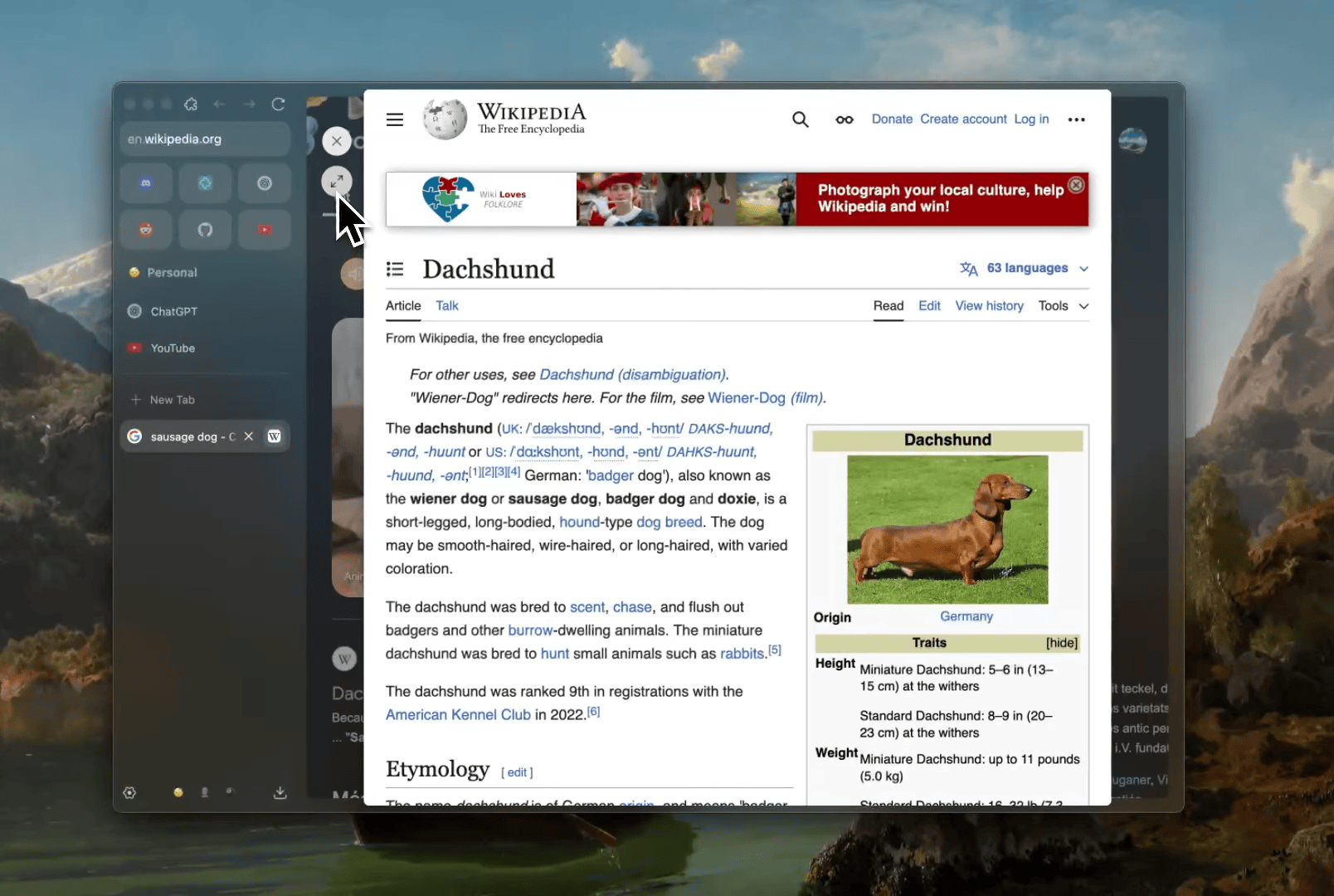
Zen Browser offers the best features of Arc without the AI integration and excess bloat. Many mourn the loss of Arc, a browser that brought a fresh approach to design. However, Arc was acquired by Atlassian and shifted focus towards the AI-driven Dia browser, leaving dedicated users without a choice. Zen Browser stepped in to fill the void and has become my preferred replacement for Arc, with little to no regret.
Visually, Zen closely resembles Arc, with similar launcher-like pinned sites, left-side tab bar, siloed spaces, and customizable mods for UI personalization. Unlike Arc, Zen doesn't include an AI agent in the sidebar tracking my browsing habits. It's a privacy-focused browser that doesn't train language models on my activity, focusing solely on providing an excellent web browsing experience.
Zen prides itself on its privacy features, stating that it cares about the user's experience, not their data. The browser is a free and open-source project supported by volunteers and donations. In addition, Zen Mods can customize various aspects of the browser, such as active tab appearance and pip video handling. Firefox extensions can also be installed, although some may not function perfectly on Zen due to UI differences.
One of Zen Browser's standout features is its "glance" view for links, which displays a temporary pop-over tab. This is particularly useful for quick browsing or light research. Switching to a proper tab is just a click away. Furthermore, Zen includes a floating bar that appears when pressing Command+T or CTRL+T, enabling various actions like launching a new tab, switching existing tabs, performing searches, and triggering extensions.
However, Zen is not without its limitations. Currently, it cannot play DRM-protected video content, meaning popular platforms like Netflix, Spotify, HBO, and Disney+ are inaccessible. Fortunately, the Zen team is working towards obtaining a Widevine license from Google to resolve this issue. Additionally, Zen relies on Firefox's Web MIDI support, which is less robust than Chrome's, leading to occasional use of Chrome for MIDI-related tasks.
While Zen's interface is clean and well-organized, it does have some minor inconveniences. It lacks some of Arc's Boost features, but I've grown accustomed to the current state of the browser. If you were once an Arc user and had issues with its buggy early versions, rest assured that Zen has significantly improved. If AI features are a priority for you, Dia might be the better choice. Personally, I appreciate Zen's interface, but I didn't connect with its overall vibe. In the end, Zen feels like the right browser for me.
Written by urgent.news from The Verge's reporting — not their text. Machine-written — may contain errors; check the original before relying on it.