This free tool syncs your terminal history between PCs, and it belongs on every developer's machine
Do you ever wish you could remember that terminal command you used on another PC? Atuin saves and syncs them all so you never have to worry.
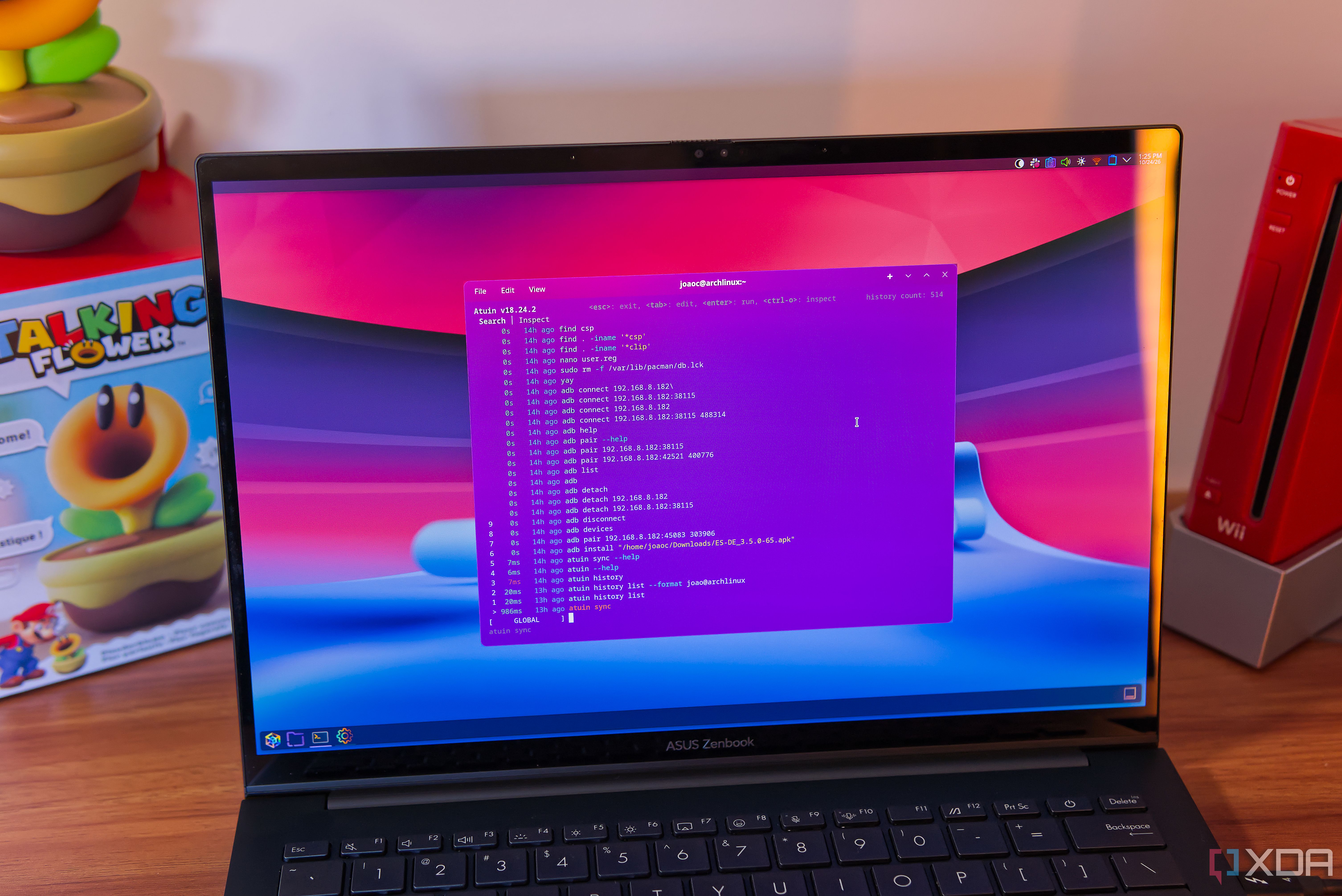
The terminal history can easily be synced across multiple computers with the help of a tool called Atuin. This free tool is incredibly easy to set up, requiring only a single command to download and install it. Once installed, users can sign in or create an account to sync their history over the hosted cloud server. Syncing is automatic by default and occurs every five minutes, but users have the option to manually sync at any time with the atuin sync command.
The synced terminal history offers numerous benefits. Pressing the up arrow on the keyboard displays a list of all history across devices, with the ability to scroll or search for specific commands. Additionally, Atuin allows users to quickly access previous commands using the Alt + (number) shortcut, or the Ctrl+R shortcut, which can filter results across different shells. This feature makes it incredibly convenient to access old commands, even if they were run on a different device.
Atuin supports multiple shells, including Zsh, bash, and fish, with features being fully supported. Although nushell, xonsh, and PowerShell are technically supported, some features may be missing. However, the history syncing works perfectly across all supported shells. Users may need to modify the config file for Atuin to enable search results for all shells, but this is a minor adjustment for the added convenience of having access to terminal history across devices.
Written by urgent.news from XDA Developers's reporting — not their text. Machine-written — may contain errors; check the original before relying on it.