I wrote my own Chrome extensions after my trusted tools were sold to new owners
My favorite browser extensions became a security risk, and that pushed me to vibe-code alternatives I could control.
I never expected to build my own Chrome extensions. Most people prefer finding ready-made tools that solve their problems without much effort. However, when a few extensions I relied on were sold to new owners and turned malicious, I started questioning my trust in browser tools. Instead of quickly switching to other extensions, I decided to try a different approach.
With Claude Code and detailed prompts, I built replacements tailored to my needs. The process was surprisingly easier than anticipated. Chrome extensions are often an easy way to turn a small idea into a usable product. For many developers, it's a great starting point. I appreciate the simplicity of finding an extension that does one thing well, installing it quickly, and incorporating it into my daily workflow.
If it saves me time, I rarely question its ownership or the developer's involvement. However, I overlooked an important aspect of this convenience. Extensions can be sold to new owners, just like other digital products. While selling an extension can be a way for the original developer to earn money, it poses a risk for users who might not notice ownership changes.
I trusted tools like QuickLens and ShotBird, which were created by the same developer but became malicious after being acquired and later turned malicious. Both extensions, despite their familiar appearance and original features, accessed sensitive browser data and could become security risks if a new owner pushed a malicious update.
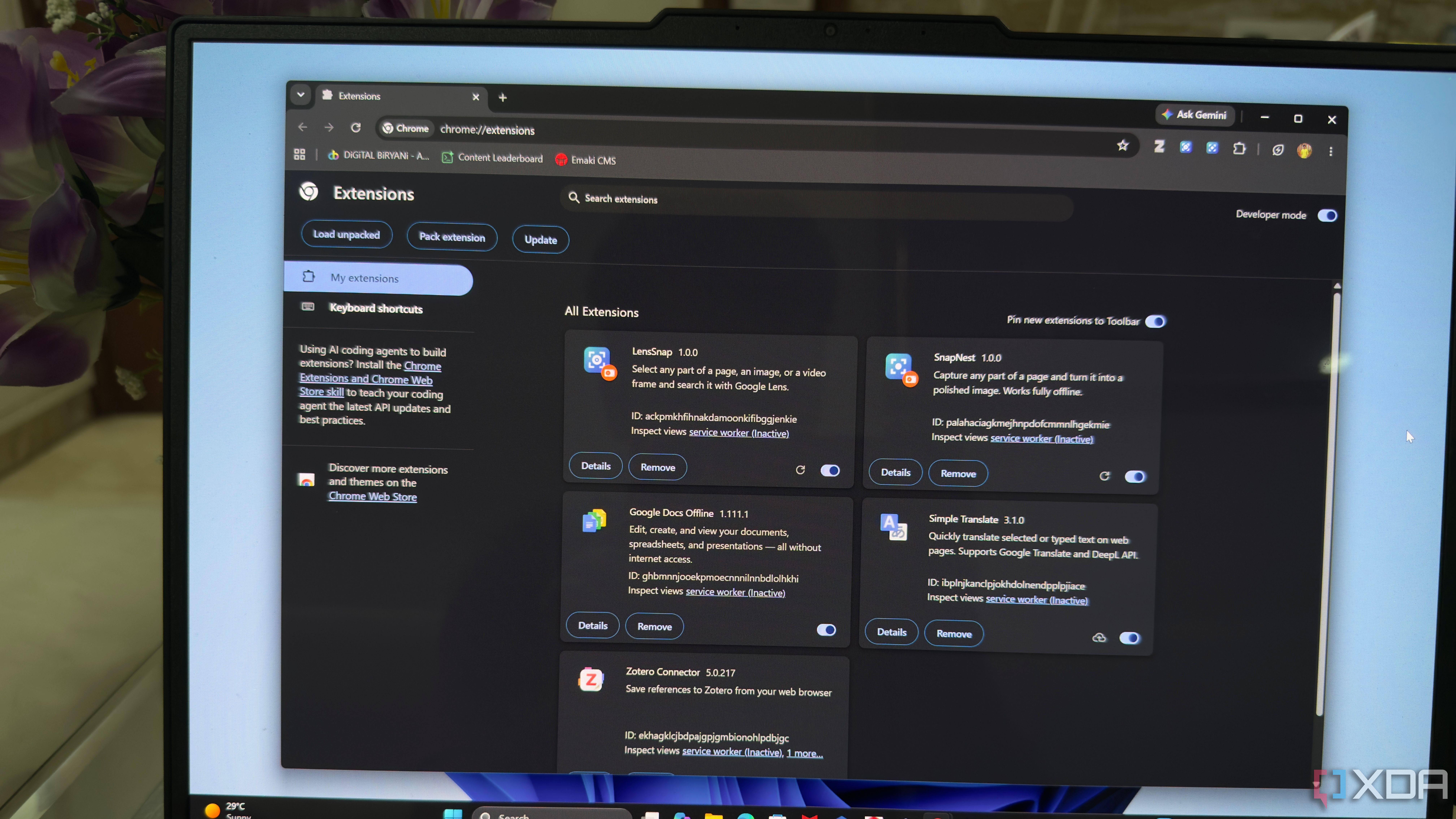
After this experience, I was no longer comfortable relying on extensions I couldn't control. Consequently, I built my own alternatives. I used Claude Code to create these tools, describing what I needed, specifying feature requirements, testing, and refining the code. My first extension, LensSnap, allows selecting any part of a webpage, image, or video frame to search with Google Lens and offers options like sending captures to shopping searches or saving them as PNG files.
The second extension, SnapNest, focuses on screenshots, enabling users to capture specific regions, entire webpages, or individual elements and apply various edits like gradients, backgrounds, annotations, and export formats. Privacy was a priority in building these tools, as they request minimal permissions, process captures locally, and avoid network requests.
By building my own replacements, I gained control over the features and code, ensuring they met my specific needs without relying on the decisions of other developers.
Written by urgent.news from XDA Developers's reporting — not their text. Machine-written — may contain errors; check the original before relying on it.
This story
This is one outlet's version. Read the fullest account.