I stopped uploading sensitive PDFs to Adobe after finding a self-hosted tool that does everything Acrobat charges for
Why pay 20 bucks a month when you can get a more private option for free?
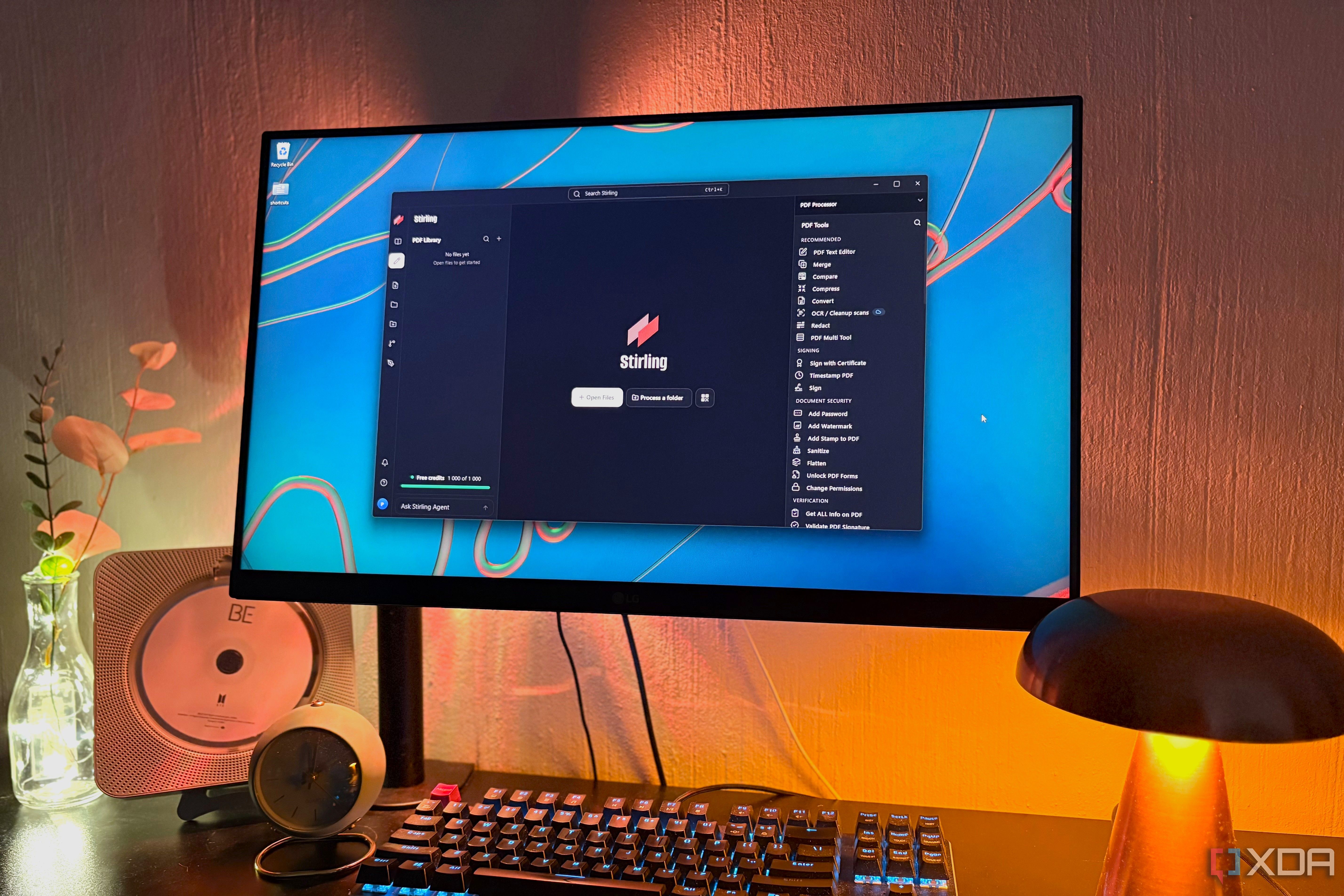
For individuals seeking to safeguard sensitive PDF documents, a self-hosted alternative to Adobe's premium tools has emerged. Stirling PDF, a free open-source solution, offers a wide range of features comparable to Adobe Acrobat at a fraction of the cost. The app presents a minimalist interface and boasts over 50 tools categorized by function, such as signing, document security, editing, merging, compressing, redaction, and OCR.
One standout feature is the enhanced signing process, allowing users to scan a QR code and draw their signature on their phone. The editor tool, previously in alpha, has been rebuilt and is now fully functional, enabling users to type directly into text on the PDF. Merging and compressing files can be done locally without a subscription, unlike Adobe's online tools. Redaction and compare functionalities, which are Pro-only in Acrobat, are available in Stirling for free.
Additional tools include sanitization to remove JavaScript and embedded files, making files safer when downloaded from untrusted sources. OCR functionality, once a Pro feature in Acrobat, is now accessible in Stirling. Automation capabilities have also been expanded, with the ability to save chains of tools for batch processing of multiple PDFs. The PDF Processor automates this process for large batches of files stored in folders, FTP, or S3 storage, continuously listening for new files.
Stirling also offers a desktop agent that allows users to interact with PDFs using natural language queries and execute tasks such as merging PDFs. Users can choose between local mode, where all tools run on their computer without uploading any data, or self-hosting the application using Docker. This provides even greater control over sensitive documents. The only limitation in local mode is the inability to process Office files and use certain advanced features like OCR and converting files from Office formats.
While Adobe Acrobat remains a viable option for those with extensive PDF-related work, the cost of $20 per month may not justify the benefits for individuals seeking a more secure and affordable solution. Stirling PDF presents a compelling alternative, offering a comprehensive suite of features at no cost, with the added benefit of local processing and self-hosting options for heightened security.
Written by urgent.news from XDA Developers's reporting — not their text. Machine-written — may contain errors; check the original before relying on it.