The perfect Android app for keeping track of my items was hiding in plain sight
The app I needed to help me find my items without requiring a tracker was already there.
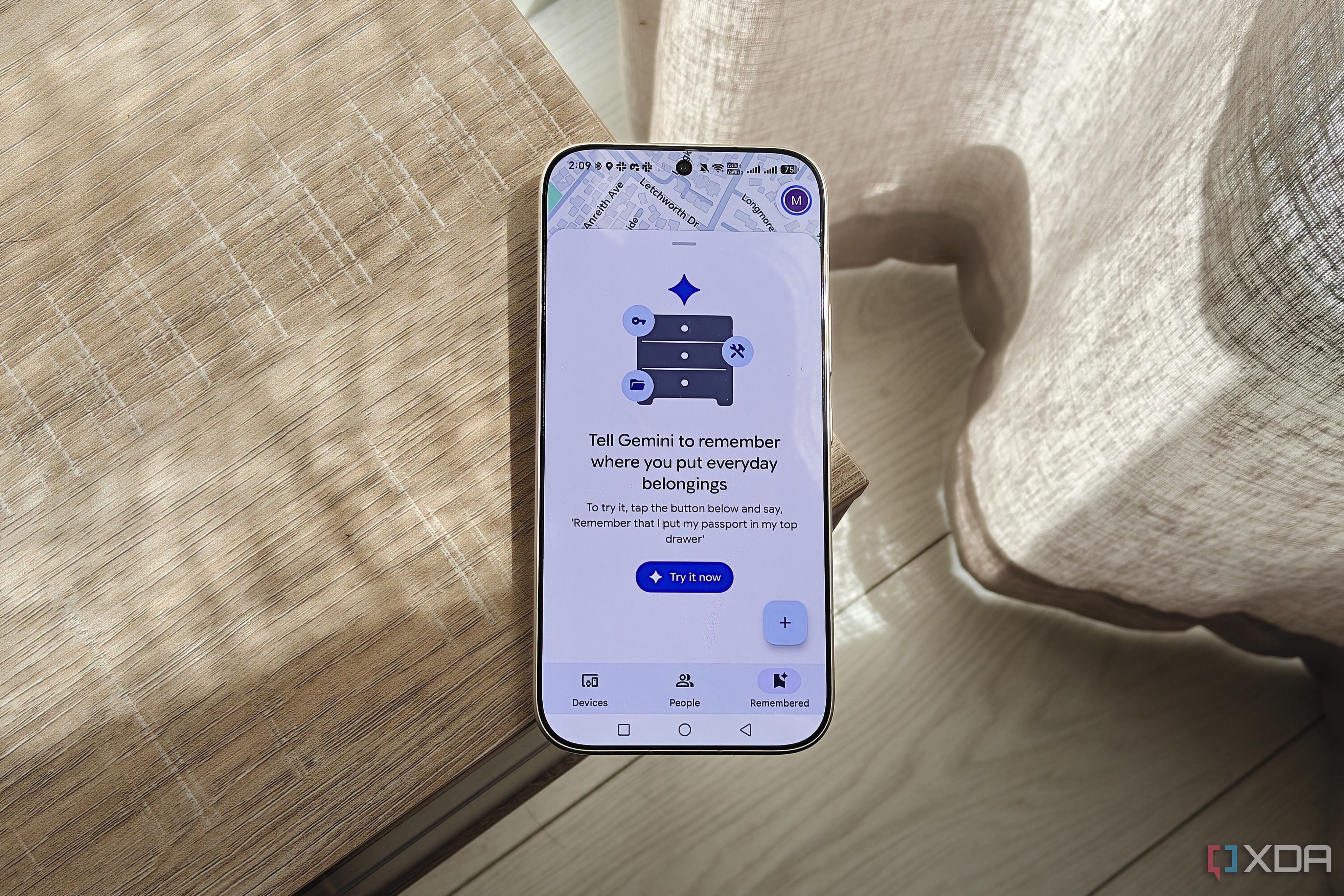
Keeping track of household items can be challenging, often resulting in scattered belongings and frustration. Recently, a straightforward solution emerged on Android devices: the Find Hub app. This app is commonly known for its Find Your Phone feature, but it offers much more. Beyond locating your phone, Find Hub tracks other compatible devices, such as Bluetooth tags, headphones, earbuds, and tablets (compatibility varies by brand).
In addition to tracking, Find Hub enables sharing your current location with contacts, both temporarily and long-term. For instance, a user's mother used this feature during a road trip, sharing her location with a friend for safety.
A newer feature, the Remembered tab, debuted in a September 2026 update but remained unknown to many users, including the author. This tab emerged as a game-changer for organizing home items. Before discovering Remembered, the author struggled with decluttering and frequently misplaced items, leading to the use of a self-hosted inventory service. However, this service proved cumbersome with extensive clutter.
The Remembered feature allows users to add items manually or via Gemini, naming them and specifying their storage locations. Users can create custom storage spots, such as cupboards, desks, or chests, and even multiple locations like Home, Bedroom, or Study. While locations must have unique addresses, this limitation can be circumvented by using different addresses for separate properties or locations within a complex.
The Remembered tab's simplicity makes it ideal for quick item placement, particularly when using voice commands with Gemini. Despite occasional inaccuracies with Gemini's command recognition, the app's user-friendly setup and integration with Gemini make it the most convenient method for tracking items on Android devices.
Written by urgent.news from XDA Developers's reporting — not their text. Machine-written — may contain errors; check the original before relying on it.