I found a genius workaround that brings full video streaming to Android Auto
Want to watch YouTube on Android Auto? This browser makes it possible
Android Auto offers excellent functionality for daily navigation, music, and calls. However, when it comes to video streaming during parking, the software falls significantly short. Google is attempting to address this issue, but until then, users like myself are left without options. I couldn't even access my preferred video streaming services.
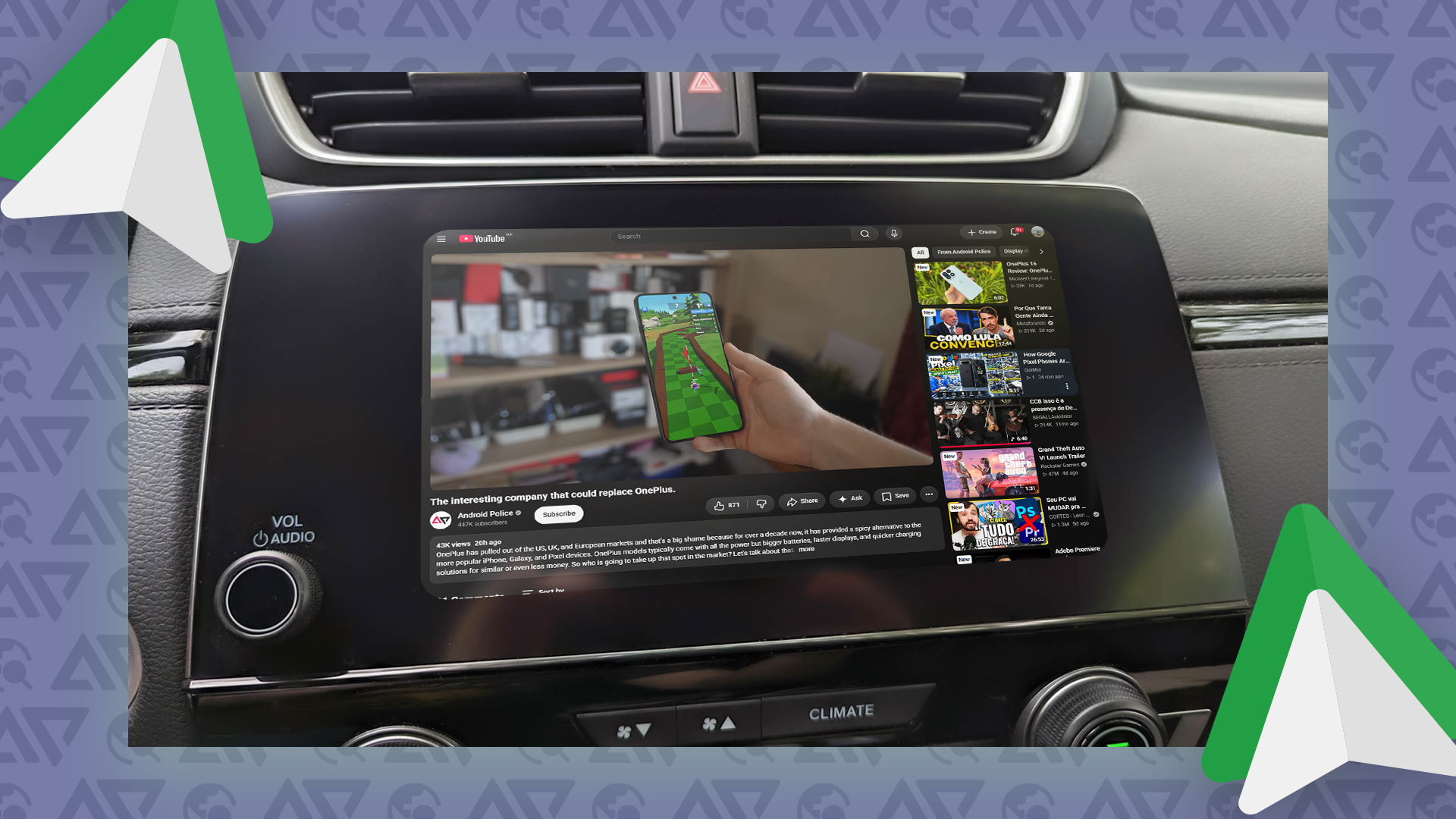
One solution I found is AA Browser. This app provides a full web browser experience within Android Auto's infotainment system, including video playback and support for streaming websites. It offers a simple workaround for the limitations imposed by Android Auto, turning the available screen real estate into a useful tool when parked.
I spend considerable time in my car and often find myself waiting to pick up my partner or stuck in traffic, during which periods my entertainment options are restricted. Previous workarounds like Fermata Auto were helpful, but Google has made deploying third-party apps increasingly difficult, particularly media players. AA Browser takes a different approach that has proven just as useful.
It is available on GitHub and specifically designed for Android Auto head units. While it might seem unusual to use a browser for media playback, it essentially serves as a workaround, allowing you to open any website, navigate to the desired media, and play it back full-screen on your car's infotainment system. YouTube is a prime example, and the experience is similar to accessing the mobile version of YouTube in the browser, complete with full interfaces, channel navigation, specific video selection, and full-screen playback.
The browser supports Widevine L3, enabling the playback of videos from various streaming sources. The experience was mostly smooth, with only minor glitches. However, it's not as seamless as I'd hoped, and occasionally, videos failed to play. For now, I prefer YouTube for video content, but it could also be useful for streaming video-only podcasts.
While streaming from Plex proved challenging due to heavy website performance, it remains an option if needed. The installation of the app is somewhat cumbersome as it's not available on the Play Store. You must download it from GitHub and enable developer mode in Android Auto. Once activated, grant the necessary permissions, and the next time you launch Android Auto, the AA Browser icon should appear.
It supports bookmarks, making it easier to save your preferred streaming sources for quick access. The UI navigation might require some adjustment, but it serves as a great solution for adding video streaming to an Android Auto setup when safety-focused restrictions limit other options.
Written by urgent.news from Android Police's reporting — not their text. Machine-written — may contain errors; check the original before relying on it.
Also reported by 1 other outlet
- Android Auto gets a massive upgrade with Personal Intelligence androidpolice.com