Here's What Apple's Apps Look Like on the iPhone Duo
With just three days to go until the iPhone Duo is released, Apple is getting ready for the launch. Behind the scenes, the App Store now has screenshots of Apple's built-in apps running on the Duo. We've seen some apps in marketing materials, but images of the ones we haven't seen give us an idea of what it will be like using the ‌iPhone Duo‌ day to day. Many apps are shown in landscape…
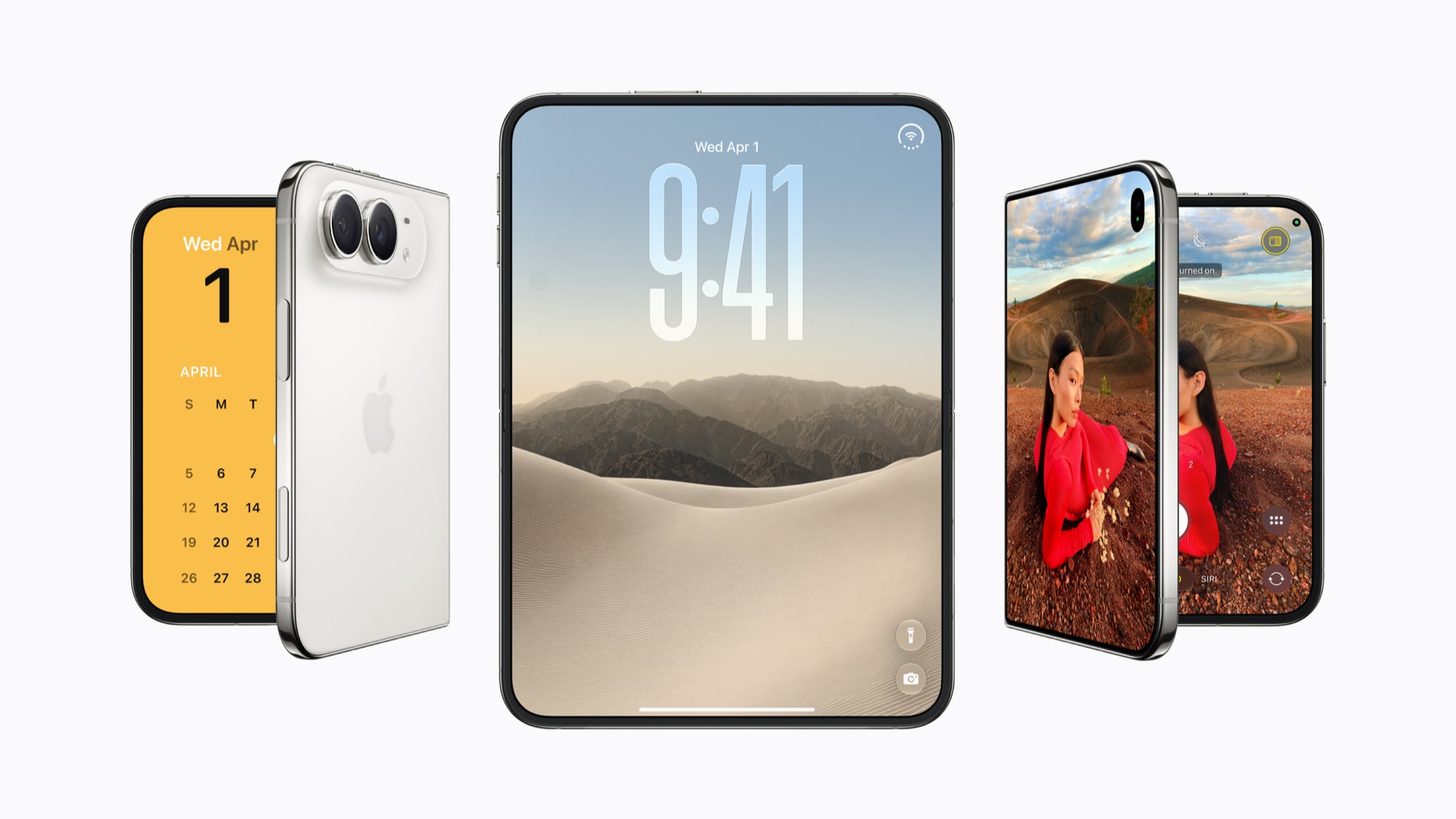
As the iPhone Duo approaches its release, Apple has been preparing by showcasing screenshots of its built-in apps running on the new device. The App Store reveals how these apps will appear on the Duo, offering a glimpse into the user experience. Many apps are displayed in landscape orientation, utilizing a side panel for navigation.
However, other apps take advantage of the full screen for enhanced viewing. Some apps even feature a dual view, dividing the interface between lists and detailed information. Notably, the Siri app does not employ a traditional sidebar, instead opting for a tiled conversation view on one side and a full conversation on the other.
The iPhone Duo features a vertical dock and navigation bars on the right side, whether the device is open or closed. When held vertically, similar to an iPad in portrait mode, navigation bars move to the bottom of the interface. The screenshots don't extensively cover the unfolded vertical orientation, yet it remains a viable viewing option.
Apple mentions that it suits apps using the keyboard or browsing in Safari. For apps like Preview, tool palettes are integrated along with sidebars, navigation bars, or both. Markup editing provides a preview of drawing and photo editing apps, offering a spacious display combined with a bottom tool palette. Apps that do not require extensive navigation bars present widescreen views covering the entire display.
Meanwhile, apps with navigation bars offer a tap-to-hide feature. Pressing and holding an icon reveals floating popovers that take up less room compared to those on smaller iPhones. When on the Home Screen, the Today view appears on the left with widgets, while app icons occupy the right side. The status bar resides in the upper-right corner, whereas Lock Screen icons like Flashlight and Camera are situated at the bottom right.
Unlike smaller iPhones, the Duo's inner display lacks an always-visible Dynamic Island due to the absence of Face ID and the integrated FaceTime camera. The Dynamic Island, however, expands from the side of the display for Live Activities and alerts. The outer display hosts a small vertical Dynamic Island that includes the camera cutout.
Most App Store screenshots display the Duo unfolded in landscape orientation, although some showcase the smaller outer display as well. Apps can swiftly transition between open, closed, and various positions, maintaining consistent navigation buttons for a unified experience regardless of usage. While open and closed are primary options, the Duo can also be used at an angle, tent-style, or partially open like a book.
Despite the limited screenshots, it's clear that the Duo can function as a laptop, stand, or book. Additionally, the App Store reveals that two apps can be used side-by-side or have multiple windows of the same app, such as Safari. Pre-release updates for third-party apps are expected as the iPhone Duo launches on October 23.
Written by urgent.news from MacRumors's reporting — not their text. Machine-written — may contain errors; check the original before relying on it.