VSDC Video Editor is a free alternative to resource-hungry editing suites
VSDC is a feature-rich video editor that runs smoothly on modest hardware. The free version supports 4K exports without watermarks, screen recording, visual effects, and a wide range of editing tools. While its unconventional interface takes some getting used to, it's a capable alternative to heavier editors. Read Entire Article
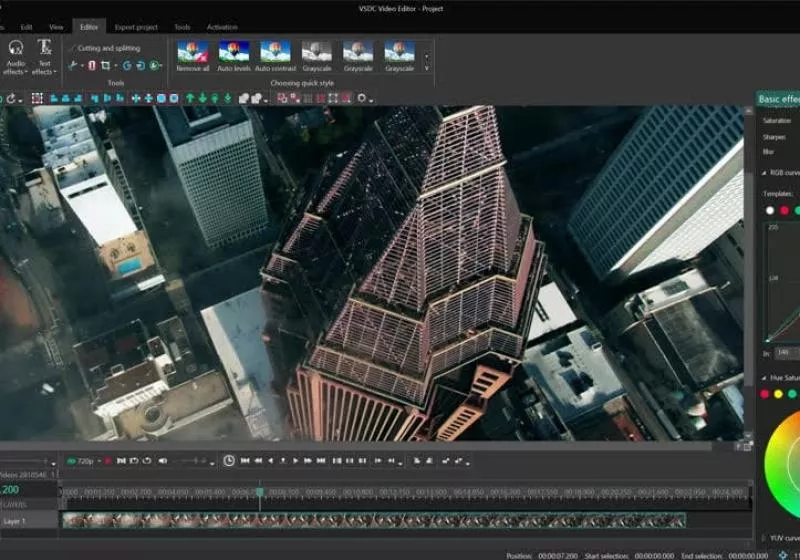
VSDC Free Video Editor stands out as a user-friendly and efficient alternative to resource-intensive video editing suites. The software offers a vast array of features while maintaining an intuitive interface, making it accessible even to beginners. Unlike most other editors, VSDC allows users to place objects in any position on the timeline and modify their size and parameters arbitrarily over time. This non-linear approach enables greater creative control and flexibility.
The program provides a comprehensive set of visual and audio effects, categorized into five groups for easy navigation. Users can apply color correction, object transformation, filters, transition effects, and special visual effects. Color blending is another tool that allows users to achieve a professional look with adjustable parameters. Stylish Instagram-like filters can be applied with a single click, simplifying the editing process for those seeking quick results.
VSDC's masking capabilities enable users to hide, blur, or highlight specific elements in their video, making it ideal for blurring faces or removing unwanted marks. The Motion tracking tool tracks movements of objects within a video and assigns the resulting trajectory to other elements such as titles, captions, icons, images, and masks. This feature simplifies tasks like placing censorship masks on moving objects or making captions follow a selected element.
The software supports export to popular platforms like Facebook, YouTube, Instagram, Twitter, and Vimeo through specialized export profiles. Objects in a video can be positioned with subpixel accuracy, ensuring smooth animation, rotation, transformation, and precise relative positioning. VSDC supports virtually all video, image, and audio formats and codecs, eliminating the need for additional conversion tools.
One of the most notable features is the ability to export in the new H265/HEVC codec, maintaining high quality at minimum file size – crucial for processing 4K and HD files. Additionally, VSDC offers preconfigured profiles for creating videos suitable for various multimedia devices, including DVD players, iPod/iPhone/iPad, PSP, Galaxy, smartphones, PlayStation, Xbox, Zune, Archos, iRiver, Creative Zen, Blackberry, MP4 players, and more.
Users can also create different types of diagrams, including 3D diagrams, and customize their appearance.
The editor includes a video library feature, allowing users to create a collection of multimedia files with brief or detailed descriptions. This feature simplifies the organization and access to necessary files. For videos taken from devices like drones or action cameras, the Stabilization tool acts as a virtual tripod, removing jitter or shaking effects, resulting in a smoother video image.
VSDC Free Video Editor also offers direct uploading to YouTube from the app, and features a DVD burning tool for burning edited videos to optical discs. The application is also capable of converting video files between formats and includes basic editing features like removing unwanted segments, splitting videos into parts, and merging multiple files into one.
VSDC 11.3 brings several enhancements, including AI video and image generation, image editing, Garmin and DJI telemetry data support, and improvements to the Key Editor, scene editing workflow, project recovery, multi-object editing, interface customization, and Lens Distortion accuracy.
Written by urgent.news from TechSpot's reporting — not their text. Machine-written — may contain errors; check the original before relying on it.