Using EQSweep to fine-tune my Pixel Buds improved their sound quality
Instead of presets, I traced sine tones across frequencies, marking trouble spots to build targeted EQ bands
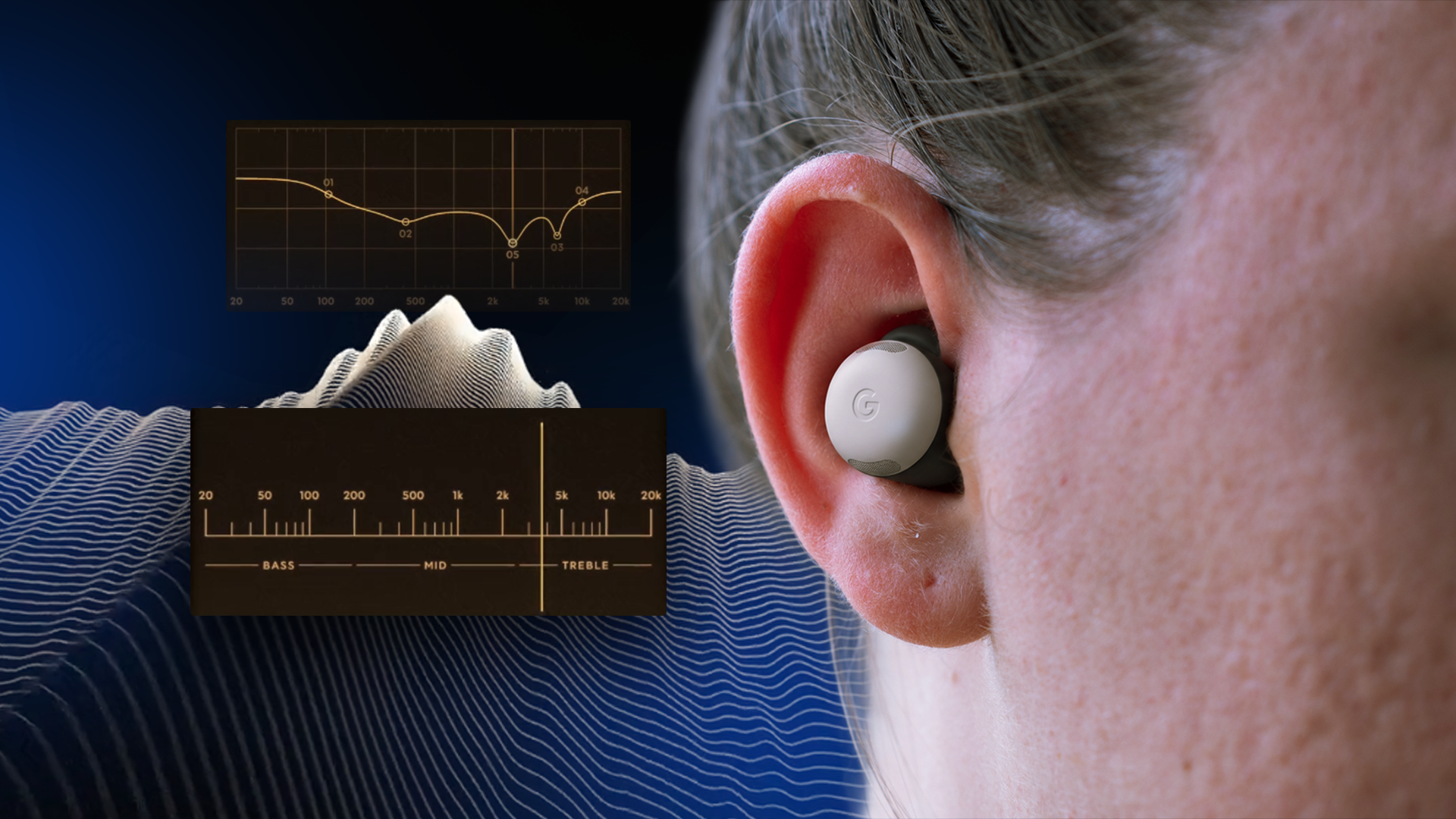
I appreciate the comfortable fit and subtle design of my Pixel Buds, but the built-in sound tuned a bit too much towards treble for my liking. Google's built-in equalizer offers some adjustments, but not enough to fully customize the audio to my preferences. I desire a level of tuning that allows the vocals to breathe more and gives the bass more weight.
I came across EQSweep, a free, community-developed app that might be the best equalizer implementation I've encountered. This Android app lets you fine-tune your headphones by listening to test tones rather than relying on visual sliders. I utilized it to pinpoint the frequencies impairing my Pixel Buds' sound, made targeted modifications, and achieved the best sound quality I've experienced in just a few minutes.
Equalization isn't a novel feature, but implementing it incorrectly can be a challenge. The typical approach involves offering a few presets or a graphic equalizer with sliders for various frequency regions. These equalizers aim to shape the final output. If you prefer a bass-heavy sound, you would increase the lower-frequency settings.
Conversely, you can reduce the treble or amplify the vocals. EQSweep begins at a more fundamental level. The app attempts to equalize the inherent sound rather than attempt to fix discrepancies in the default tuning. Instead of playing around with sliders, it plays a test tone that you can sweep across the audible frequency spectrum.
The objective is to recognize frequencies that sound excessively loud or, on the contrary, notably quiet. The app subsequently enables you to create filters to counteract these peaks and troughs and establish a harmoniously balanced sound. The procedure commences with a complete frequency sweep. As you navigate the spectrum, the app generates a sine wave corresponding to the frequency.
As long as you maintain consistent volume levels throughout the sweep, you should be able to identify points where the tone becomes more evident or less so. These points signify peaks or dips in the headphone's frequency response and indicate the specific frequencies that necessitate adjustment. Once you have recognized a problem area, you can designate a start and end point.
EQSweep utilizes these points to construct an equalizer band for precise modifications. You can create up to ten bands, adjust the gain and width, and toggle them on or off to fashion a personalized solution for your earphones. My objective was to attain a neutral and balanced audio output, minimizing the apparent treble boost in the default sound signature.
I launched by executing a frequency sweep at a low volume. The app warns against higher volumes during higher-frequency sweeps, as they can potentially harm your ears. Next, pay attention to the sound characteristics as the frequency sweep traverses the spectrum. If a region stands out, utilize the start, top, and end buttons to mark that section.
This denotes the section of the curve you wish to modify. It also permits you to make intricate alterations to specific frequencies instead of a broad-ranging curve that attenuates the entire upper-mid frequency spectrum. You can then adjust the frequency gain to establish how loud you desire it. To amplify that section, increase the gain; to diminish it, reduce the gain.
Simple as that. You can also save multiple presets if you wish to modify the sound dynamically to suit the type of music you're listening to. For instance, when I'm listening to bass-heavy music by artists like Run The Jewels, I have a specific equalizer profile that amplifies the bass and midtones. Furthermore, EQSweep allows you to export your equalizer profiles in universally accepted formats.
This means you can import the tweaks you've made here into Wavelet, my favored system-wide audio equalization tool. Additionally, if you frequently switch between devices, you can have individually saved equalizer profiles. Many people perceive earphones or headphones as immutable purchases. If the sound signature displeases you, you simply move on to a different option.
However, that's not entirely accurate. Modern drivers offer ample room for fine-tuning them to align with your preferred sound signature. While EQSweep may not rectify every limitation, it provides significant control over audio customization. It adopts a distinct methodology. Rather than cycling through presets or adjusting sliders, this app enables you to conduct a comprehensive frequency sweep and execute granular modifications.
It is entirely free and grants you greater control. What's not to appreciate? The app is currently in beta, requiring you to sign up as a tester, but it only takes a few minutes. I can't wait for the app to become available on the Google Play Store, as it is my preferred Android equalizer app.
Written by urgent.news from Android Police's reporting — not their text. Machine-written — may contain errors; check the original before relying on it.