I replaced VS Code's Copilot with a local LLM, and my offline coding got faster
And I am not losing on performance.
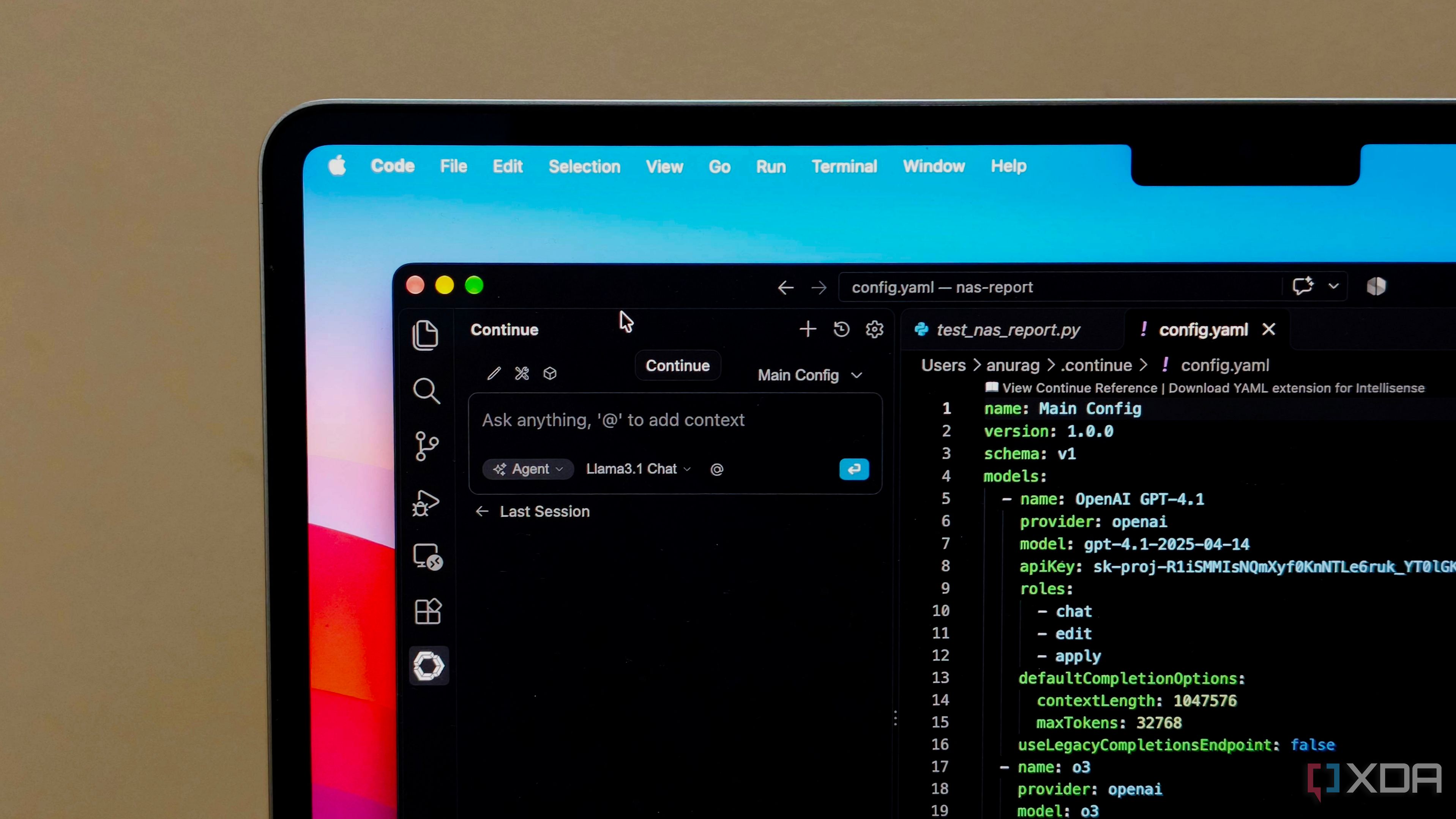
The author replaces VS Code's Copilot with a local LLM, resulting in faster offline coding. Using the Continue extension, they connect VS Code to LM Studio, enabling a chat panel, code editing tools, and inline suggestions. By connecting Continue with a model runner, the author uses LM Studio as the model provider. They assign smaller Qwen model for autocomplete and a larger one for chat and edits.
The smaller model is chosen for its speed and fast generation of suggestions, which is crucial when coding. When autocomplete is used, the model finishes a line, completes a loop, or adds more code following an existing pattern. For larger tasks like questions and code edits, a larger model is used. The author highlights the advantage of working offline, as reliable internet is often an issue while traveling.
VS Code with local models proves helpful for improving features or performing regular maintenance work, enabling the author to ask for help adding error handling or cleaning up repetitive code. While it doesn't match Copilot's capabilities, it still offers suggestions, explanations, and code editing assistance, which is valuable during flights or when connectivity is unreliable.
Written by urgent.news from XDA Developers's reporting — not their text. Machine-written — may contain errors; check the original before relying on it.