I finally set up ExplorerPatcher on Windows, and I should have sooner
Windows 11 is great and all, but it is a downgrade in some ways compared to 10. ExplorerPatcher can fix many of those downsides for free.
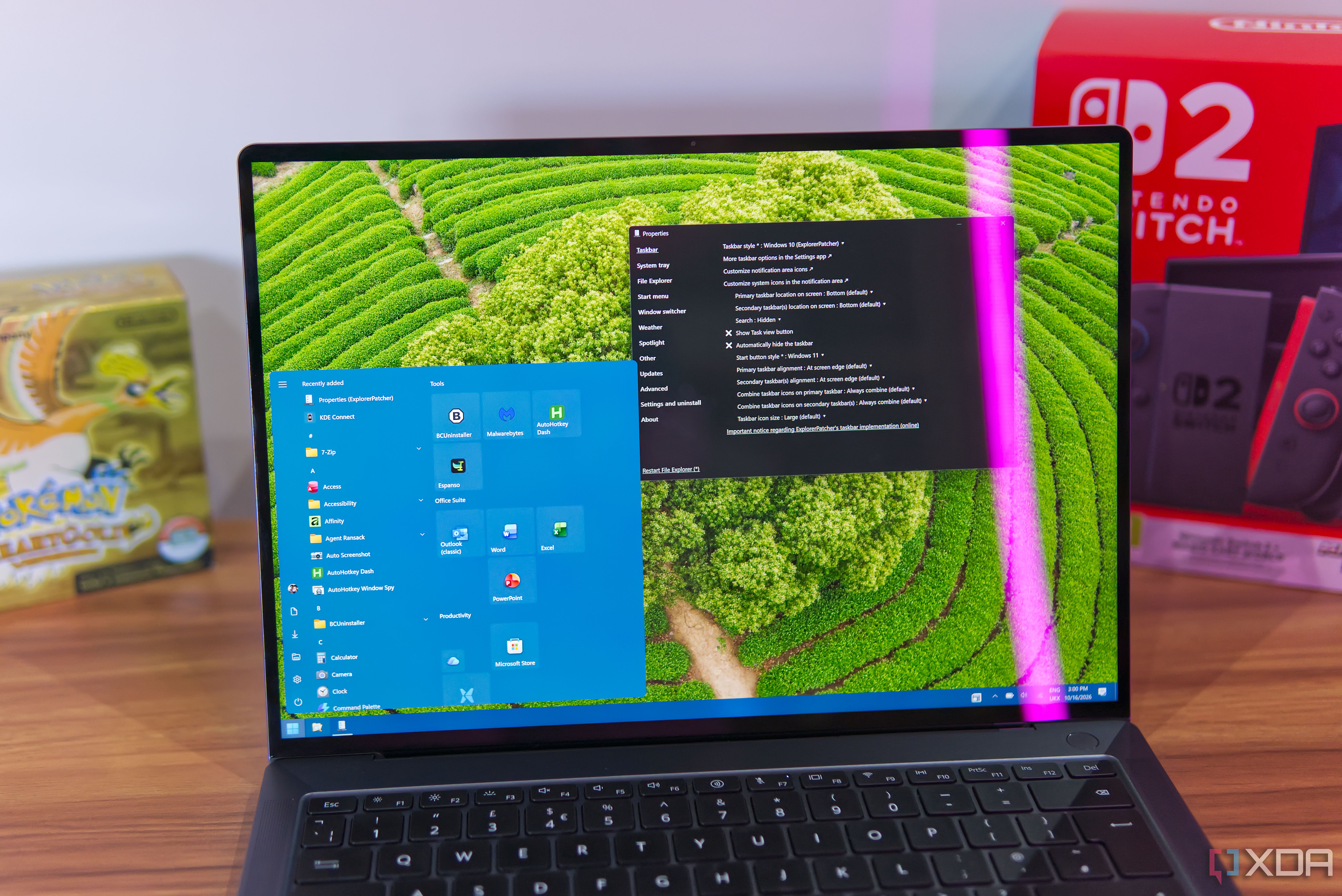
Windows 11 introduced several changes to the user interface, which have been met with mixed reactions. Fortunately, there are tools available to restore some of the classic Windows 10 behaviors, and one of the best options is ExplorerPatcher. This free alternative is highly recommended for bringing back features like the Start menu, taskbar, and more.
One of the most significant advantages of ExplorerPatcher is its ability to restore the Windows 10 Start menu, which many users celebrated the departure from in Windows 11. The Windows 10 Start menu offers greater flexibility, as the menu is highly resizable, allowing users to adjust the height and width to their liking. It also features an all-apps list that is always visible, making it easier to locate less frequently used applications.
Despite recent improvements to the all-apps list in Windows 11, ExplorerPatcher still provides a more comprehensive solution for those who value the Windows 10 Start menu experience.
ExplorerPatcher also allows users to restore the taskbar to its Windows 10 style, with individual, clickable icons for features like Wi-Fi and battery. The weather widget that comes with ExplorerPatcher is another valuable addition, providing a sleek and efficient interface compared to the resource-intensive and sometimes slow widgets found in Windows 11.
However, there have been occasional issues with this widget, and the app's last update was in July, so it remains to be seen if future updates will address these problems.
In addition to these major changes, ExplorerPatcher also offers the ability to restore the File Explorer UI to the Windows 10 Ribbon format. This format provides quick access to various options, such as copying, deleting, renaming, and selecting files, making the process more intuitive. While the simplified File Explorer UI in Windows 11 is more streamlined, some users find the Ribbon format more accessible, especially when using features like viewing hidden items, showing file extensions, and navigating through various tabs.
There are also several other customization options available through ExplorerPatcher, such as changing the style of the window switcher and disabling specific keyboard shortcuts. These minor tweaks may not be significant reasons to use the app, but they contribute to a more personalized and comfortable user experience.
While ExplorerPatcher is an impressive tool for Windows 11 users, there are some downsides to consider. For instance, restoring the Windows 10-style UI also removes certain Windows 11 features, such as tab support. Additionally, some features may have been broken or fixed in the latest Windows updates, such as the Windows + C shortcut for Teams, which has been replaced by the Copilot button. Furthermore, certain features related to Windows Spotlight may not be working on the latest releases.
Despite these drawbacks, ExplorerPatcher remains a valuable resource for Windows 11 users seeking a more familiar and personalized user experience. The app's active development and support ensure that any issues will likely be addressed in future updates. If you're a Windows 11 user looking to bring back some of the classic Windows 10 elements, ExplorerPatcher is definitely worth checking out.
Written by urgent.news from XDA Developers's reporting — not their text. Machine-written — may contain errors; check the original before relying on it.