4 free Windows tools I use to find what’s slowing down my PC
Your PC might not need an upgrade. These free tools can help you find what's holding it back.
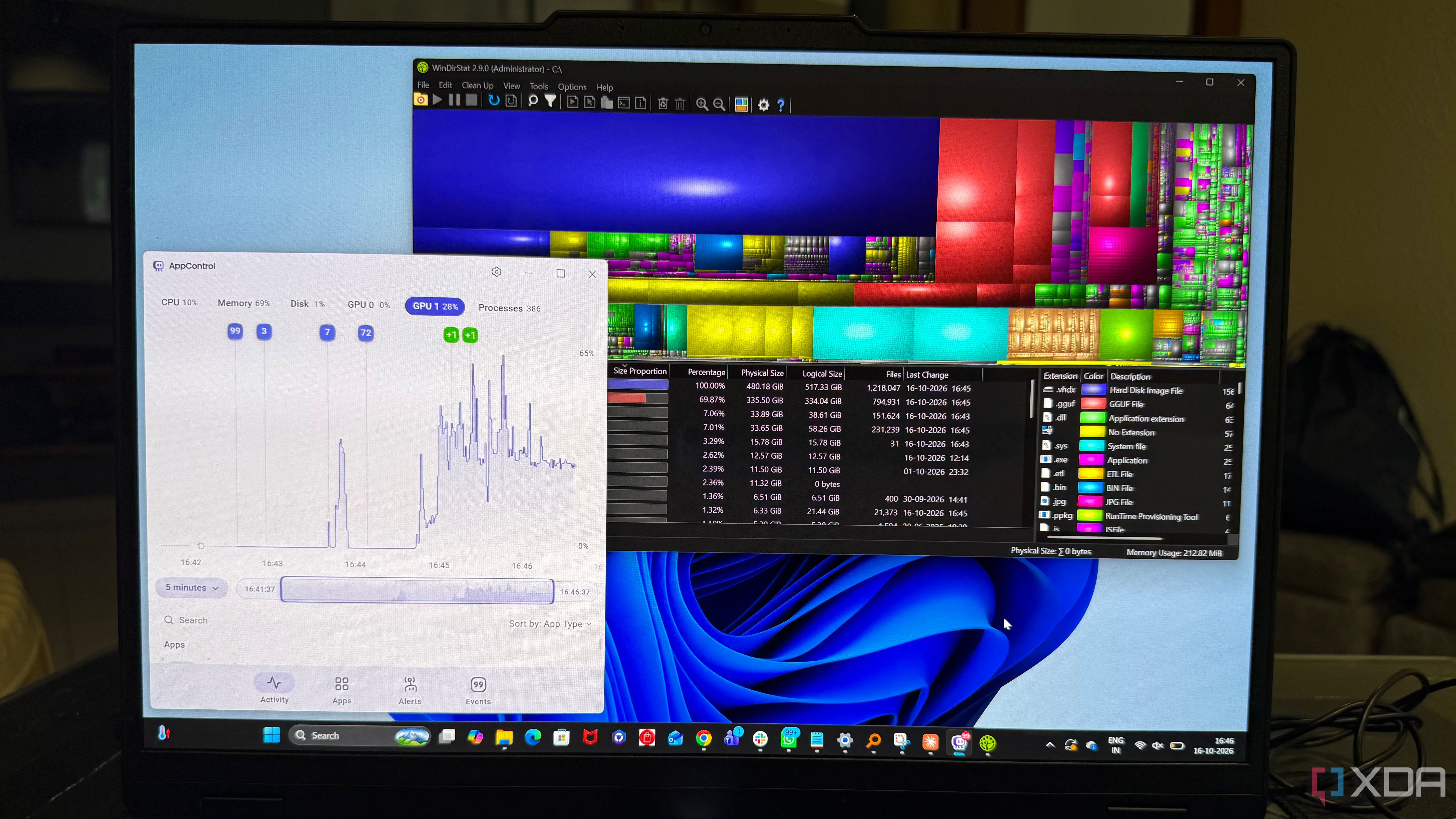
A slow computer can make even basic tasks feel frustrating. Instead of instantly assuming aging hardware is the culprit, I like to dig deeper using a few free Windows tools. CrystalDiskInfo is one such utility. It checks the health and temperature of both HDDs and SSDs using S.M.A.R.T. data, giving me an early warning if a drive might fail.
Even if the drive appears healthy, it's still useful for getting a quick overview of storage issues. AppControl lets me control which applications are allowed to run on my Windows system. By reviewing and adjusting these rules, I can decide which programs to allow or restrict from running in the background. This helps me keep unwanted software from operating silently in the background.
WinDirStat provides a visual representation of my drive's storage usage. After the scan completes, I see a directory tree showing folders and their sizes, along with a colorful treemap representing the files on my drive. This makes it easier to spot large, storage-consuming files and understand where my storage space has gone. Autoruns is another tool that helps me understand what programs and services are set to run automatically when my PC starts.
Instead of manually checking each startup app, Autoruns lists entries from various locations, including scheduled tasks, services, and other automatic launch points. This gives me a broader view of what's configured to start on my system, helping me identify and disable any unnecessary entries. By using these tools, I can investigate potential slowdown causes before rushing to buy new hardware.
Written by urgent.news from XDA Developers's reporting — not their text. Machine-written — may contain errors; check the original before relying on it.