How to Defeat Host-Based Screen-Scraping Malware at the Windows OS Layer
Learn how to use SetWindowDisplayAffinity in C# to restrict standard screen capture of Windows app windows, with fallback handling and security limitations.
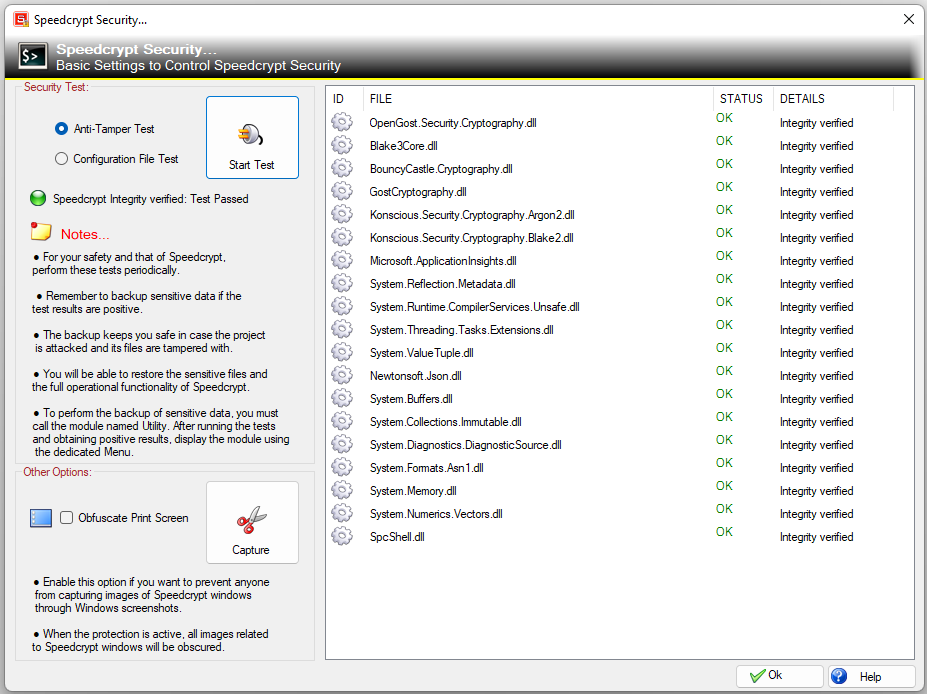
In the evolving landscape of modern endpoint security, traditional defenses have shifted focus from combating keyloggers to addressing sophisticated malware endeavors. Contemporary malicious software increasingly employs constant, asynchronous screen-scraping techniques through graphics APIs like DirectX or GDI. These methods can capture sensitive information when users input data through virtual keyboards or open password managers, directly capturing the visual buffer at the precise moment the plaintext is displayed.
Conventional user-space safeguards that attempt to intercept the Print Screen key are rendered ineffective as malware can now directly access the screen from within the window graphics pipeline. To effectively counter this threat, security software must transcend input filtering and implement robust hardening directly at the Windows operating system layer.
The solution lies in leveraging the Desktop Window Manager (DWM) affinity capabilities. By instructing the DWM to exclude an application's window from any visual capture processes, whether it be video recording or screen dumps, the malware's ability to surveil visual data is significantly impeded. To illustrate this defensive approach, we delve into the open-source framework of Speedcrypt, an advanced cryptographic solution tailored for .NET environments.
Speedcrypt's core strategy revolves around a native Win32 bridging class that dynamically applies window display affinity, complete with automated fallback mechanisms. This approach hinges on direct interaction with the user32.dll library to modify how the operating system manages the visual buffer of the targeted application window. Key constants used in the implementation include:
- WDA_NONE: Represents no window display affinity.
- WDA_MONITOR: Sets the window as a solid black rectangle in screenshots.
- WDA_EXCLUDEFROMCAPTURE: Introduced in Windows 10 2004, this setting instructs the DWM to completely omit the window from any visual capture, without leaving a conspicuous indicator that security measures are in place.
The implementation breaks down the constants and their roles within the Speedcrypt architecture. The primary interface, `SpeedcryptGhost`, contains a method `SetWindowDisplayAffinity`, which is a P/Invoke binding to the native Windows API function within user32.dll. The method includes error handling through SetLastError to capture any Windows error codes returned by the API call.
The deterministic fallback pipeline ensures robustness in environments where modern transparency masking is not supported. When the system attempts to apply Windows 10 2004+ transparency masking, it first tries the more discreet `WDA_EXCLUDEFROMCAPTURE` mode. If this fails due to compatibility issues, it gracefully falls back to the traditional `WDA_MONITOR` mode, displaying a standard black box around the window.
This ensures the application remains fully functional for the user while maintaining the intended level of covert protection.
The architecture incorporates a comprehensive fallback mechanism, `ApplyProtection`, which first attempts the advanced transparency mode for Windows 10 2004 and subsequent versions. If this method fails, it defaults to the traditional black-box approach. This dual-layered strategy mitigates the risk of the protection mechanism being bypassed due to unsupported API versions, thereby ensuring a consistent level of defense across different Windows builds.
It is crucial to acknowledge that while this defensive measure significantly enhances the security posture of applications, no solution guarantees absolute invulnerability. A kernel-level compromise or sophisticated rootkit could potentially circumvent these architectural barriers. Therefore, endpoint security should be viewed as an ongoing process of mitigation and strategic friction, rather than a one-time fix aimed at achieving permanent invulnerability.
Speedcrypt exemplifies a foundational layer of security architecture that can be integrated into software development to protect against host-based surveillance. By combining native Win32 performance with robust, deterministic fallback handling, developers can fortify their applications against visual data theft. The open-source nature of Speedcrypt encourages community review and collaboration, fostering continuous improvement in the face of adaptive and evolving threats.
In essence, securing sensitive visual data requires a multi-faceted approach that moves beyond traditional input filtering. By leveraging the Windows Desktop Window Manager's affinity capabilities, developers can establish a formidable line of defense at the OS layer, ensuring sensitive information remains protected from host-based screen-scraping malware.
Written by urgent.news from HackerNoon's reporting — not their text. Machine-written — may contain errors; check the original before relying on it.