I asked my AI coding agent to build the one feature every website is missing, and now I press Space on every link
No servers, no cookies, and nothing loads until you ask.
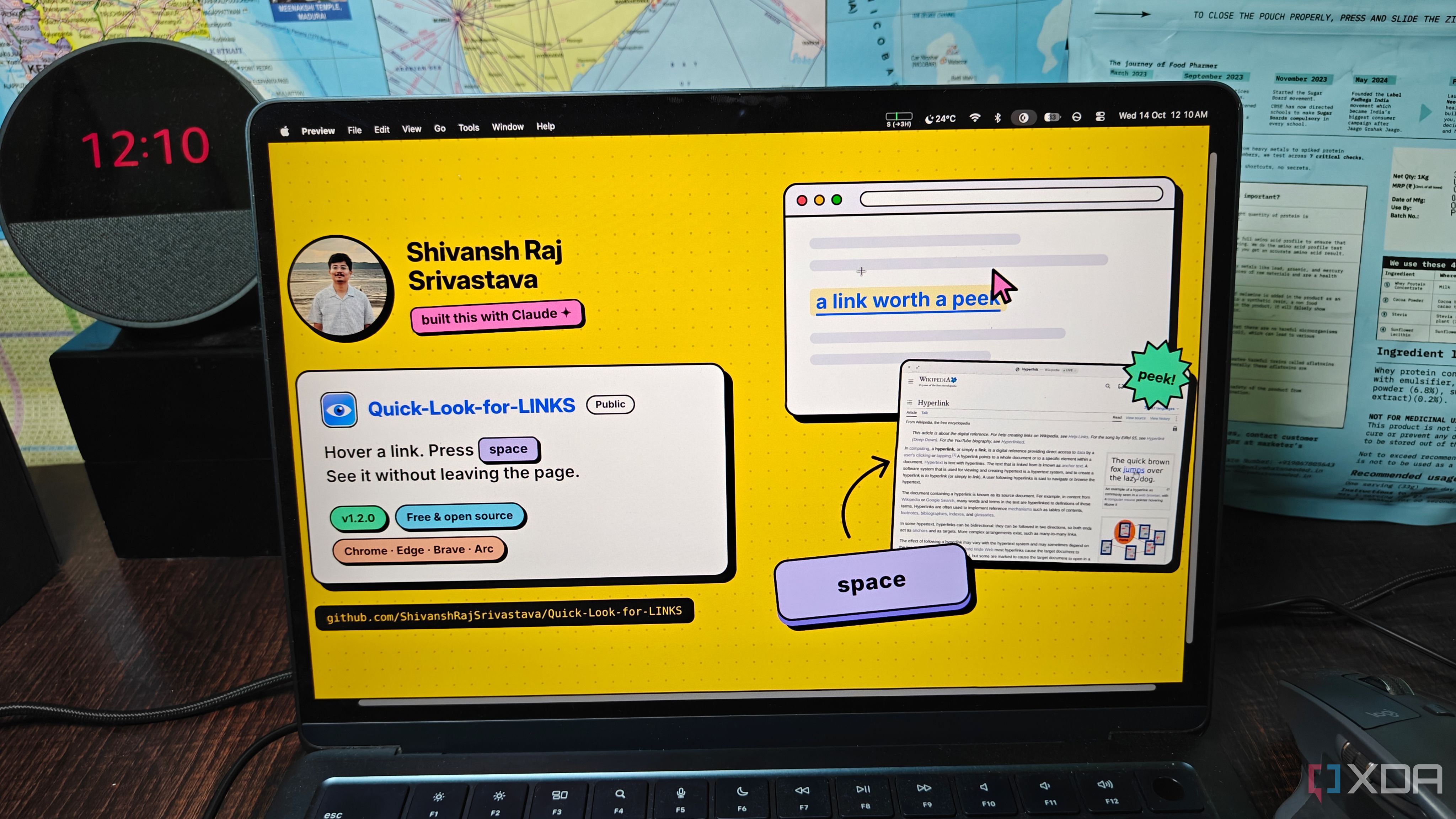
While scrolling through my MacBook Air, I often hover over links to preview the destination before clicking. This is a common practice across various operating systems, but a recent AI coding agent took it one step further. I asked my AI assistant, Claude, to create a browser extension that allows users to preview any link without leaving the current page. Within a day, Claude had built the extension, which is now freely available as 'Quick Look for Links'.
The extension operates by hovering over a link and pressing the Space bar, revealing a frosted preview panel of the webpage. Arrow keys allow navigation between links, and Option + Space expands the preview to a full window. Return opens the link as usual. To enhance security, the extension ensures no content loads on hover, no cookies are exchanged, and risky links are blocked.
Claude's plan for the extension included four preview options: Live, Reader, Summary, and media for images, YouTube, and PDFs. It carefully framed each preview to prevent unauthorized actions. A test plan was also developed to ensure reliability. Claude built the extension in approximately 4,800 lines of code, incorporating Mozilla's Readability library for reading the previews.
The first version of the extension was ready before midnight. It was tested extensively by Claude before sharing it publicly. Some bugs were discovered, such as YouTube previews crashing the browser and Instagram showing only a sign-in screen. These issues were promptly addressed by the second Claude agent, resulting in version 1.1 and 1.2 releases.
Now, I use 'Quick Look for Links' daily, finding it indispensable for quickly assessing link destinations. It's a powerful tool that enhances productivity by minimizing the time spent navigating away from the current page. The extension is available for developers to install in Developer mode, and while it's not yet in the Chrome Web Store, it can be loaded and used with caution.
Written by urgent.news from XDA Developers's reporting — not their text. Machine-written — may contain errors; check the original before relying on it.