I stopped installing apps for small jobs, and these 5 browser tools handle them just fine
Who needs another desktop app when these free browser tools can get the job done?
The author has recently reconsidered their approach to installing desktop applications for minor tasks. With numerous occasions where they only use a specific tool once in a while, they've discovered a range of browser-based alternatives that work just as effectively without cluttering their system. These online tools cover various functions from simple file conversions to complex diagram creation, proving to be quite capable in their own right.
One such tool is Online Convert. Unlike installing separate applications for file conversions, Online Convert handles many tasks right from the browser. It supports a multitude of formats for documents, images, audio, and video files, making conversions straightforward. Users simply select the conversion type, upload their file, choose the desired output format, and let the tool process it.
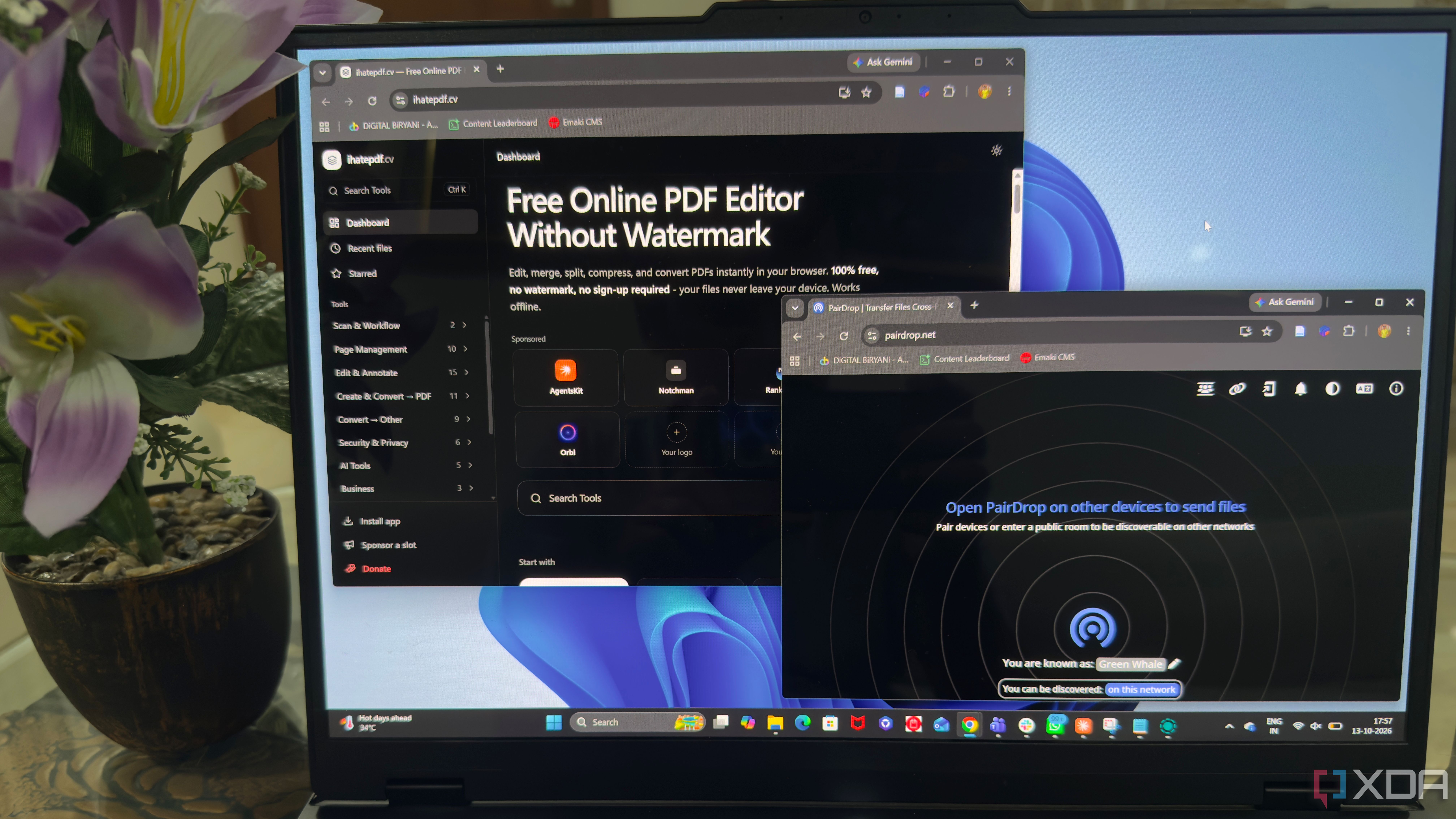
Another tool is PairDrop, designed for seamless file transfers between devices connected to the same local network. This tool eliminates the need for cables or messaging services. Users simply open the website on both devices, select the device they want to transfer files to, and accept the transfer. The service also extends to devices on different networks via its public rooms feature, providing a quick and hassle-free file sharing alternative.
For managing PDF files, ihatePDF offers a browser-based solution that simplifies everyday tasks. The tool requires no installation and offers useful features such as opening, editing, and combining PDFs right from the website. This simplifies the process significantly and keeps the user's desktop clutter-free.
In the realm of diagramming, draw.io, or diagrams.net, offers a flexible and powerful tool for creating various types of diagrams directly in the browser. From simple flowcharts to complex software architecture diagrams, draw.io provides a wide range of shapes, connectors, and customization options. Users can also save their work locally, making it a handy tool for quick planning or detailed diagramming without the need for a dedicated desktop application.
Lastly, Photopea serves as a capable alternative for quick image edits. Its interface closely resembles Adobe Photoshop, making it easy for users to get started. With support for layers, masks, selections, text, and adjustment tools, Photopea can handle detailed image edits that would typically require a heavyweight desktop application. It even supports PSD files, which is a bonus for those needing to open or modify existing designs.
In conclusion, the author has found that many everyday tasks can be accomplished efficiently through these browser-based tools, making their system more streamlined and clutter-free. While desktop software remains the go-to for demanding work, these online tools provide a practical solution for most minor tasks.
Rewritten by urgent.news; may contain errors — check the original.
Source: xda-developers.com