Six Questions to Ask Before Adding an AI Router to Your App
An AI router takes an input and suggests which part of an application should handle it. The useful work starts before the model call: define the possible destinations, the evidence available to the router, and what the application should do when the suggestion is uncertain. This beginner guide is written by VerdictKit, an independent Jev playground. VerdictKit is not affiliated with TypeSafe AI.…
Before incorporating an AI router into your application, there are six key questions to consider:
1. Are the potential destinations truly distinct? In a support application with billing, technical support, and account access queues, a payment issue could belong to billing, but a problem reaching the payment page might fall to technical support. Clearly define each destination's responsibilities and their exceptions to prevent unnecessary confusion.
2. Is the inquiry seeking a category or a rating? Categories involve selecting from a finite set, while ratings place a case on an ordered scale. These are different interfaces. Jev's Choice provides named options, Score offers ordered descriptions, and Noul is a yes/no proposition expressed as a probability. Choose the answer shape that aligns with the subsequent decision in your application.
3. What evidence should the router have? Supply the router with relevant facts from the current case, keeping options stable while checking if the input clarifies the distinction you seek. If crucial information is missing, labels cannot compensate for this.
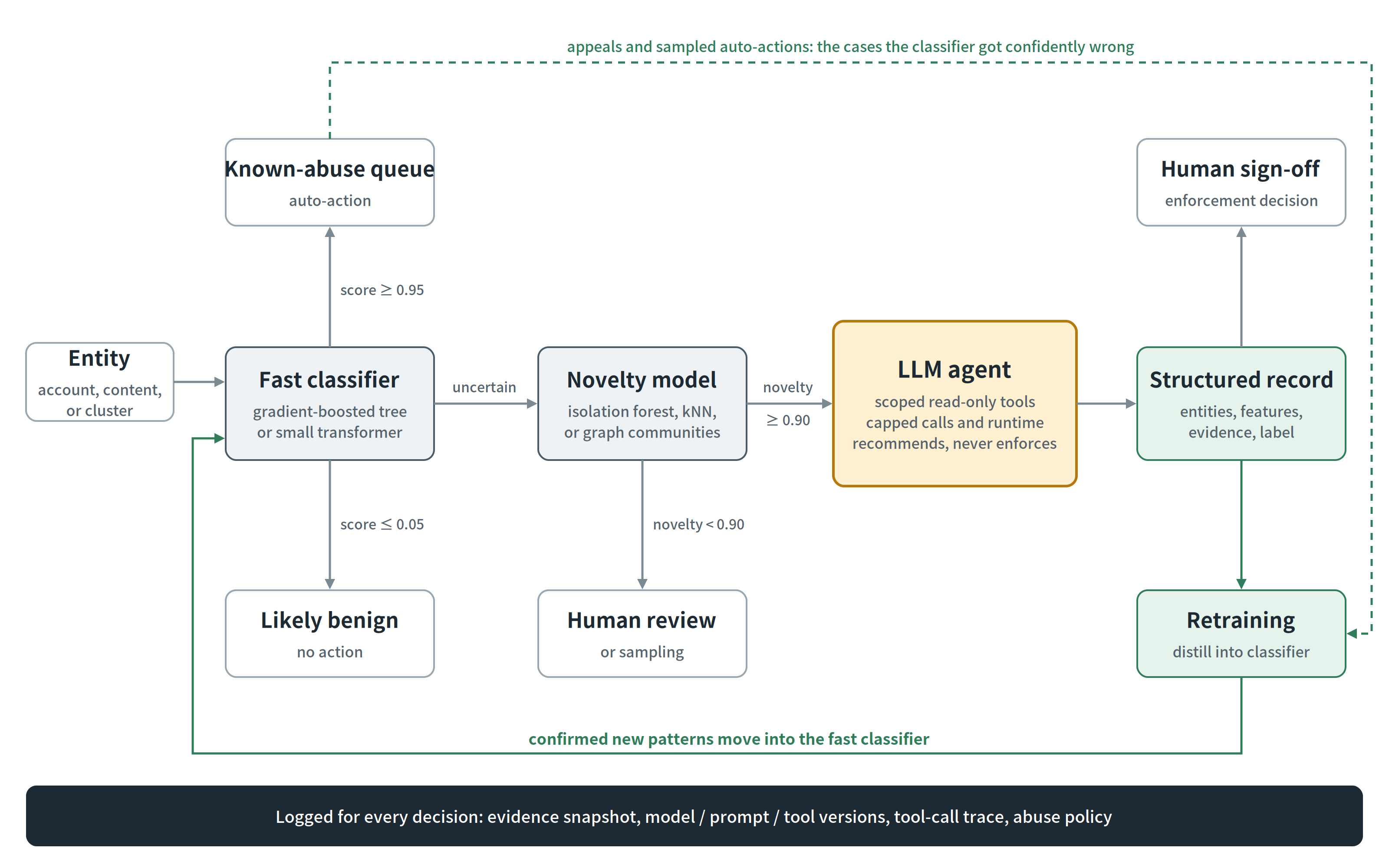
4. How does uncertainty affect the decision? A selected option is merely a suggestion. Determine what uncertainty entails for your application. Should an uncertain case enter a review queue, require additional information, or follow another predefined path? Use examples pertinent to your task to evaluate this policy. Avoid treating probabilities as definitive answers or selecting thresholds solely based on familiarity. The appropriate threshold depends on the costs associated with each type of mistake in your application.
5. Which boundaries should reside in ordinary code? Check available tools, permissions, and required fields explicitly. An unavailable integration should not become available merely because a router suggests it. Separate the model's answer from the application's action policy. This separation facilitates easier inspection and modification of decisions without altering the original question.
6. Can you inspect the request and response? Begin by building a simple question and examining the structured data it generates. Maintain stable question identifiers so the application can associate each answer with the intended question. The VerdictKit independent Jev playground offers an interface for exploring Choice, Score, and Noul.
Its JSON-output introduction explains these answer types. Clearly marked demo previews illustrate the interface and should not be mistaken for live predictions. By making destinations, evidence, and fallback behavior explicit, integrating a router becomes more manageable. These definitions are valuable even before selecting a specific model.
Written by urgent.news from Dev.to's reporting — not their text. Machine-written — may contain errors; check the original before relying on it.