Raspberry Pi Desktop returns to PCs and Macs after four years
Raspberry Pi Desktop is back with a lightweight and free Linux environment for PCs and Intel-based Macs. Ideal for breathing new life into older computers, the latest release moves to Debian 13 (Trixie) with 64-bit support, a refreshed interface, and Raspberry Pi Connect for remote access. Run it from a USB drive with persistent storage or install it directly on your PC. Read Entire Article
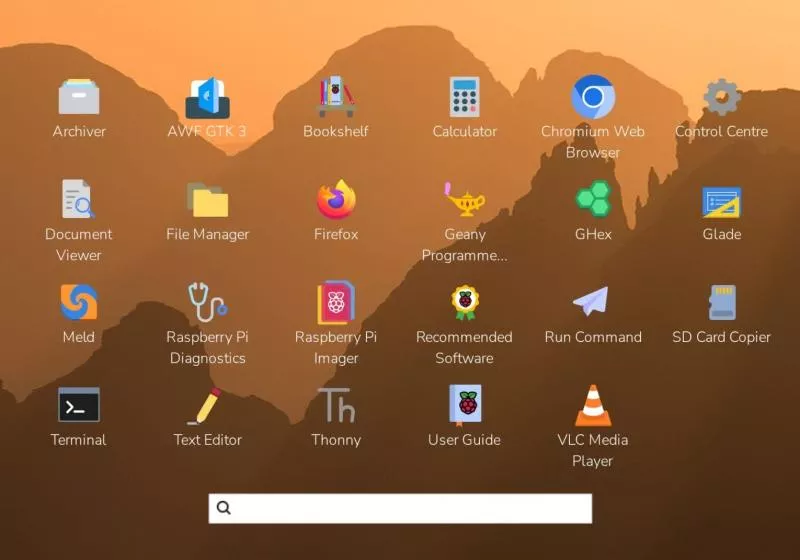
Raspberry Pi Desktop, a Debian-based Linux distribution, is returning to PCs and Intel-based Macs after a four-year hiatus. This lightweight operating system offers users a familiar desktop environment, built-in applications, and tools for everyday computing on traditional computers. Available as a USB drive or for installation on internal storage, Raspberry Pi Desktop is particularly suited for older hardware, educational settings, and users seeking consistency across Raspberry Pi devices and conventional computers.
Despite its similarities with Raspberry Pi OS, Raspberry Pi Desktop is designed to run on x86-64 PCs and Intel-based Macs, making it accessible to a broader range of users. The current release supports 64-bit processors, including Intel-based Macs, but not Apple Silicon models with M-series chips. Users can boot Raspberry Pi Desktop from a USB drive without altering their existing operating systems and can also store files and settings persistently.
Best of all, Raspberry Pi Desktop is free to download and use, based on Debian Linux and accessible through Debian's software repositories. The latest release brings the operating system to Debian 13 (Trixie), enhances its compatibility, and integrates recent improvements to the Raspberry Pi desktop environment, allowing users to test the software without replacing their existing Windows or macOS systems by running it directly from a bootable USB drive.
Written by urgent.news from TechSpot's reporting — not their text. Machine-written — may contain errors; check the original before relying on it.