Lomography DigitaLIZA MAX film scanner review: an affordable way to turn your phone into a film scanner
The Lomography DigitaLIZA Max makes scanning your own film remarkably accessible
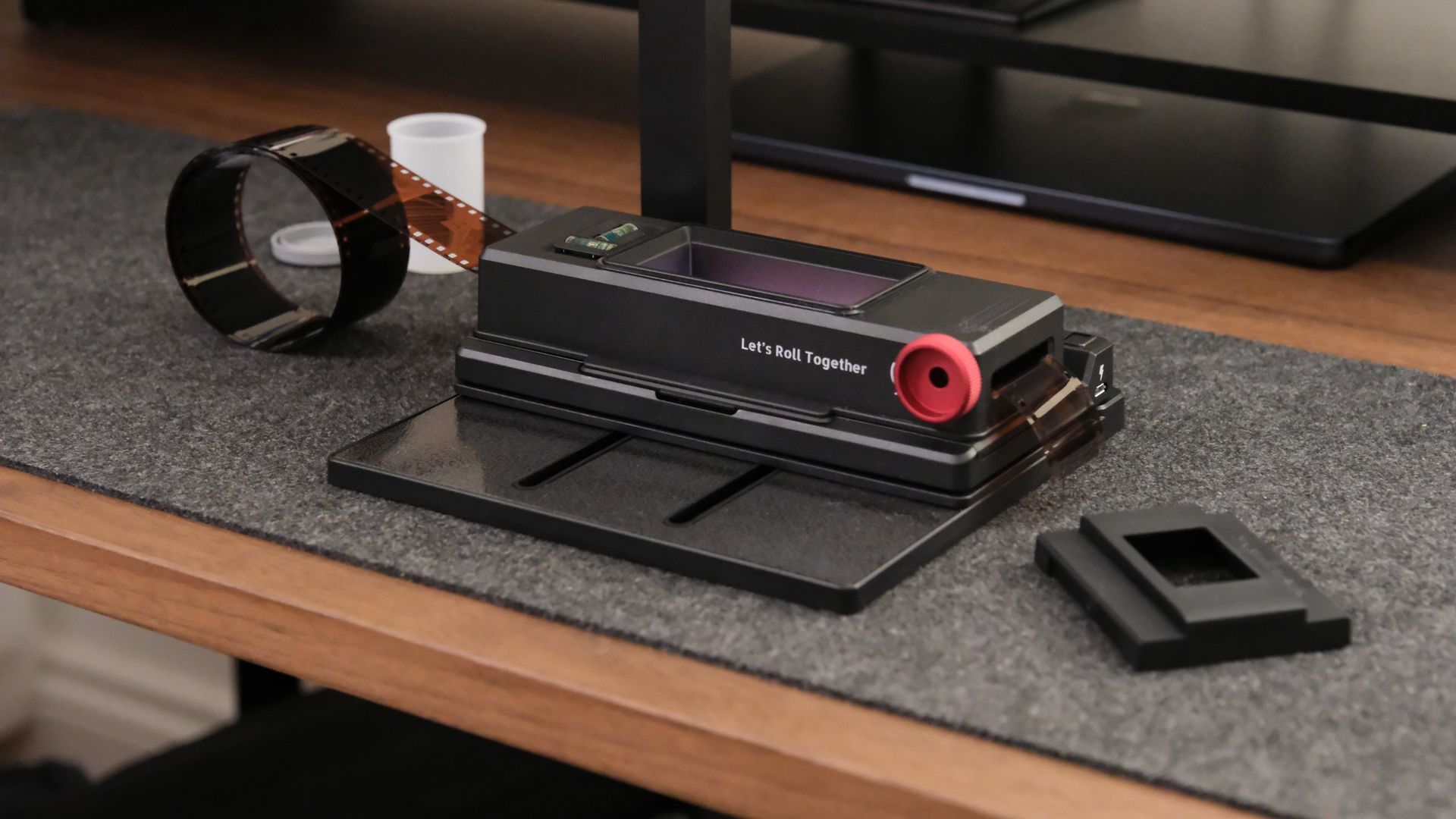
Scanning film at home can be pricey. The Lomography DigitaLIZA Max attempts to make it more budget-friendly. The key difference from the cheaper DigitaLIZA+ model is the inclusion of a smartphone stand, allowing your phone to function as a film scanner. The kit supports various film formats, including 35mm, 120, 110, and 127, as well as specialized formats like panoramas and frames with exposed sprocket holes.
Lomography has also enhanced the backlight to a CRI 97 panel, potentially improving scan quality. While the idea of using a capable smartphone to digitize film sounds appealing, the question remains: does this setup deliver enough to warrant a spot in our list of top film scanners? (Image credit: Gareth Bevan / Digital Camera World) Specifications include support for multiple film formats, a smartphone capture device, an integrated CRI 97 backlight, and power from two AA batteries or a 5V Micro USB connection.
Priced at $99 when it debuted in 2022, the current US price is $109.90, with UK, European, and Australian listings at £84.90, €99, and A$159 respectively. Despite this slight price increase, the value remains substantial, especially for those interested in digitizing their own film without investing in a high-end setup. Most components are included in the box, with your phone serving as the most expensive component.
The DigitaLIZA+ is a more economical option if you plan to scan only through a digital camera. However, the smartphone stand included with the Max makes the entire kit more versatile. Design and handling of the DigitaLIZA Max are straightforward and user-friendly. While the kit is predominantly made of plastic, it feels sturdy and secure.
Unfortunately, there's no storage case or sleeve in the box, leading to potential loss of individual pieces. The film holder attaches magnetically to the base, facilitating quick setup and teardown, though stronger magnets could improve stability. The film masks sit atop the lightbox beneath the holder, preventing direct attachment and allowing the holder to slide.
Adding a mask for different film sizes, like the 35mm one, requires careful positioning to ensure the entire frame is captured. The curved edges of the 35mm mask might result in cropping during scan processing. However, once loaded, the wind-on mechanism operates smoothly and precisely, making it easy to move through a strip of negatives without frustration. To frame film, mount the phone above the holder and adjust the framing as desired.
Written by urgent.news from Digital Camera World's reporting — not their text. Machine-written — may contain errors; check the original before relying on it.