The wonderfully lazy way to SSH into your computers
Learn how Tailscale SSH lets you securely access Raspberry Pis, home servers, and other devices through a browser without IP addresses or port forwarding.
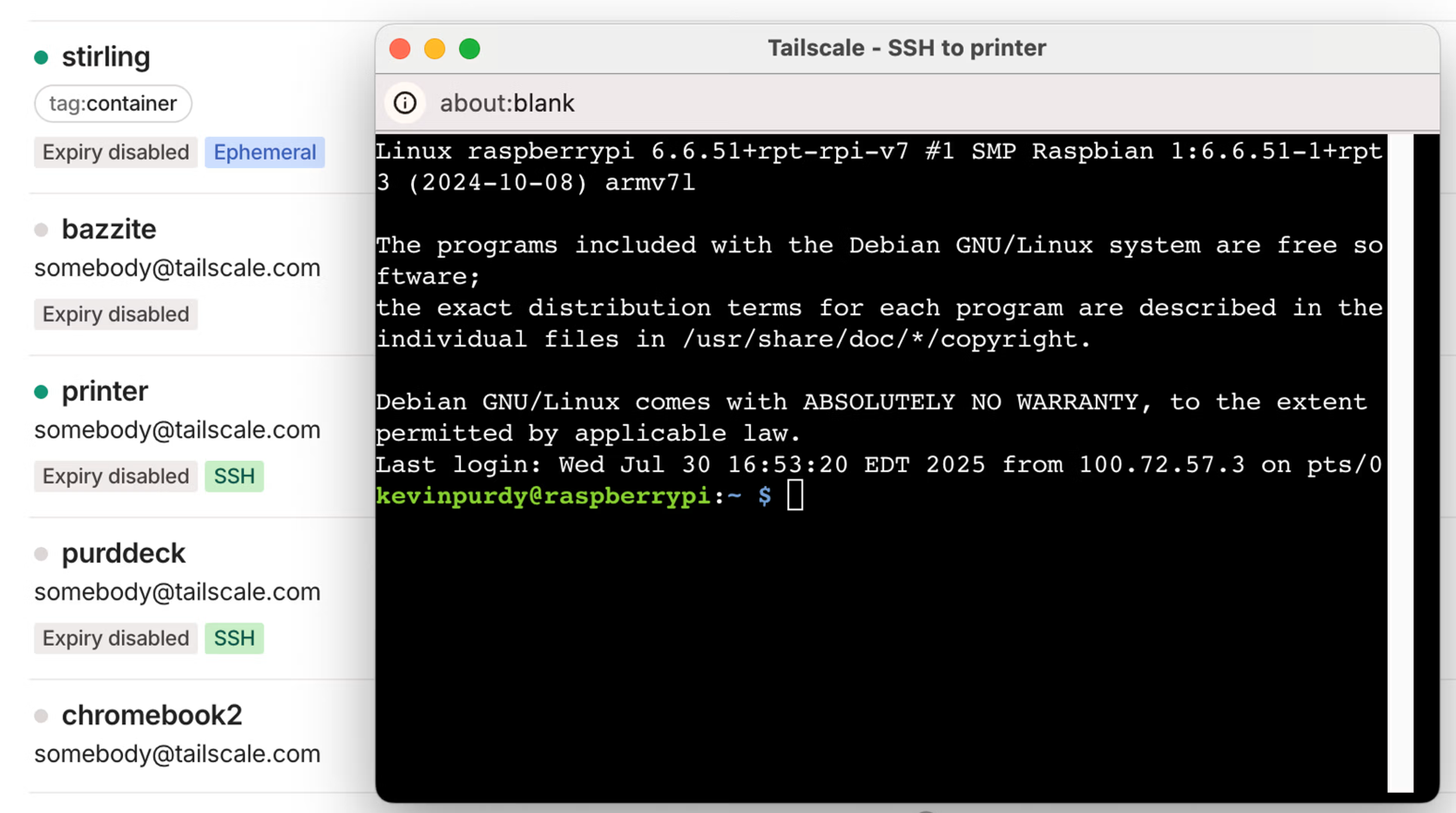
Tailscale's web-based SSH tool, found in the admin console, makes it easier to remotely access and manage your computers and devices. Instead of struggling with a command line and feeling dumb, Tailscale simplifies the process. With Tailscale, you no longer need to remember usernames, passwords, or IP addresses, and you won't need a terminal app or an SSH client.
Simply log into your Tailscale web admin console, click the SSH button next to the device you want to access, choose a username if necessary, and authenticate your Tailscale identity. The browser-based SSH tool takes care of the rest, providing you with a secure command prompt to execute commands on your device. This approach not only saves time but also reduces the need for HDMI cables, keyboards, and mice.
Tailscale SSH is particularly useful for Raspberry Pis, home servers, NAS devices, and other always-on computers. However, it's important to note that not all devices support Tailscale SSH, such as Macs and certain operating systems. For organizations with numerous developers, Tailscale offers granular access controls and session logging capabilities, making it a valuable tool for managing SSH access and ensuring compliance.
Written by urgent.news from HackerNoon's reporting — not their text. Machine-written — may contain errors; check the original before relying on it.