How to Check Your Mac's Manufacture Date in macOS 27
If you installed macOS 27 Golden Gate, here's a way to find out when your Mac was manufactured. Apple has restored access to information that effectively disappeared when it randomized its serial numbers a few years ago. On your Mac, go to System Settings ➝ General ➝ About , then click "Regulatory Certification" under the System Report button. The certificate will show with a new "Date of…
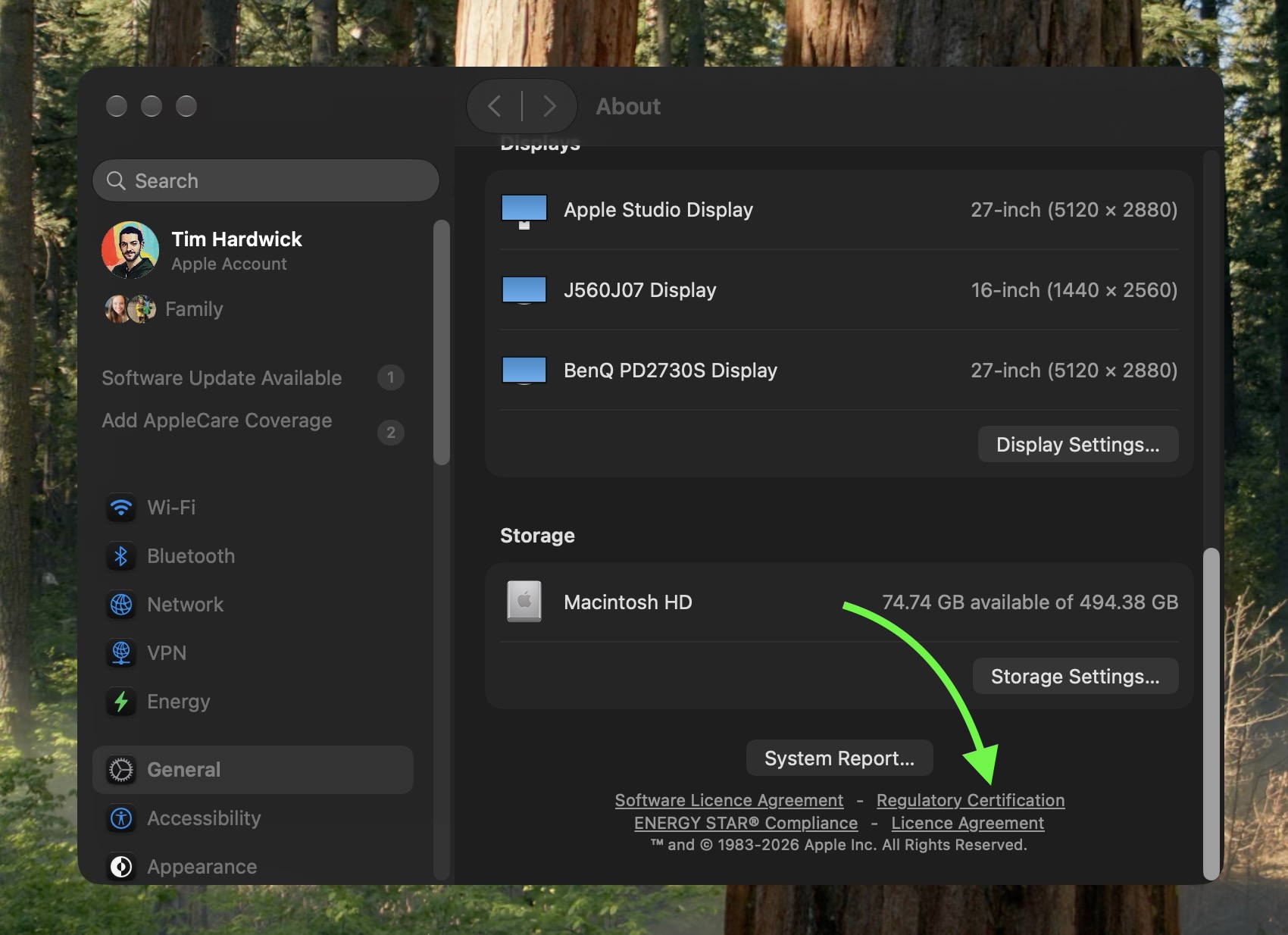
To determine when your Mac was manufactured in macOS 27, follow these steps. First, navigate to System Settings, then continue to General and About. In the System Report button, click on Regulatory Certification. A field displaying the Date of Manufacture will appear at the bottom of the screen.
Previously, it was possible to decode the serial number of an Apple device to find out its manufacturing details, but Apple switched to randomized serial numbers in 2021. These new serial numbers did not include encoded manufacturing information, leaving users without a straightforward method to identify when their Mac was made.
However, with the release of macOS 27, MacRumors forum member pdfu discovered a way to access this information again. Another forum member noted that the displayed date on the certificate seems to correspond to the logic board rather than the complete machine, suggesting that the logic board holds the manufacturing date.
This feature was introduced during the macOS 27 beta cycle and has not been widely publicized by Apple. The regulatory certification provides a useful workaround for those seeking to find out their Mac's manufacturing date in the post-randomization era.
Written by urgent.news from MacRumors's reporting — not their text. Machine-written — may contain errors; check the original before relying on it.