This Good Lock module turns Samsung’s Gallery app into a more capable editor
It's quite good, but Samsung should make it even better.
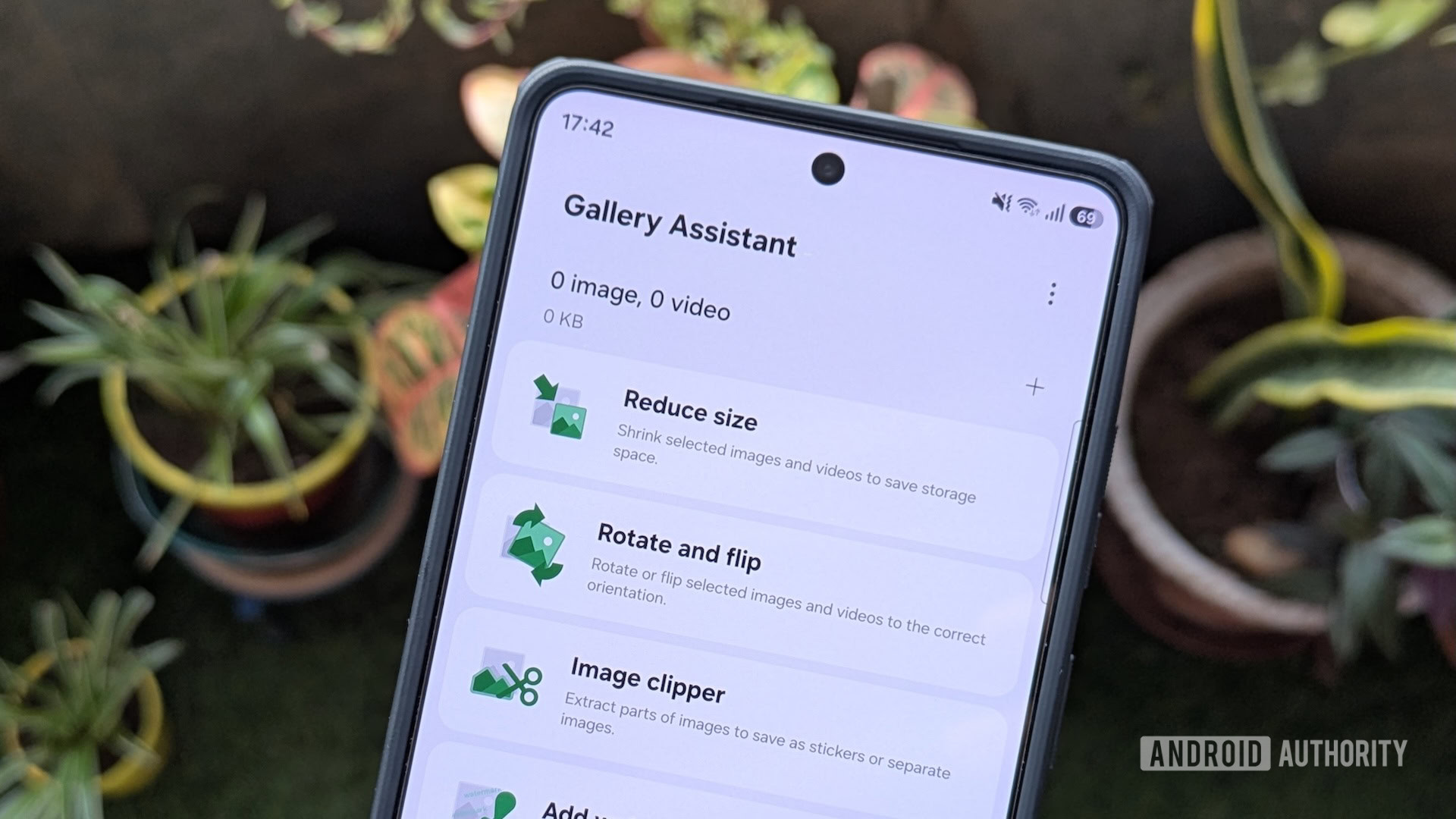
Samsung’s Gallery app is a versatile tool for both viewing and editing images and videos. It allows users to perform actions such as turning images into collages, GIFs, and removing backgrounds. Additionally, Gallery Labs provides secret features like album-entry locks and PDF-saving capabilities. However, these features are complemented by a Good Lock module called Gallery Assistant, which significantly expands the app's functionality.
Gallery Assistant adds seven new tools to the Gallery app, enabling batch processing for images and videos. These tools are particularly useful for editing tasks, as they allow users to perform operations on multiple files at once, saving time and effort. For instance, the "Reduce size" tool enables users to shrink images and videos, reducing storage space requirements.
While this may affect image and video quality, it is beneficial for situations where file size is a concern, such as uploading media files to websites with size restrictions.
Other tools in Gallery Assistant include "Rotate and flip," which allows users to bulk-rotate and flip images, and "Image clipper," which extracts foreground subjects from multiple images simultaneously. The "Add watermark" tool lets users add custom watermarks to their images for social media sharing, while the "Compare images" tool enables users to side-by-side compare and select preferred photos.
The "Save as PDF" and "Print" tools further enhance the app's functionality by converting images to PDF format and allowing for printing multiple images at once, respectively.
The addition of "Enhance-X," an AI-powered app, completes the suite of tools in Gallery Assistant. This AI-powered tool allows users to fix their images and videos with simple taps. To access Gallery Assistant, users must download the module through the Good Lock app. Once installed, they can use the tools either within the Gallery app or directly in the Gallery Assistant app.
Overall, Gallery Assistant is a powerful and convenient extension for Samsung’s Gallery app, offering a wide range of editing capabilities for users to enhance their photos and videos.
Written by urgent.news from Android Authority's reporting — not their text. Machine-written — may contain errors; check the original before relying on it.
Also reported by 1 other outlet
- The good news is that Samsung Gallery is now getting Google Photos integration androidauthority.com