Fake calendar invites can infect your system, and they’re surging – how to protect yourself
These invites sneak past your security software to embed themselves in your calendar. But you can thwart them before they do any damage.
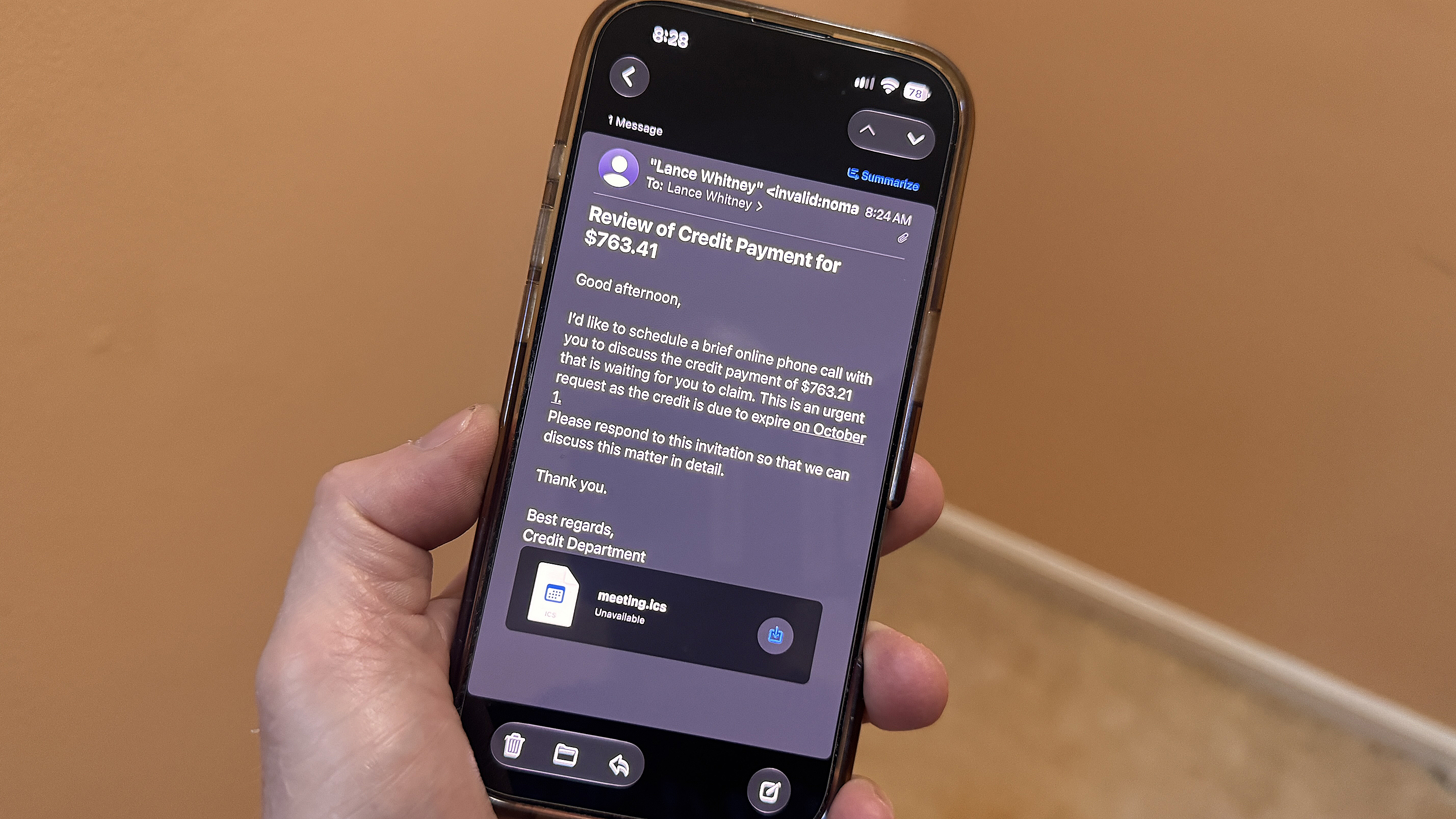
Calendar invites sent via email have emerged as a new vector for malware attacks, with a dramatic surge in recent months. Cybersecurity firm Sublime reports that such attacks increased by 282% in June, 338% in July, and an astonishing 1,216% in August alone. The firm expects a further 2,852% rise in September. These attacks take advantage of a default setting in many email programs that automatically adds calendar invites to the user's calendar before they can accept or decline it.
This process, known as ICS phishing, exploits a technique part of the iCalendar standard used in programs like Microsoft Outlook, Gmail, and Apple Mail.
The attackers rely on the implied trust in the system and the recipient's lack of suspicion towards calendar invites, which are often less scrutinized than email phishing attempts. Once an invite is received, it can contain links or QR codes that compromise the victim's system, even upon declining the invite. This is because the attacker may gather information about the valid email address in the process.
A recent attack involved a Google Calendar invite that led victims to a malicious remote monitoring and management (RMM) payload, disguised as a financial lure in the form of an alleged credit against an invoice.
To protect against these attacks, users are advised not to click on links, RSVP, or even decline the invite. Instead, they should delete the event and report it as spam. Users should also consider tightening their calendar settings by disabling the automatic addition of invitations from unknown senders. In Gmail, this can be done under Event Settings by selecting "Only if the sender is known" or "When I respond to the invitation in email."
For Microsoft Outlook, users should uncheck the box for "Automatically process meeting requests and responses to meeting requests and polls" in the Mail settings, and similarly adjust the Auto Accept/Decline settings in the Calendar Options.
Written by urgent.news from ZDNet's reporting — not their text. Machine-written — may contain errors; check the original before relying on it.