Krita remains one of the best free apps for digital artists
Krita is a feature-rich digital painting app built for artists, with customizable brushes, layers, drawing assistants, graphics tablet support, and animation tools. The latest 5.3.4 release adds animation and timelapse exports on Android and improves recorder reliability. Read Entire Article
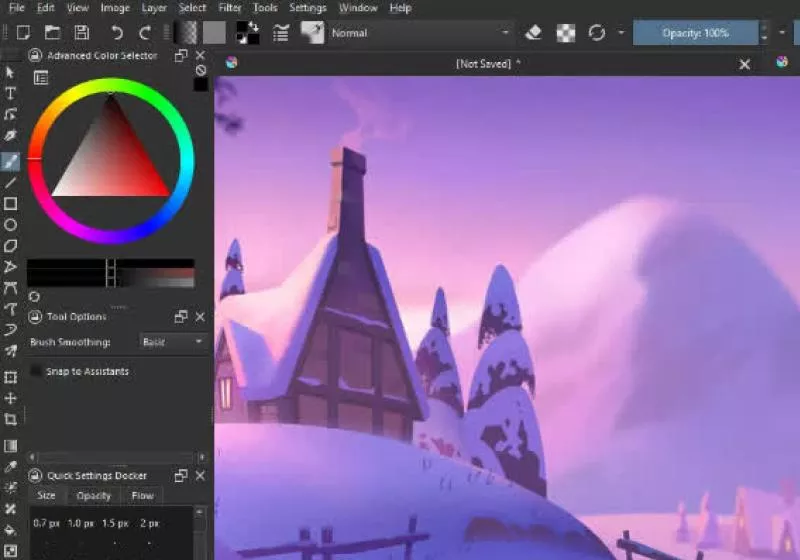
Krita remains a top choice for digital artists due to its focus on 2D painting applications, offering features tailored to concept art, comics, and textures. Unlike Photoshop, which emphasizes image manipulation, Krita's tools cater specifically to digital painting needs. Users can share their unique workflows by creating video tutorials, which are then shared with the community.
One of Krita's standout features is its brush engine, which prioritizes a painting-first workflow and supports stylus features like tilt and rotation. Compared to photo editing apps, Krita concentrates on illustration, concept art, and comics, providing professional tools such as HDR painting, wrap-around mode for textures, and animation capabilities without relying on costly subscriptions.
The software optimizes performance during scaling, minimizing any loss of brushstroke detail when zoomed out, and ensuring accurate sharpness when viewed at 100% scale.
Krita's timeline-based workflow supports frame-by-frame animation, onion skinning, camera moves, and audio playback, making it suitable for animatics, short loops, and 2D hand-drawn animation. Although it lacks full production pipeline tools, it can still create polished traditional animation and illustration-focused styles. The intuitive user interface allows users to customize dockers and panels to suit their specific workflow, saving custom workspaces and creating personalized shortcuts for frequently used tools.
For artists with shaky hands, Krita offers three methods to smooth and stabilize brush strokes, including a dedicated Dynamic Brush tool for adding drag and mass.
Users can quickly select colors and brushes by right-clicking on the canvas and utilize Krita's tagging system to swap between available brushes. The color selector's ring displays the most recently used colors, accessible through preferences for further customization. Brush engines, numbering nine, each feature an array of settings to tailor brush behavior to specific needs, such as Color Smudge, Shape, Particle, and Filter engines.
Custom brushes can be saved and organized using Krita's tagging system, simplifying the creation of seamless textures and patterns. By pressing the W key while painting, artists can toggle wrap-around mode, enabling the image to reference itself along the x and y axes for instant updates without complex offsetting.
The software supports importing brush and texture packs from other artists, fostering collaboration and expansion of creative tools. Brush packs are available in the Resource area, and creators can share their own bundles. Krita's support for tablets on Windows, Linux, and macOS has been notably improved, integrating code from Windows (Wintab and Windows Ink), Linux, and macOS development platforms.
This enhancement facilitates multi-monitor setups, expands tablet support, and rectifies various tablet-related bugs. However, this significant development required patches to Qt, which may not yet be integrated by some Linux distributions. Users might need to install the Linux AppImage until the patches are universally available.
In May 2023, Krita 5.3.4 and 6.0.4 were released, bringing bug fixes and improvements across the board, including a new color palette by Google Summer of Code student Michael Zhou. These updates enhance stability and include various enhancements to improve the overall user experience.
Written by urgent.news from TechSpot's reporting — not their text. Machine-written — may contain errors; check the original before relying on it.