Here’s what’s new with parental control features in iOS 27, iPadOS 27, and macOS 27
Included in today’s 2027 system updates from Apple are several new Screen Time and parental control features aimed at giving parents more control over how their kids use their devices. Here are the details. more…
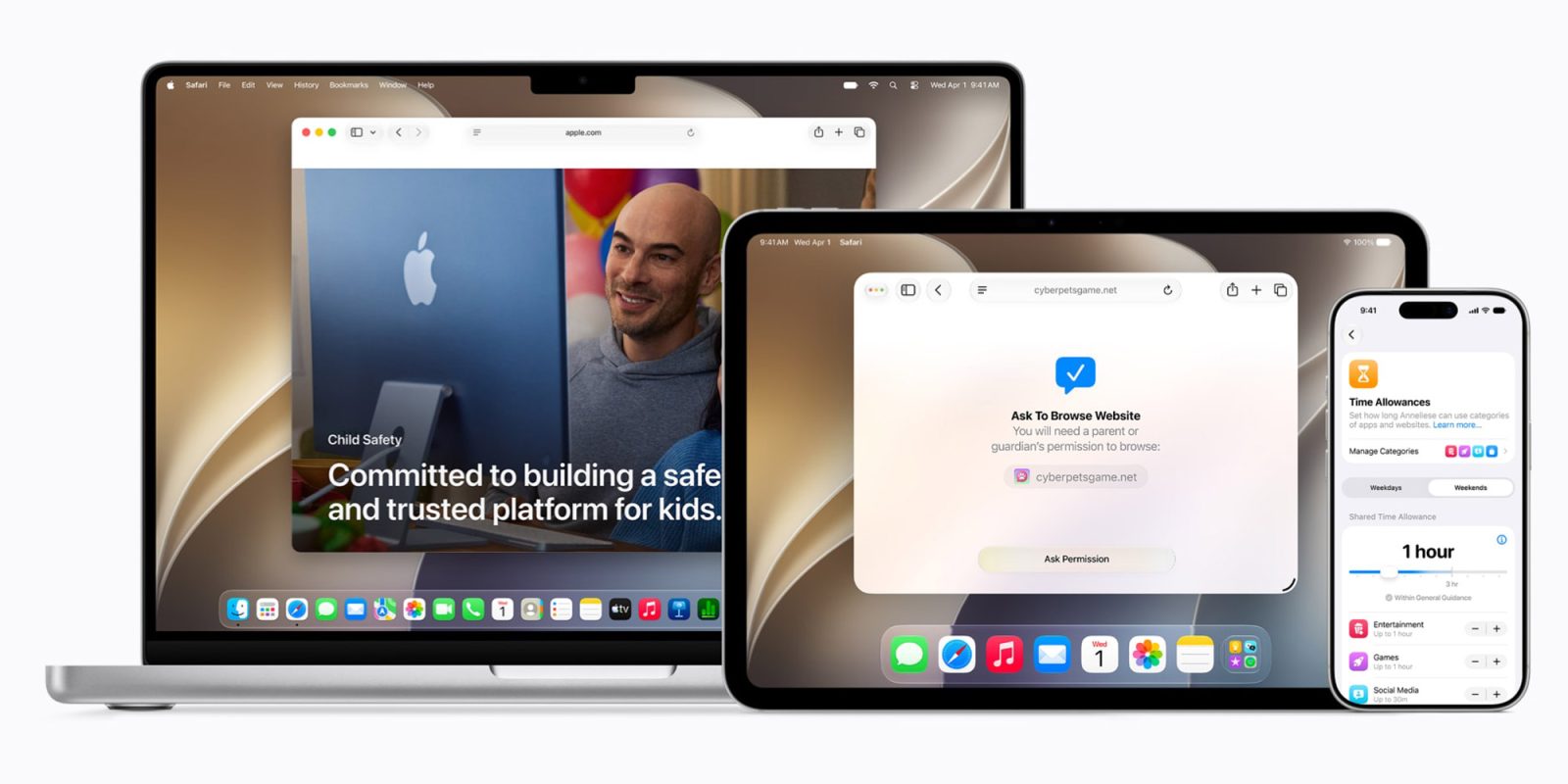
Apple's recent iOS 27, iPadOS 27, and macOS 27 updates bring a host of new Screen Time and parental control features designed to assist parents in creating a safer digital environment for their children. These enhancements primarily revolve around four key areas: content access, communication, device usage scheduling, and management of these controls.
All these features are under the umbrella of Child Accounts, which are mandatory for users under 13 years old, or the age appropriate for the user's country or region, and available for individuals up to 18.
The setup process for Child Accounts in iOS 27 has been streamlined. Parents can begin with a preset selection of essential apps, a recommended starter set, or they can manually choose the Apple apps their child is allowed to use. Upon creating a Child Account, parents can decide which apps and websites their child can access, set age and content restrictions for various media like movies, TV shows, music, books, and more.
Additionally, a new feature called Ask to Browse allows kids to request access to blocked websites across iPhone, iPad, and Mac, with the parent's approval managed through a Messages interface. This follows the existing Ask to Buy feature, which currently necessitates parental approval for app downloads or in-app purchases.
Parents can further implement restrictions on when kids can connect with new contacts, set daily limits for app categories such as Entertainment, Games, and Social Media, and establish schedules dictating app availability at different times of the day. These schedules can be specific to each day of the week. The Screen Time feature has been revamped with an improved architecture that allows for quicker synchronization of parental controls across devices within a Family Sharing group.
Parents can now view weekly usage summaries, monitor their children's most frequently used apps, temporarily disable access to a device, and then restore access for a limited time. They can also switch between various schedules effortlessly. Communication Safety has also been expanded beyond nudity detection, now capable of blocking detected gore or violent content in shared images and videos, while displaying a warning and providing additional resources.
Moreover, Time Allowances have become more flexible. Parents can now devise their custom app categories, move apps between these categories, and assign time allowances the moment they approve a new app via Ask to Buy. Additionally, websites linked to an app can inherit the same allowance. Apple suggests Time Allowances based on the child's age and supported by research from experts.
Furthermore, Apple is collaborating with the American Academy of Pediatrics to incorporate its Family Media Plan into guidance for parents utilizing Apple devices.
It is essential to note that for the new Screen Time experience to be utilized, all devices within a Family Sharing group must be running iOS 27, iPadOS 27, and macOS 27. For more information on the new parental controls, interested parties can visit the provided link. Additionally, for further Apple news, viewers are encouraged to check out 9to5Mac on YouTube.
Written by urgent.news from 9to5Mac's reporting — not their text. Machine-written — may contain errors; check the original before relying on it.