Lenovo Legion 9i Gen 10 18" Laptop Review: A True Desktop Replacement
Lenovo's Legion 9i Gen 10 is a monster 18-inch laptop with desktop-class performance, a superb 240Hz display, and premium build quality. It's also one of the most expensive laptops we've tested. Read Entire Article
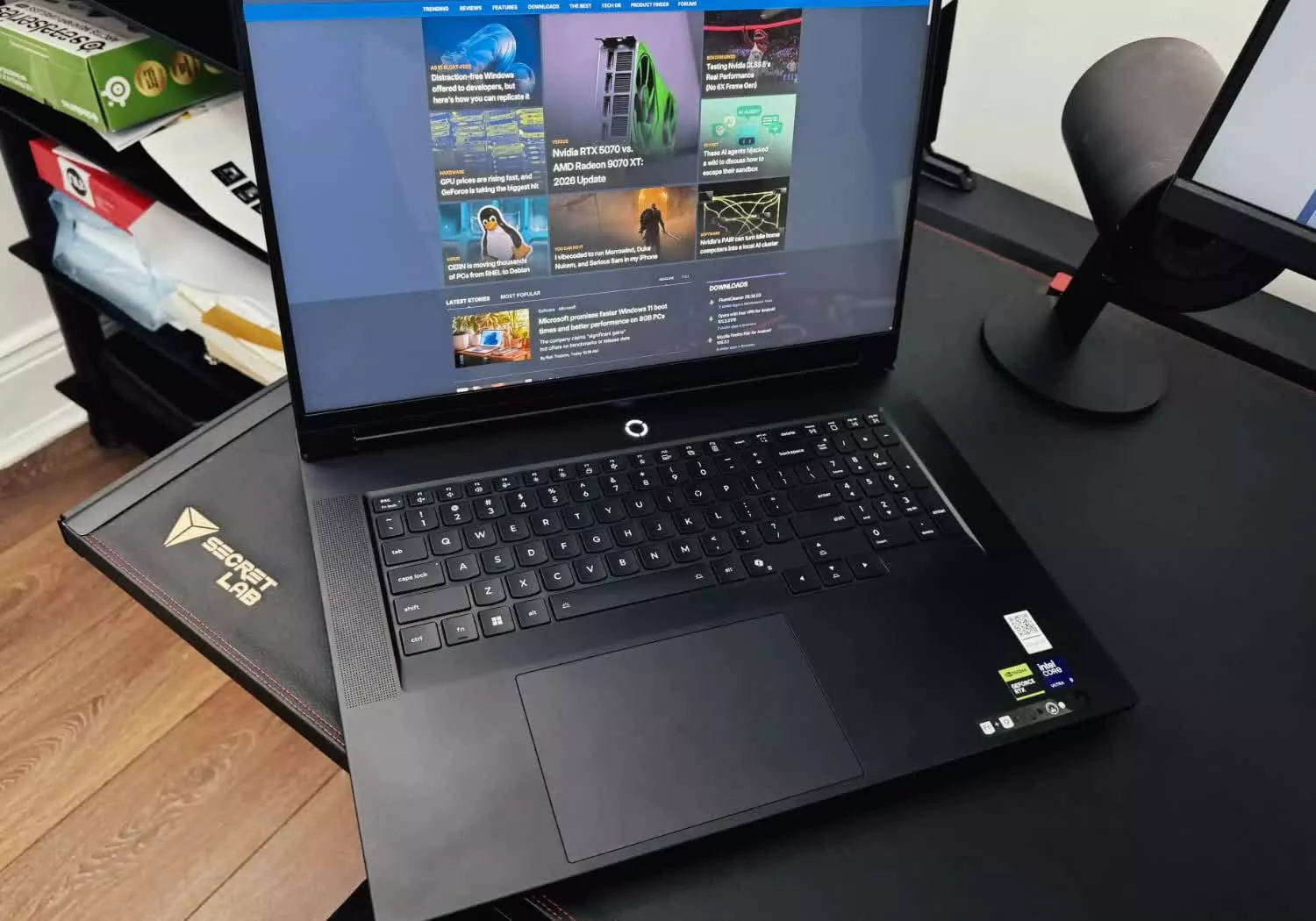
Lenovo Legion 9i Gen 10 18-inch Laptop Review: A True Desktop Replacement
The term "desktop replacement" is often used when discussing 18-inch laptops, but the Lenovo Legion 9i Gen 10 actually delivers almost no downsides compared to a desktop PC. This powerful machine has quickly become the reviewer's favorite laptop they have ever tested, despite its relatively high price.
Under the hood, the Legion 9i Gen 10 is equipped with a 24-core Intel Core Ultra 9 290HX Plus, an RTX 5080 graphics card capable of consuming up to 175W, 64GB of DDR5-4800 RAM, an ultra-high-performance SK hynix Platinum P51 2TB Gen 5 SSD, and a massive 99.9Wh battery. The laptop weighs 7.7 pounds, while the entire package comes to just over 10 pounds, including the heavy 400W power adapter and cables.
Physically, the Legion 9i Gen 10 is a sleek and luxurious device. Its anodized magnesium build, black aluminum lid layered with forged carbon, and a beautiful paint job make it look like a combination of a gaming and professional laptop. The semi-reflective graphite camo design gives it a unique, high-end aesthetic. The laptop also features a lit LEGION logo, front ambient lighting, and per-key RGB customization.
Build quality is exceptional, with a sturdy chassis that shows no signs of flex even when deliberately bent. The screen does not flop around at the slightest movement, and the entire build screams high-end. While the Legion 9i Gen 10 isn't portable, it's not designed to be carried around. Its dimensions are 15.87 x 11.69 x 1.10 inches, making it smaller than some 18-inch rivals.
The laptop's appearance is striking, often eliciting "wow" reactions from those unfamiliar with technology. The anodized magnesium build, black aluminum lid, and forged carbon layer give it a luxurious feel. The full-size SD 4.0 card reader, HDMI 2.1 port, headphone/mic combo port, and a standard-size Ethernet port are also added bonuses.
The laptop is well-suited for both developers and gamers, with an extensive port selection that includes three USB-C ports (two with Thunderbolt 5 and 140W power delivery), three USB-A ports, a full-size SD 4.0 card reader, an HDMI 2.1 port, a headphone/mic combo port, an Ethernet port, and an eShutter switch for the webcam. Wireless connectivity includes 2x2 Killer Wi-Fi 7 BE1750x and Bluetooth 5.4.
The Legion's keyboard is one of the best the reviewer has ever used, with 1.6mm of travel, firmness, and a slight concave dip in each key. Typing on it feels on par with the MacBook Pro, and the full-size numpad and arrow keys, along with a massive trackpad, provide an excellent user experience. The trackpad is incredibly responsive, making it a joy to use for work.
Despite the glossy IPS display not being as impressive as OLED or Mini-LED panels, the Legion's 3840x2400 (16:10) panel offers excellent color accuracy, with a factory calibration utility called X-Rite Color Assistant. Colors are vivid and accurate, making it ideal for photo and video editing. The 520 nits brightness is impressive for an IPS panel, making it suitable for most environments.
The refresh rate on the Legion is impressive, reaching 240Hz at its native resolution. Dropping down to 1080p increases the refresh rate to a blistering 440Hz. The LegionSpace app provides different modes, including Quiet, Custom, and Performance, and includes an automatic GPU overclocking switch for maximum performance. In benchmarks, the Legion consistently outperformed other 18-inch laptops like the Medion Erazer Beast 18 and the Asus Zephyrus 16.
Written by urgent.news from TechSpot's reporting — not their text. Machine-written — may contain errors; check the original before relying on it.

