How To Create Your Own 1980s AI Photo Using ChatGPT Or Google Gemini: Detailed Prompts & Steps
The internet has decided everyone deserves to know what they would have looked like in the 1980s. Over the past few days, Instagram and X feeds have been flooded with AI-generated portraits recreating the decade's signature look - voluminous hair, statement sunglasses, studio lighting and a touch of film grain - as users upload their photos and ask AI chatbots to transform them into vintage-style…
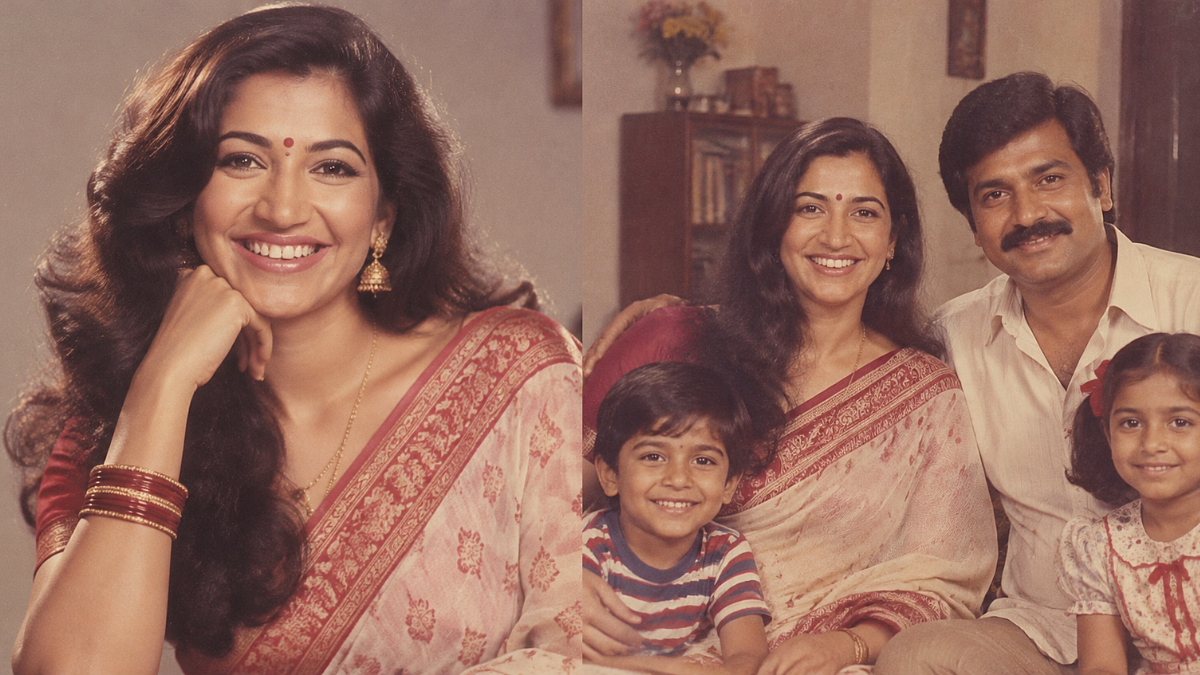
The internet has recently been captivated by a viral trend where individuals are transforming their modern photos into 1980s-style portraits using artificial intelligence. Social media platforms like Instagram and X have been inundated with AI-generated images capturing the essence of the decade's iconic style, including voluminous hair, bold sunglasses, studio lighting, and a touch of film grain.
Unlike basic filters, these AI-generated portraits meticulously reconstruct various elements like clothing, hairstyles, backdrops, and lighting to create a genuine vintage photograph.
The trend gained momentum due to its novelty and the ability to recreate one's likeness in an era-defining aesthetic. Notable personalities such as Bollywood stars Kiara Advani and Sidharth Malhotra, cricketers Virat Kohli and KL Rahul, and even political figures like Prime Minister Narendra Modi and Rahul Gandhi, have joined the trend by sharing their own AI-generated retro portraits on social media.
Creating your own 1980s AI photo is a straightforward process that requires only a clear photo of yourself and access to either ChatGPT or Google Gemini. Here is a step-by-step guide to achieve this transformation:
1. Select your AI app: Open either ChatGPT Images or Google Gemini on your smartphone or computer browser, ensuring you are signed in to an account.
2. Upload a clear photo: Tap the "+" icon or use the attachment feature to select a recent, well-lit portrait where your face is prominently visible. A head-on shot with minimal background distractions yields the best results.
3. Write a detailed prompt: Craft a specific instruction outlining the 1980s look you desire, including details about clothing, hairstyle, lighting, and setting. The more precise the prompt, the more authentic the final image will appear.
4. Generate the image: Send your prompt to the AI and wait patiently for the transformation to take place. This process typically concludes within a minute.
5. Review and refine: If the initial outcome doesn't meet your expectations, prompt the AI to make adjustments. For instance, you can ask to add more film grain, enlarge the hairstyle, or make other modifications, and the AI will regenerate a new image accordingly.
6. Download and share: Once satisfied with the final result, download the image to your device before posting it on social media platforms like Instagram or X, where the trend has gained significant traction through Stories and the "Add Yours" sticker feature.
Written by urgent.news from Free Press Journal's reporting — not their text. Machine-written — may contain errors; check the original before relying on it.