How to throw a LAN party in 2026
FOV 90: What are your best LAN party memories?
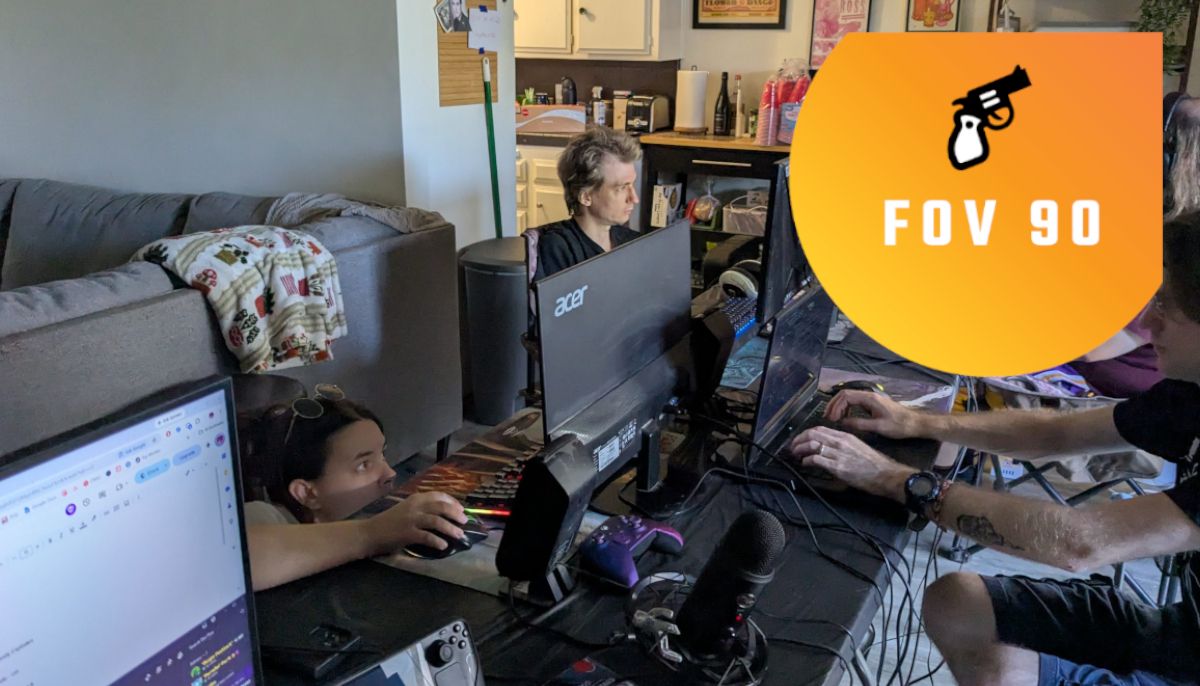
Welcome back, FPS enthusiasts, as we delve into the world of LAN parties in 2026. My fiancé proposed a unique birthday celebration: organizing a LAN party with friends. Having missed out on the LAN party trend earlier, I decided to create an unforgettable experience for my friends. The party revolved around the 2000s, with a focus on playing shooters that offered great local multiplayer or co-op.
We ended up enjoying Halo, Battlefront 2 Classic, and Left 4 Dead 2 Versus, among other favorites. Drinks and pizza were consumed in abundance, making it the best adult birthday party I've ever had. However, the journey wasn't without its challenges. Technical and logistical issues arose, and we wished for the presence of a LAN veteran. Based on this experience, here are some tips to ensure your LAN party goes smoothly:
1. Consider renting tables. Our original plan of setting up PCs wherever they fit was a disaster due to limited space. Renting two six-foot tables and arranging them side-by-side provided the perfect setup for various PCs, laptops, and Steam Decks.
2. Don't skimp on chairs. We initially asked everyone to bring camping chairs, resulting in a mix of comfortable and uncomfortable seating. Renting chairs would have ensured everyone had a good experience.
3. Make a list of games to play. We created a shared document where everyone could suggest games. Prioritize shooters with local multiplayer or co-op, and include some indie classics. Be cautious of online games that could lead to disputes.
4. Download games ahead of time. If possible, have friends download large games in advance to avoid delays when everyone connects simultaneously.
5. Order a giant pizza. A 28-inch pizza from Cataldo's in Bakersfield, California, was enough to feed nine people, leaving plenty of leftovers. Pizza and wedges make for a perfect party food.
6. Transport the pizza carefully. Ensure the large pizza box fits in your vehicle, and avoid weighing it down with random items.
7. Provide surge protectors and ethernet cables. Use multiple power strips and longer ethernet cables to avoid overloading breakers and ensure all devices can connect comfortably.
8. Sweat it out. The room will get hot with multiple PCs running, so use fans to circulate the air and stay cool.
9. Sweat it out. Be mindful of varied skill levels in your friend group. Don't pretend to be bad, but don't try to be the best either. Your friends are not a pub stomp server.
10. Include online friends. If some friends can't attend due to location, create a Discord channel with a webcam feed for them to join in the fun remotely.
Written by urgent.news from PC Gamer's reporting — not their text. Machine-written — may contain errors; check the original before relying on it.