The highly customisable Corsair Frame 4000X promised it would be my dream PC case, but I'm not completely convinced
It's definitely got plenty of parts to pick from, but does it all come together?
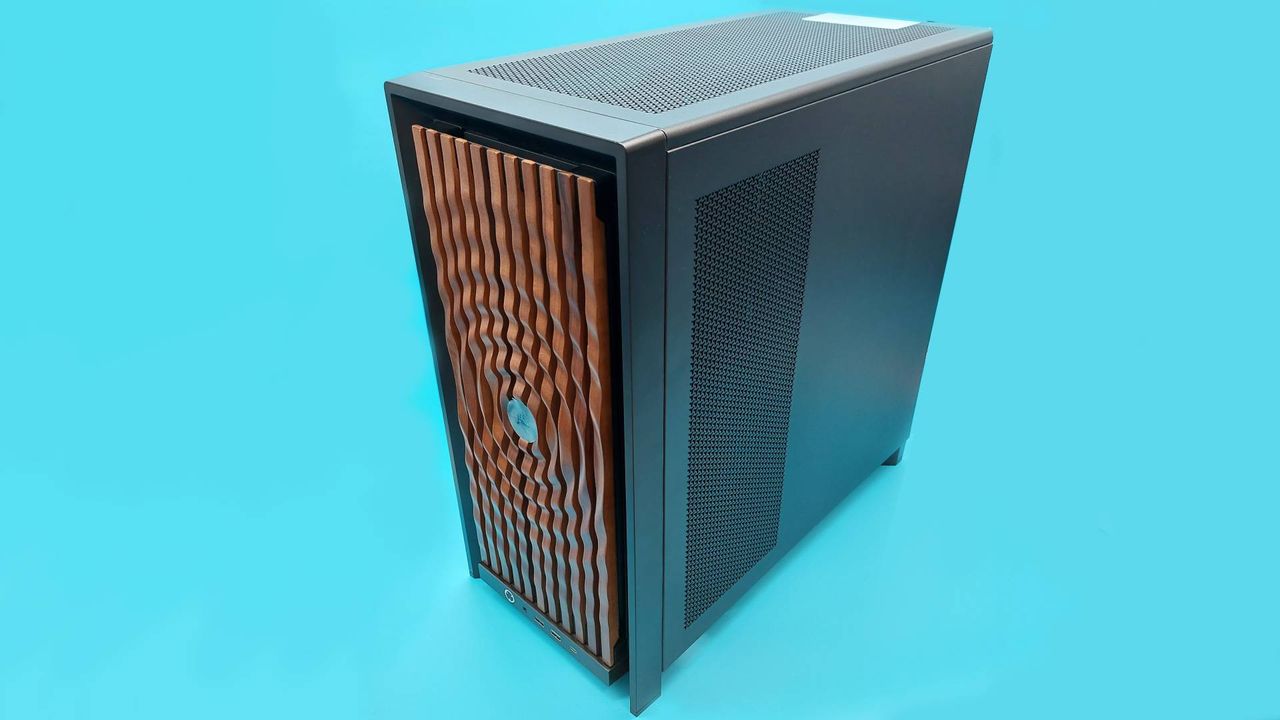
Building a PC can be as satisfying as playing with Lego bricks, and that idea is not new. When given a box of PC case faceplates, side panels, and internal brackets, one might find it hard to resist. I was given a box of bits for the Corsair Frame 4000X, and I decided to build my dream PC case.
Most of the parts are compatible with the Corsair Frame 4000D, which Jacob reviewed. The case offers a variety of aesthetics through its faceplates, which can be changed easily as they are mostly tool-free. However, the RGB Flow front panel has an additional cable that needs to be fed behind the modular front panel I/O every time. I replaced it with wood panelling due to the inconvenience.
Mounting the radiator in the front meant I couldn't fully utilize the full glass front panel or the pixel glass faceplate. The build aimed for a business look on the front with dark walnut faceplate, and a party atmosphere on the back with Miku Hatsune figurines, which dictated many decisions. Internally, there's a choice between a full-size PSU shroud or a compact version that suits Miss Hatsune well.
The modular I/O front panel can be customized and entirely swapped out, with options ranging from audio jack to USB Type-C ports. I kept the USB-A front ports due to personal preference. The front and side panels can also be swapped out to change the case's appearance. Unlike the faceplate, these panels require thumb screws for attachment, which is a compromise between security and detachment ease, though it's less convenient than my previous Hyte Y40 case.
Reading the manual is a hassle, as I received a QR code on the underside of the lid that leads to a digital manual. While it's clearly labeled and laid out nicely, scrolling through the manual on a phone is not as convenient as flipping through a physical booklet. Plus, losing the physical manual is the user's responsibility, but losing the digital one is beyond control.
The side panels only come in black and white, limiting color options for other build possibilities. The Corsair Xeneon Edge LCD Touchscreen can be mounted on one panel, but I opted for a typical fishtank look with a tempered glass side panel, cost-wise. The Frame 4000X is compatible with various motherboard sizes, including Mini-ITX, Micro-ATX, ATX, and E-ATX.
It also offers multiple motherboard tray options, like the sturdy Elite motherboard tray and the RapidRoute 2.0 cable management system. The back of the case features velcro cable management straps, and a height-adjustable anti-sag bracket for the GPU is included. However, I couldn't test this feature due to the small form factor graphics card used.
In conclusion, the Corsair Frame 4000X didn't turn out to be my dream PC case, but it offers a customizable and spacious interior with plenty of options.
Written by urgent.news from PC Gamer's reporting — not their text. Machine-written — may contain errors; check the original before relying on it.