Samsung One UI 9 Simplifies The Switch From iPhone
When changing phones, moving data from the old device to the new one can be a tedious process. To address these woes, companies have introduced features or apps that allow for quick transfers during setup. Now, Samsung has further streamlined its take on the idea. With the One UI 9 update, Smart Switch has simplified […] The post Samsung One UI 9 Simplifies The Switch From iPhone appeared first…
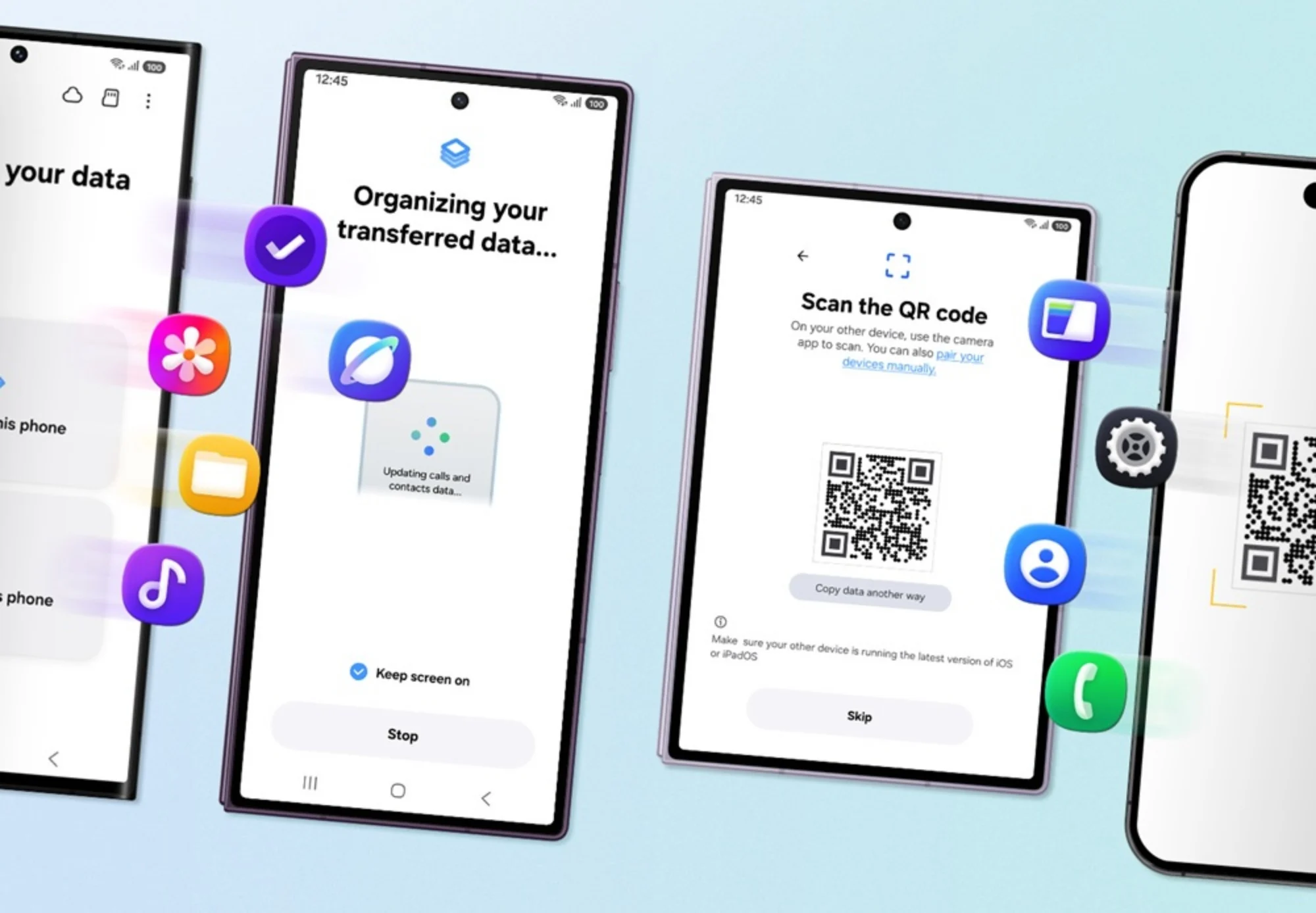
Samsung's One UI 9 update makes the transition from an iPhone to a Galaxy device simpler than ever. The Smart Switch feature, which transfers data during setup, has been improved to the point where users no longer need to download an app on their iPhone. Instead, they simply need to scan a QR code displayed on their new Galaxy device during the initial setup.
The QR code appears when the user chooses to transfer data from their current phone. After scanning the code with their old device's camera, a connection is established. Users can then follow on-screen instructions to transfer their data. Samsung has expanded the types of data that can be transferred, including passwords, passkeys, call history, accessibility settings, and eSIM information.
While the option to transfer data is offered during setup, users can also do it later via the Smart Switch app. After the switch, users can personalize their new Galaxy devices with the Good Lock app. Additionally, Quick Share is now compatible with AirDrop, allowing for file sharing between Apple and Galaxy devices. However, AirDrop compatibility is limited to devices running One UI 9 and One UI 8.5.
The updated Smart Switch is currently only available on One UI 9, which means it's accessible to a limited number of devices, including the latest generation of Galaxy Z foldables.
Written by urgent.news from Lowyat.NET's reporting — not their text. Machine-written — may contain errors; check the original before relying on it.