The Terminal Tab Problem Codex Finally Solved for Multi-Agent Work
How the Agents Dashboard and codex queue turn multiple AI coding sessions into one manageable workflow.
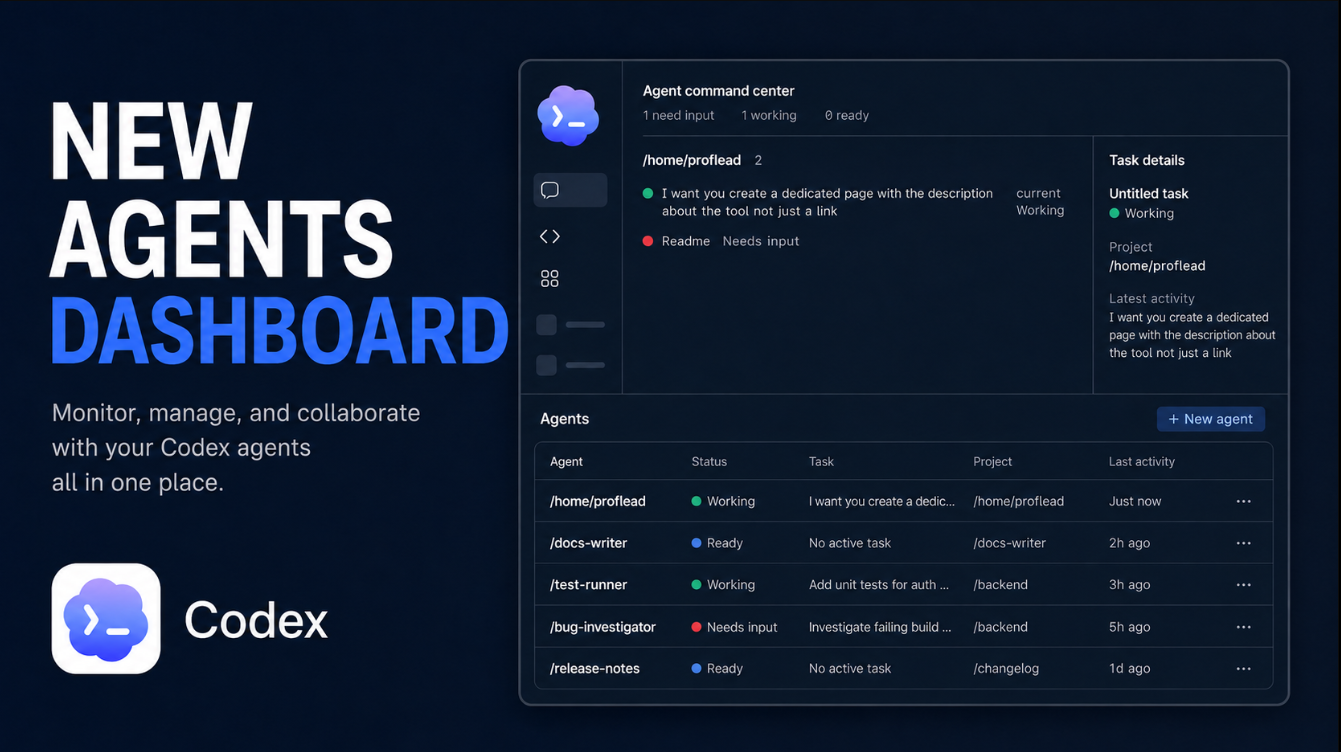
For years, terminal tabs had unintentionally transformed into a makeshift task-management system. Each tab held a separate Codex session, whether it was debugging a UI issue, examining an API, or waiting for permission to execute a command. When a new requirement emerged, the process of locating the appropriate terminal tab, reviewing its history, and adding the necessary message became cumbersome. The automation of the work remained intact, but managing the automation proved challenging.
The new Codex Agents Dashboard aims to simplify this process. This dashboard offers a unified terminal view for local tasks, while the codex queue function allows users to send instructions to ongoing sessions without the need to open them first. A video demonstration of this functionality can be viewed at https://youtu.be/O_OCwzKPAHY?embedable=true.
Upon launching the dashboard, users encounter the command "codex agents," which organizes tasks by project and categorizes them into states that directly address the user's primary concern: where to focus their attention. The term "need input" signifies an agent is blocked on the user, "working" suggests the agent should typically be left alone, and "ready" indicates there is a task to review. This system is more intuitive than the previous "which terminal tab changed most recently?" approach.
Once a task is accessed from the dashboard, its entire transcript becomes available. Once the task is completed, simply running "/agents" returns the user to the command center. By renaming tasks, the feature becomes significantly more valuable. An automatic title like "Please inspect the project and fix..." is difficult to scan and target via command, but a concise name such as "checkout-regression mobile-navigation database-migration" is far more manageable.
Pressing Ctrl+R in the dashboard, or executing "/rename mobile-navigation" inside the session, changes only the saved name, leaving the transcript intact.
The ultimate goal is to eliminate the need for searching through terminal tabs. By starting with the dashboard instead of searching through open tabs, users can streamline their workflow. The dashboard should be the primary interface for supervising tasks, rather than a single conversation. Each important task should be given a distinct, clear name for maximum efficiency.
Written by urgent.news from HackerNoon's reporting — not their text. Machine-written — may contain errors; check the original before relying on it.