I found a solution to the features Apple Notes has been missing for years
Apple Notes is great, but it's missing a few key features. I found a free extension that fixes almost all of them, and here's everything it can do.
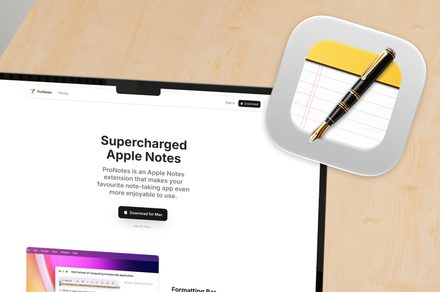
Apple Notes is a go-to note-taking app for many users, thanks to its pre-installation on Apple devices and solid features like shared notes, locking, file attachments, and linking. However, there are a few features that Apple has been missing for years. To fill these gaps, I came across a free extension called ProNotes that adds much-needed functionality to the app.
ProNotes offers a small formatting bar right above selected text, allowing users to change font size, add bold text, insert links, or create checklists without moving the cursor far from their work. This feature can significantly improve workflow efficiency. ProNotes also brings Markdown shortcuts to Apple Notes, enabling users to create titles, headings, subheadings, checklists, block quotes, and more with simple keyboard shortcuts.
For those who prefer slash commands, ProNotes allows users to type a forward slash followed by a command like /title, /heading, /checklist, /table, or /quote, which inserts the corresponding formatting. Additionally, ProNotes provides a table insertion shortcut, which Apple Notes lacks on its own. The app also supports linking notes, both to general notes and subheadings, offering a Backlinks feature to see which notes link back to the current one.
This feature can be particularly useful for users who build personal wikis or keep track of connected ideas.
Templates are another valuable addition offered by ProNotes. Users can create a “Templates” folder, drop template notes inside it, and use slash commands to pull up the desired template when needed. Variables like @today or @date can be used inside templates, and they will automatically update to the current date. This feature can save users a significant amount of time when working on notes with a consistent structure, such as meeting notes.
ProNotes also includes a floating search bar similar to what users might find in other note-taking apps like Obsidian. By hitting Command and P inside Notes, users can quickly search for and open notes. This feature can be customized with separate shortcuts for in-app and system-wide searches. The extension also offers an optional AI tier that can continue writing sentences or paragraphs, improve writing, summarize long notes, fix spelling and grammar, and adjust text length based on user preferences.
While not essential for all users, this feature can be useful for those who want to enhance their writing or save time on note-taking tasks.
Written by urgent.news from Digital Trends's reporting — not their text. Machine-written — may contain errors; check the original before relying on it.