83% of phone storage issues come down to just two culprits — here’s how to fix both
Based on a recent reader poll, this step-by-step guide shows you how to tweak simple settings on iOS and Android to clear our your bloated storage.
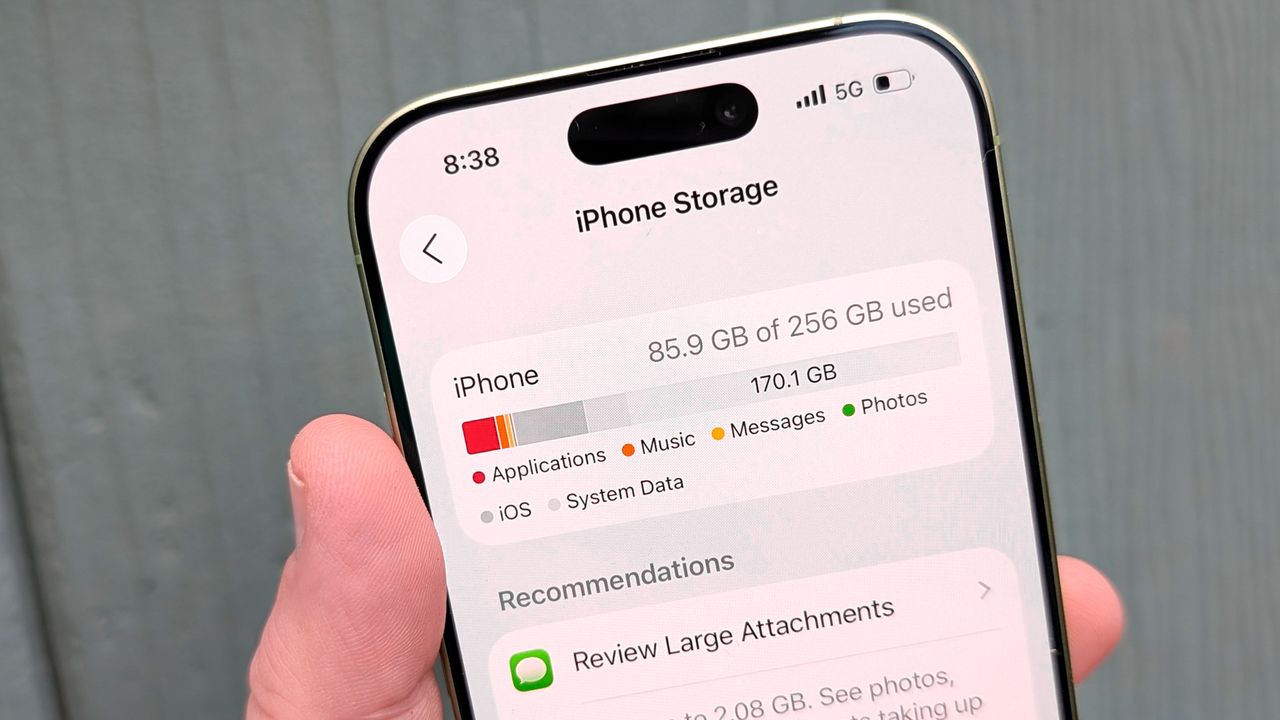
83% of phone storage troubles stem from just two primary causes, according to a recent poll of Tom's Guide readers. The main culprits are photos and videos, which account for 42% of storage space, followed closely by hidden app caches, which make up 41% of the issue. To tackle these storage traps, users should follow a four-step process.
First, address the photo vault by leveraging cloud storage options. On iPhones, iOS users can enable Optimize Storage in Settings, while Android devices can use Google Photos' Free Up Space tool. These features move heavy files to the cloud, freeing up gigabytes of space.
Second, clear app caches to eliminate invisible clutter. On Android, navigate to Settings > Apps, select a storage-hungry app like TikTok or Google Chrome, and tap Clear Cache. For iPhones, users can clear app caches by going to Settings > General > iPhone Storage > Free up space > Clear. Alternatively, uninstall and reinstall apps that lack built-in cache-clearing options.
Third, purge forgotten downloads, which represent 9% of the storage problem. Streaming services like Netflix, Apple Podcasts, and Spotify often save video and audio files locally. Users should check their download management tabs within these apps and delete saved content they have already consumed. Enabling features like Netflix's Smart Downloads ensures automatic deletion of watched episodes, preventing future clutter.
Lastly, offload abandoned games, which account for 8% of storage space. Mobile games often occupy 2 to 5 gigabytes each, even if players rarely play them. Users can sort their installed apps by last used date in phone settings to identify games that haven't been opened in months. Deleting these applications provides an immediate storage boost, as progress and save files are linked to cloud accounts and can be easily restored upon reinstall.
Written by urgent.news from Tom's Guide's reporting — not their text. Machine-written — may contain errors; check the original before relying on it.