Essential travel tips for packing tech and power banks
Travellers can make their airport experience smoother by taking a few simple steps when packing phones, laptops, tablets, cameras, chargers and power banks.
Travellers can streamline their airport experience by following a few essential tips for packing technology and power banks. Kirby Gordon, Chief Marketing Officer at FlySafair, emphasizes that a little preparation can prevent most travel delays.
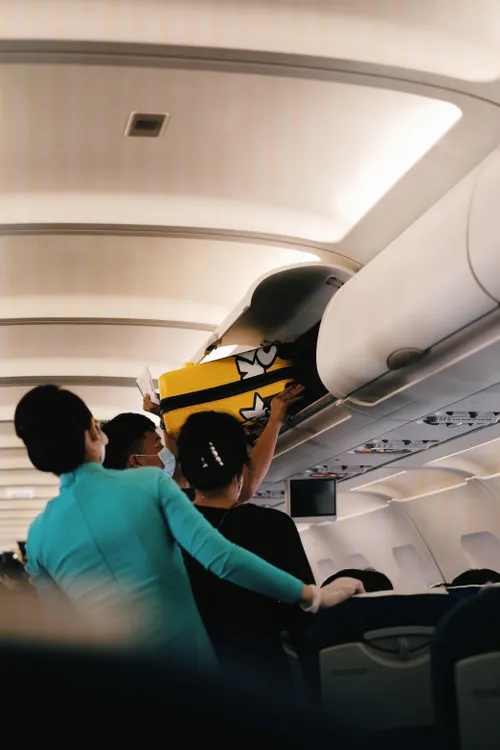
Essential electronics like phones, laptops, tablets, cameras, chargers, and power banks should be packed in your cabin bag. If your carry-on is gate-checked, ensure all electronic devices and spare batteries are removed before handing the bag over to airport staff.
When packing, keep electronics easily accessible by using sleeves or padded compartments. Power off devices when not in use. At security checkpoints, remove laptops and larger electronics as instructed by airport personnel.
For checked luggage, add bags online through Manage My Booking to save time during busy periods. Use cable organisers and label chargers to protect devices and expedite repacking after security screening. Remember that carry-on size and weight limits still apply.
Power banks, which are spare lithium-ion batteries, must be carried in cabin baggage. If the watt-hour rating is not listed, calculate it using the formula: Wh = (mAh ÷ 1 000) × voltage. These restrictions are in place to allow quick response from cabin crew in the unlikely event of a battery issue. Mitigating battery risks is more manageable when batteries are in the cabin.
"Arriving at the airport prepared makes the entire experience much smoother," Gordon concludes.
Written by urgent.news from IOL's reporting — not their text. Machine-written — may contain errors; check the original before relying on it.