Pixel 11 envy? Here’s how to unlock its best new feature on any Android device
Have you heard? It’s that time of year again — time for some snazzy new Pixels to tempt our gadget-coveting “gimme!” reflexes and guide flagship Android phone expectations for months to come. Google’s latest and greatest gizmo is the Pixel 11 series, which includes the regular Pixel 11 and Pixel 11 Pro alongside the plus-sized Pixel 11 XL and Pixel 11 Pro XL and the fancy new folding Pixel 11 Pro…
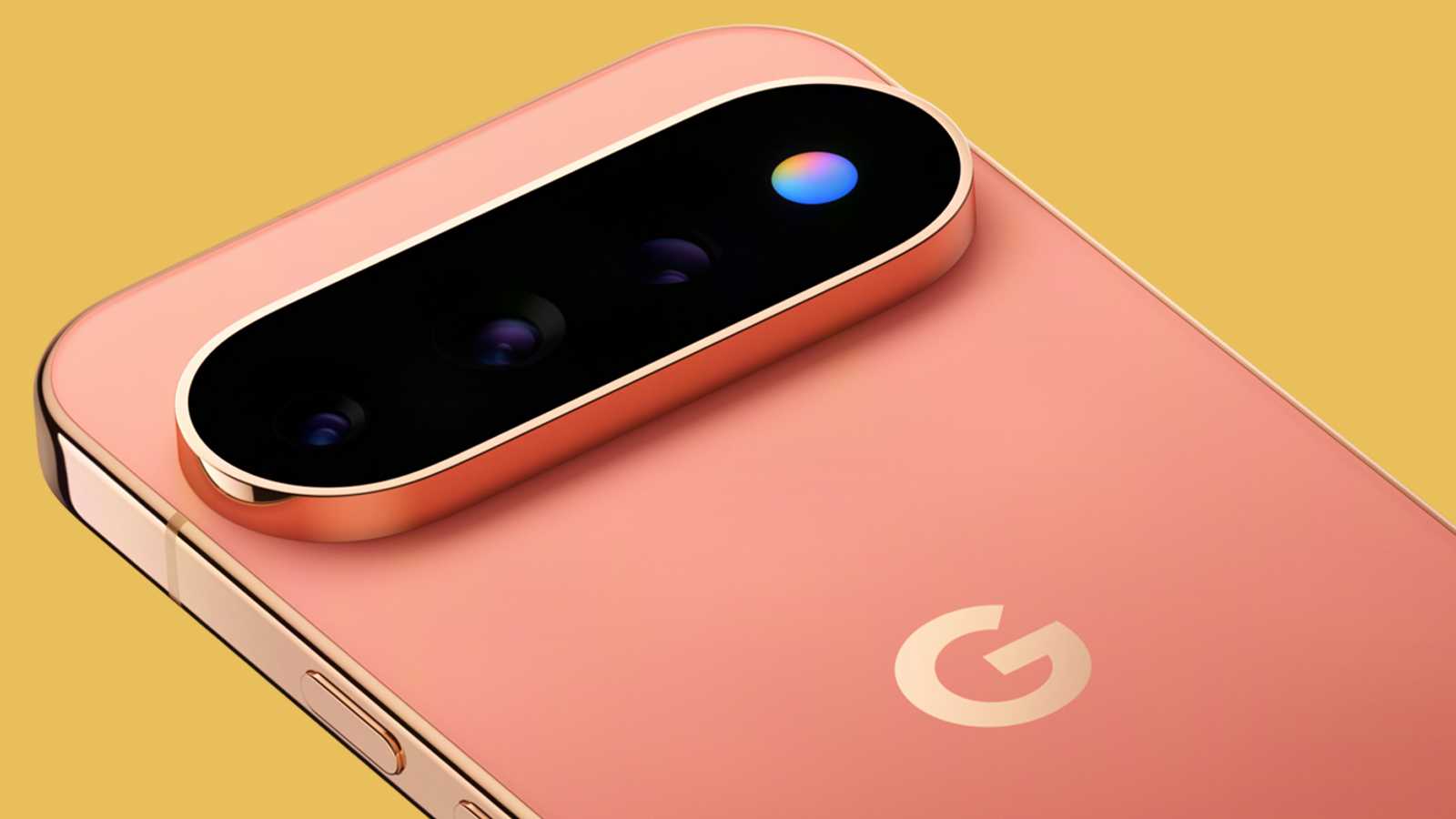
The Pixel 11 series, released by Google, features new models such as the Pixel 11, Pixel 11 Pro, Pixel 11 XL, Pixel 11 Pro XL, and the Pixel 11 Pro Fold. These devices have received upgrades like improved cameras, brighter displays, faster charging, and updated processors. The most noteworthy addition is the HiLight feature, which uses LED lights in the camera bar to alert users to incoming calls or interactions with the Gemini system.
However, this feature is only active when the device is face down on a surface and is limited to calls from favorite contacts or interactions with Gemini.
Despite the Pixel 11 series' upgrades, the HiLight feature does not significantly change the user experience. But there is a workaround to enjoy the benefits of HiLight on any Android device. AodNotify is a versatile app that creates custom notification lights on any Android device's display, making it possible to see incoming call alerts and Gemini interactions without having to look at the screen.
This feature can be controlled and customized according to the user's preferences, making it a more useful and versatile alternative to the HiLight feature found in the Pixel 11 series.
Written by urgent.news from Computerworld's reporting — not their text. Machine-written — may contain errors; check the original before relying on it.
This story
This is one outlet's version. Read the fullest account.
- Android 17 QPR2 lets you customize Pixel Quick Settings layout 9to5google.com
- Google says Android's AirDrop-like Quick Share will now let some devices exchange files and contact info when tapped together, starting with the Pixel 6 and up (Jess Weatherbed/The Verge) theverge.com
- Pixel Watch 4 vs. Pixel Watch 5: Buy the old Android smartwatch or opt for the newest? zdnet.com
- Android 17's big December update will make your Pixel even more customizable androidpolice.com