Building Reliable Voice Control for Jellyfin: What Worked, What Broke, and What Had to Go
How I built reliable voice control for Jellyfin using deterministic movie slots, exact session routing, and real-world TV client testing.
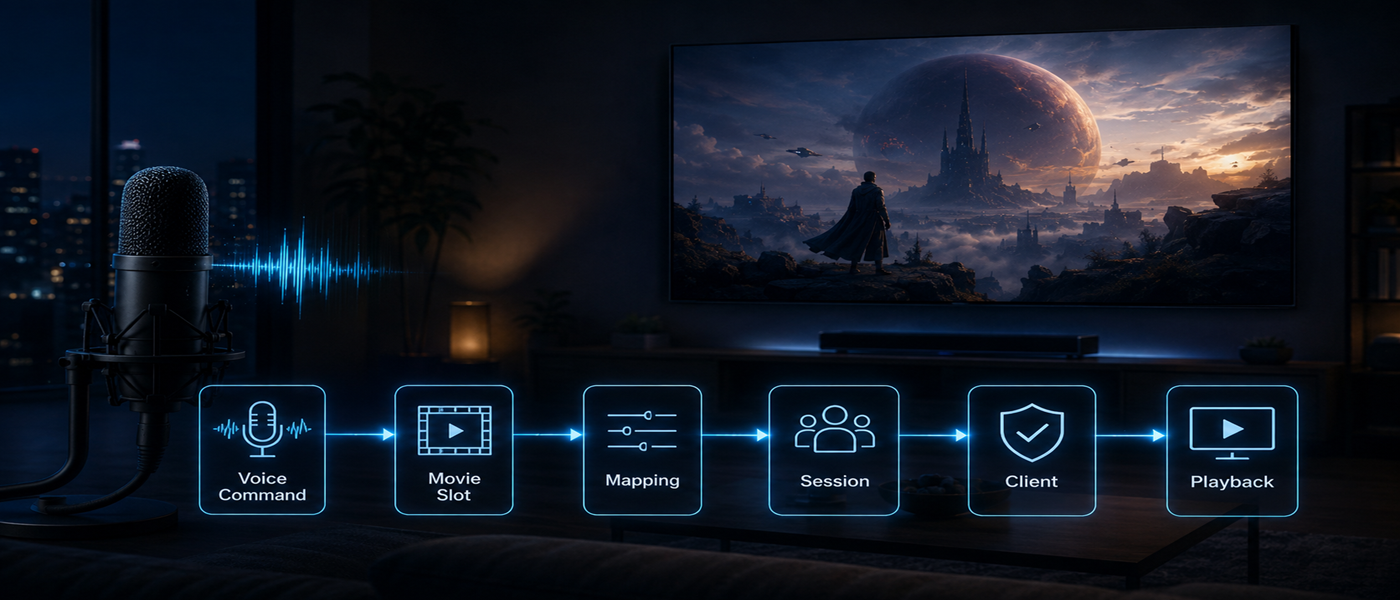
When I began enhancing Smart Home Cinema - Voice Control for Jellyfin, my objective was clear: to receive spoken instructions on one side of the system and have the intended actions executed on a television powered by a Jellyfin client. Initially, the voice-control system was built around VLC and PotPlayer on a Windows machine. However, Jellyfin altered the problem's shape, as playback could now occur on a television or streaming device, while the server operated elsewhere.
This necessitated a multi-layered communication process: voice command ↓ Windows control layer ↓ Jellyfin server ↓ live Jellyfin session ↓ television client. This added complexity introduced new challenges I hadn't encountered with standalone media players, such as determining which movie the spoken command referred to, identifying the correct session belonging to the desired television, and handling scenarios involving multiple active sessions.
Ensuring the server response was a reliable indicator that the client had performed the action became crucial.
Implementing voice commands for a single media target proved challenging due to the vast library available in a personal Jellyfin library. Giving commands based on every title would have made the system less practical. Instead, I opted for a constrained approach: creating a dedicated Jellyfin playlist with the first twenty positions designated as numbered voice slots.
This meant that Play Movie Five would always refer to the same position in the playlist, regardless of title, sequel, remake, or pronunciation differences. This created a stable command surface, simplifying the user experience and reducing ambiguity.
Despite the command working technically, I later removed a "Remove Movie" command from the system. This feature aimed to remove a movie from the controlled playlist while keeping the media file intact in the Jellyfin library. The issue arose when removing a movie caused its identity to change (e.g., Movie Three becoming Movie Two).
This led to confusion, as a user who remembered a specific film was assigned to Movie Twelve could now be speaking to a different slot. Furthermore, commands dependent on the current playlist position could no longer accurately determine the next position if the removed item was still playing. Removing this command ensured that the control model remained reliable and consistent.
With numbered movie slots established, it became necessary to synchronize the television display with the control system's state. I created a Movie List generated from the same Jellyfin playlist order used by the voice-control layer. Initially, relying on a native Jellyfin view showed the movies in alphabetical order, which conflicted with the numbered playlist.
To resolve this, I generated a separate Movie List from the actual playlist sequence, ensuring that the television view matched the control engine's internal representation. This decision emphasized the importance of ensuring that user decisions based on visible state corresponded to the same state used by the command engine.
Written by urgent.news from HackerNoon's reporting — not their text. Machine-written — may contain errors; check the original before relying on it.