Google Messages tests a full-screen attachment view and customizable grid
Beta users can now long-press to reorder shortcut pills and tap the new caret icon for an expanded view.
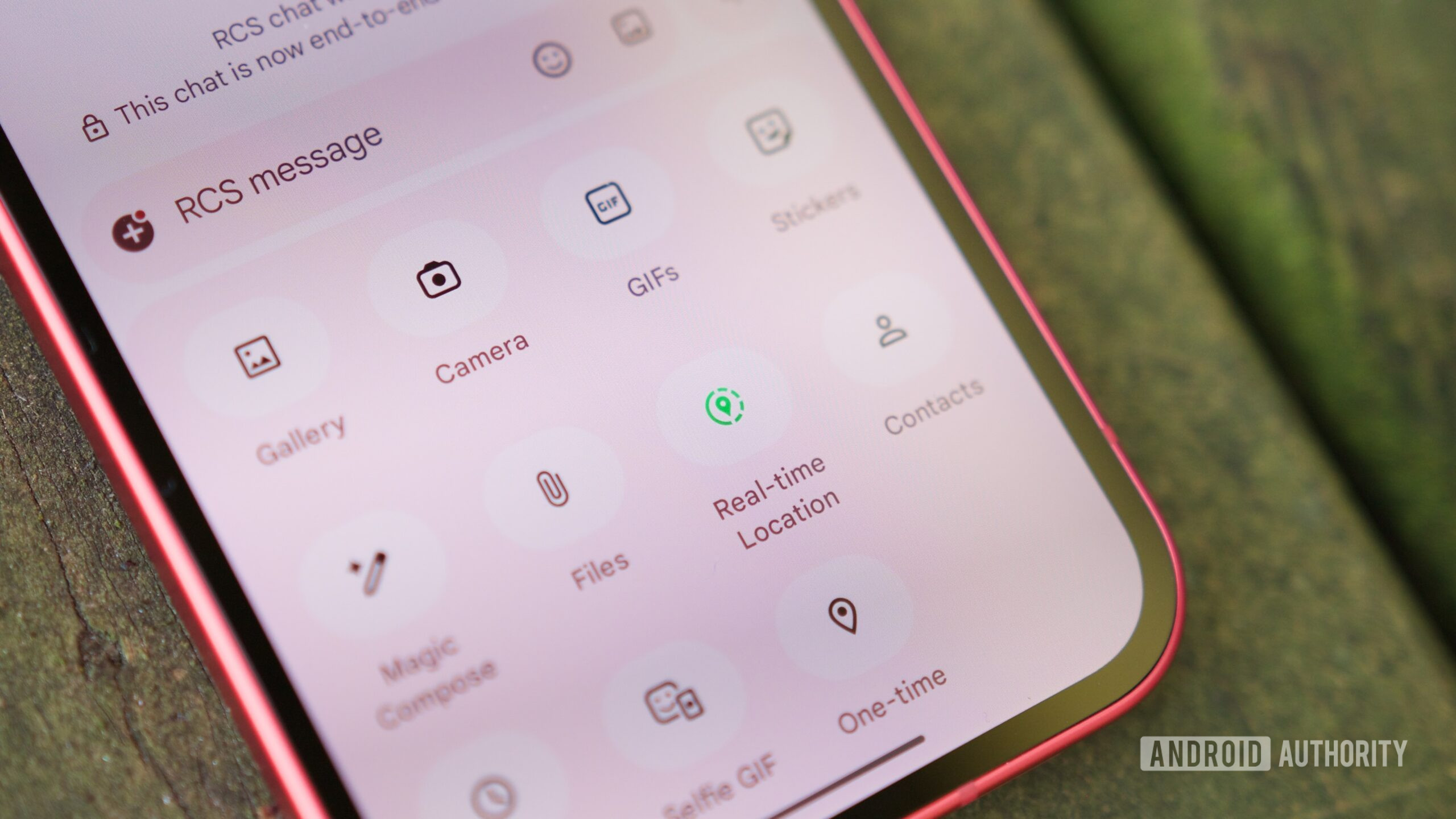
In the Google Messages v20260731 beta, users are now able to customize their messaging layout in a significant way. With this update, the attachment shortcuts like Gallery, Location, and Schedule Send can be rearranged by long-pressing and dragging them to a preferred spot within the grid. Although the shortcuts cannot be completely removed, pushing unused options to the bottom offers a personalized touch to the messaging interface.
This feature allows for a more comfortable and efficient communication experience, as users can now tailor the attachment view to their specific needs. The new caret (arrow) icon at the top of the attachment sheet, when tapped, expands the grid into a full-screen view, providing further flexibility and convenience. This update comes as Google continues to fine-tune its flagship chat client, aiming to enhance its usability and user satisfaction.
Written by urgent.news from Android Authority's reporting — not their text. Machine-written — may contain errors; check the original before relying on it.
Also reported by 2 other outlets
- Google Messages will let you customize the shortcuts grid 9to5google.com
- Google Messages is getting much stricter about pinning chats androidauthority.com